


Apple iPad 6th Gen A1954 9.7" Silver - (B-Grade Refurbished)
128GB Storage - Wi-Fi+Cellular - Includes Lighting Cable - No Charger - Reconditioned by PBTech - 1 Year Warranty
Out of stock
Apple iPad 6th Gen A1954 9.7" Silver - (B-Grade Refurbished)
128GB Storage - Wi-Fi+Cellular - Includes Lighting Cable - No Charger - Reconditioned by PBTech - 1 Year Warranty
- Brand: Apple
- MPN: EXAPPTABB18932
- Part #: EXAPPTABB18932
- UPC:


- Brand: Apple
- MPN: EXAPPTABB18932
- Part #: EXAPPTABB18932
- UPC:
Features


your wallet will love!


Like a computer. Unlike any computer.
If the computer were invented today, what would it look like? It would be powerful enough for any task. So mobile you could take it everywhere. And so intuitive you could use it any way you wanted - with touch, a keyboard or even a pencil.1 In other words, it wouldn't really be a 'computer'. It would be the new iPad.
A10 Fusion chip. Engineered for performance.
64-bit architecture. Four-core design. Over 3.3 billion transistors. Translation: iPad is incredibly fast. Which comes in handy when you want to edit a 4K video, play graphics-intensive games or experience the latest augmented reality apps.
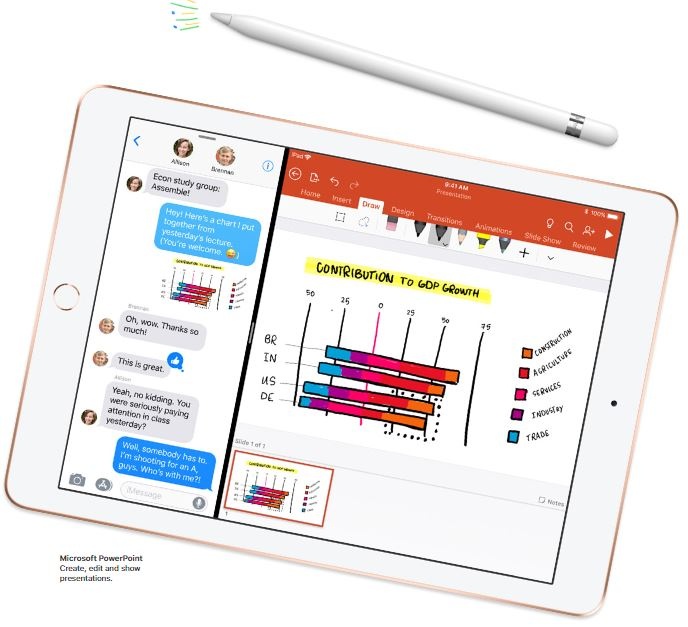
It multitasks easily. So you can too.
iPad packs enough power to use multiple apps at once. Work on your business plan while doing research on the web while making a FaceTime call to a colleague - all at the same time. It's even easier than it sounds.
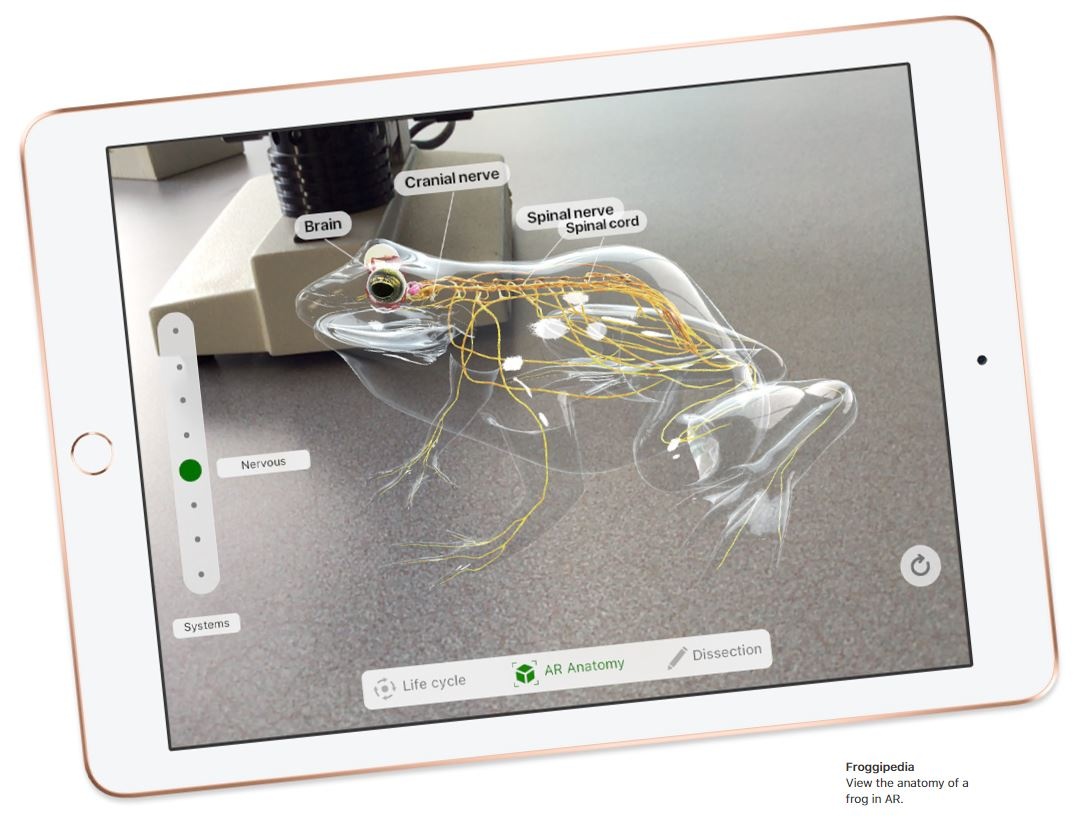
The most immersive way to experience augmented reality.
Augmented reality (AR) is a new technology that brings virtual objects into the real world. And every aspect of iPad - from the display to the processing power to the cameras to the motion sensors - is designed to make AR apps more magical than ever before.
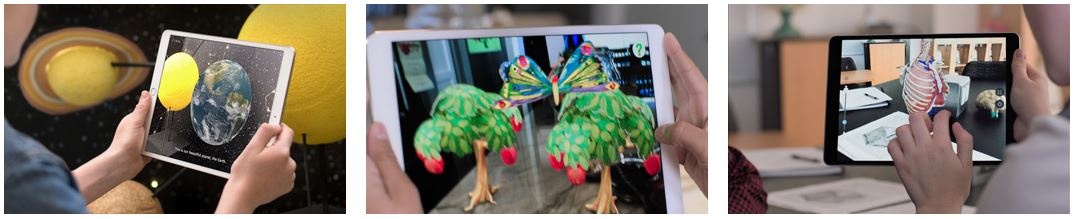
Augmented reality apps fundamentally change what you're capable of. Learn something new whether you're inside or outside a classroom. Solve everyday problems. Immerse yourself in entertainment and games. With iPad and AR, the possibilities are endless.
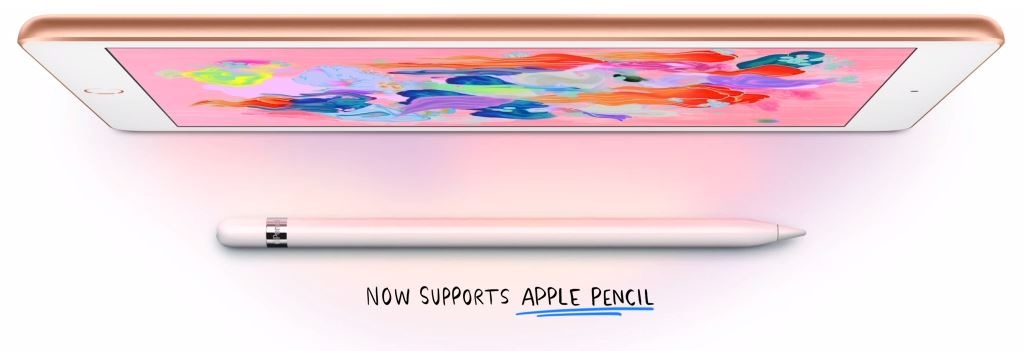
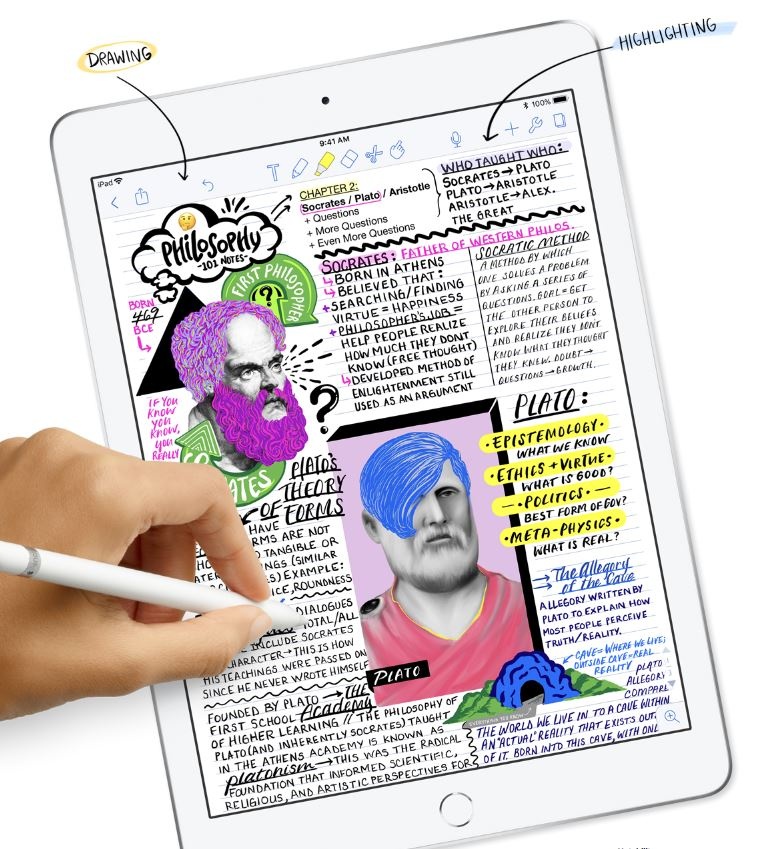
Apple Pencil - Dream it up. Jot it down.
iPad has always been a great way to get what's in your mind down on the page. And now you have a new way to do it. Write notes, paint a watercolour or sign a contract. With Apple Pencil, you'll do it all with pixel-perfect precision and responsiveness. Use it as naturally as you would a pencil, while doing a whole lot more than you would with one.
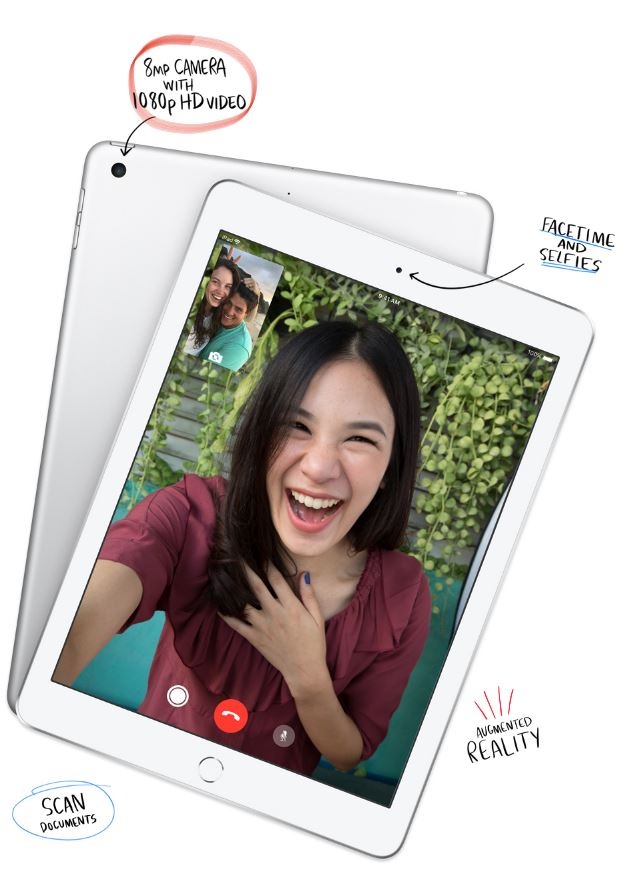
Two great cameras that do more than take great photos.
Built-in front and back cameras allow you to shoot gorgeous photos and cinematic videos, scan documents, make FaceTime calls, or even create a floor plan using augmented reality.
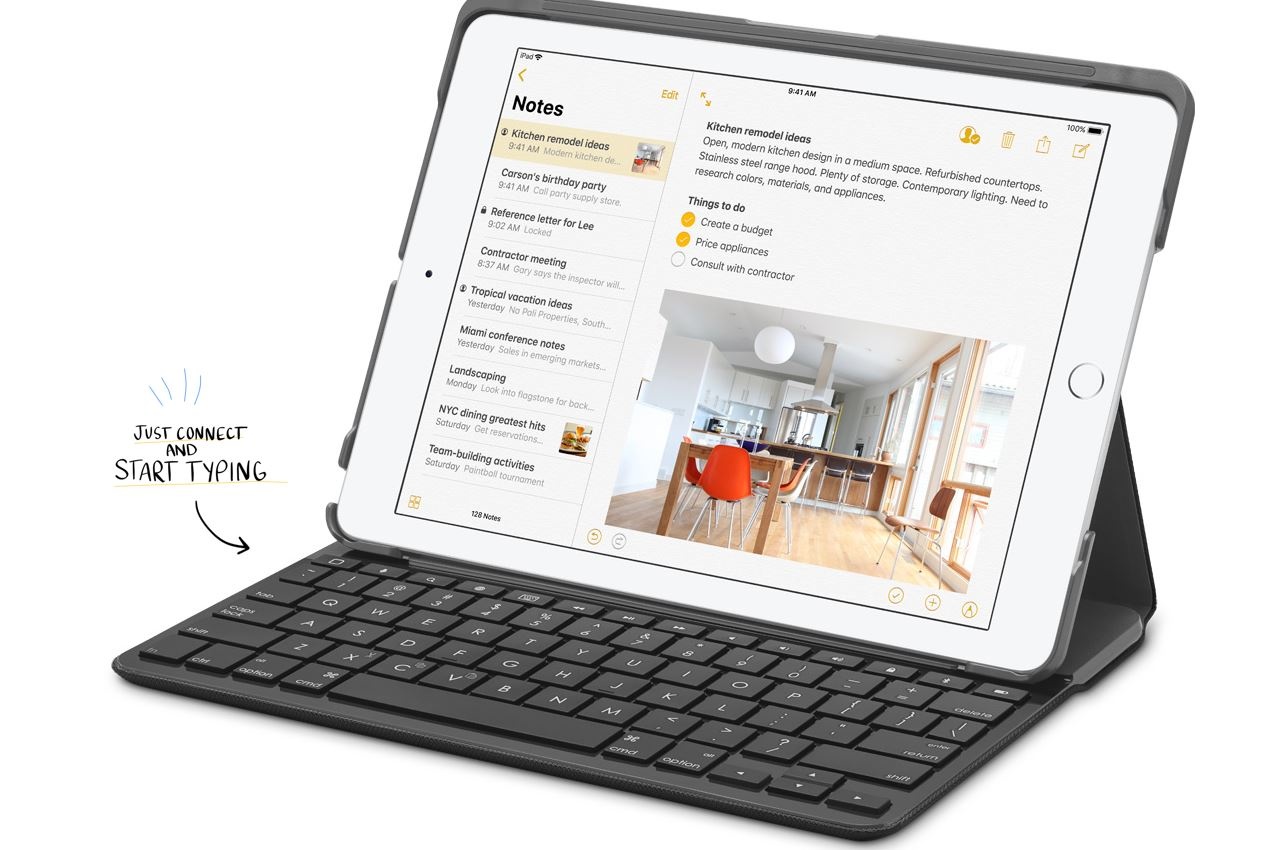
Connect and compose with any Bluetooth keyboard.
Need to sit down and hammer out a research paper, email or your blockbuster screenplay? iPad has an intuitive onscreen keyboard, but it's also compatible with all kinds of Bluetooth keyboards.
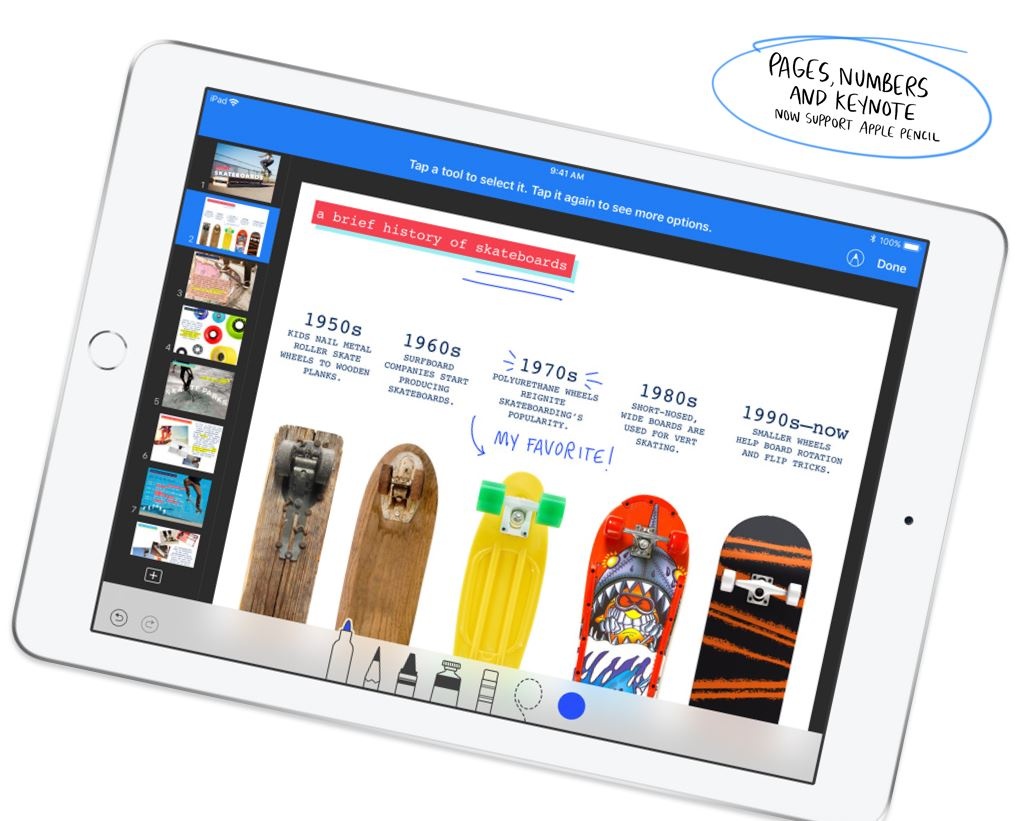
Loaded with powerful built-in apps.
Cut a track with GarageBand, create a compelling presentation with Keynote, or shoot and edit a short film with iMovie. iPad comes with a collection of apps from Apple so you can start creating straight out of the box.
With over a million apps for iPad, it can do countless things.
Every one of the 1.3 million iPad apps has been designed specifically for the large iPad display.2 There are apps for anything you want to do - photography, drawing or just getting some work done. And finding your new favourite apps is as easy as visiting the App Store, where our editors are always curating the best of what's new and noteworthy.
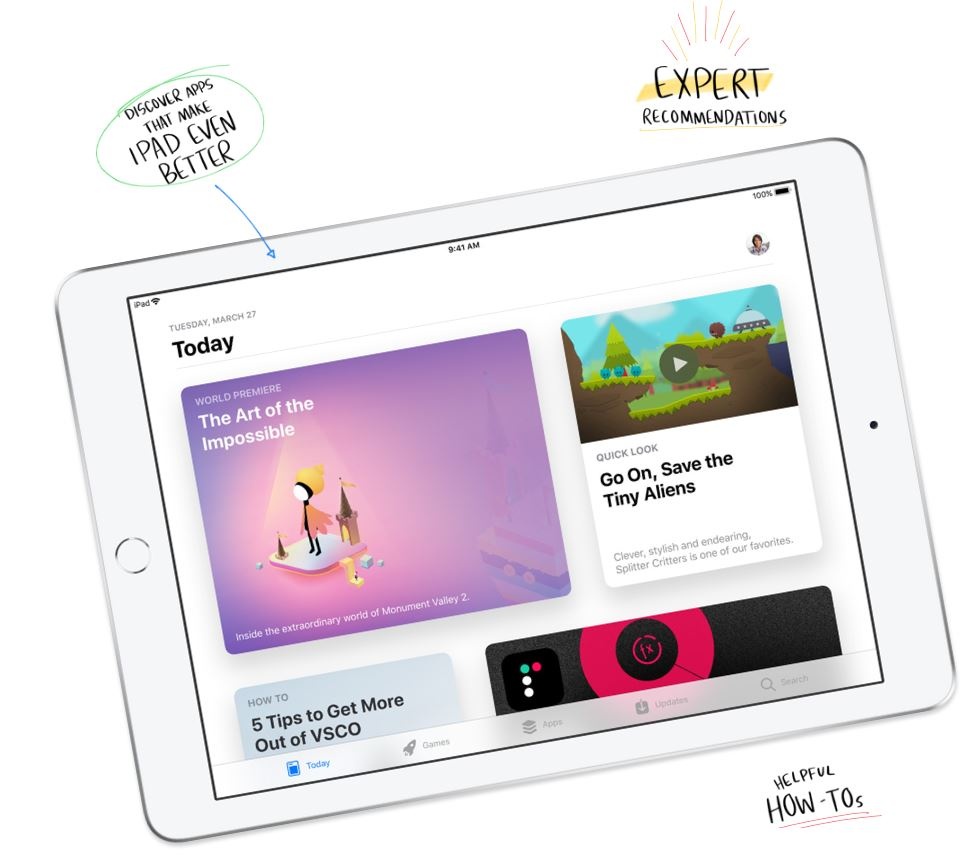
Thin, light, portable - And in three great finishes.
At less than 500 grams and just 7.5 millimetres thin, iPad is designed to go wherever you go. It's built to be durable, so you have peace of mind knowing you can take it anywhere. And it's just as beautiful as it is portable - available in silver, space grey and a new gold.
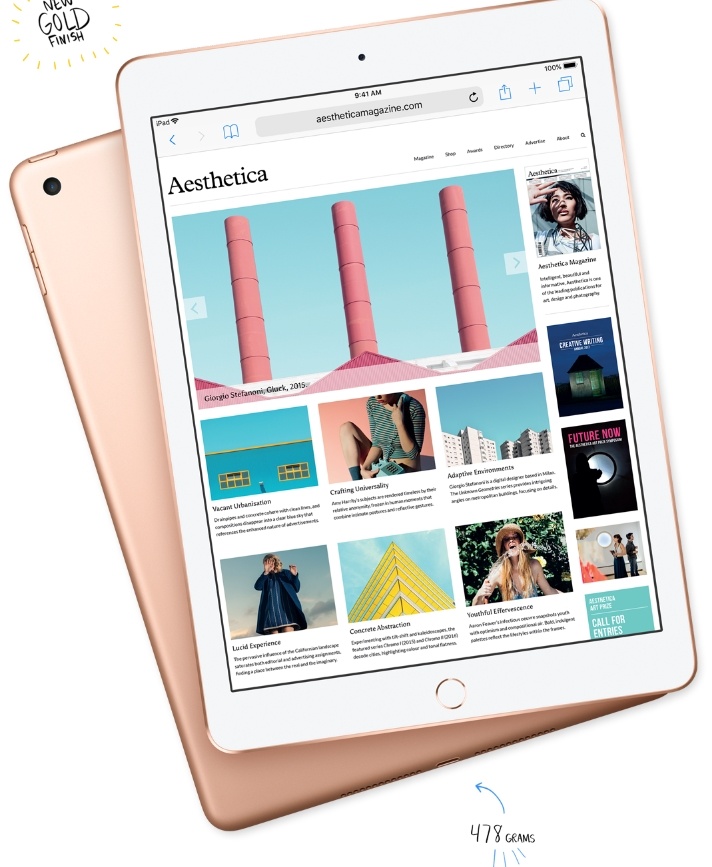
10 hours of battery life on a single charge.
With all-day battery life, iPad gives you more time to surf, write, draw, work, shop and whatever else you need to do between charges.
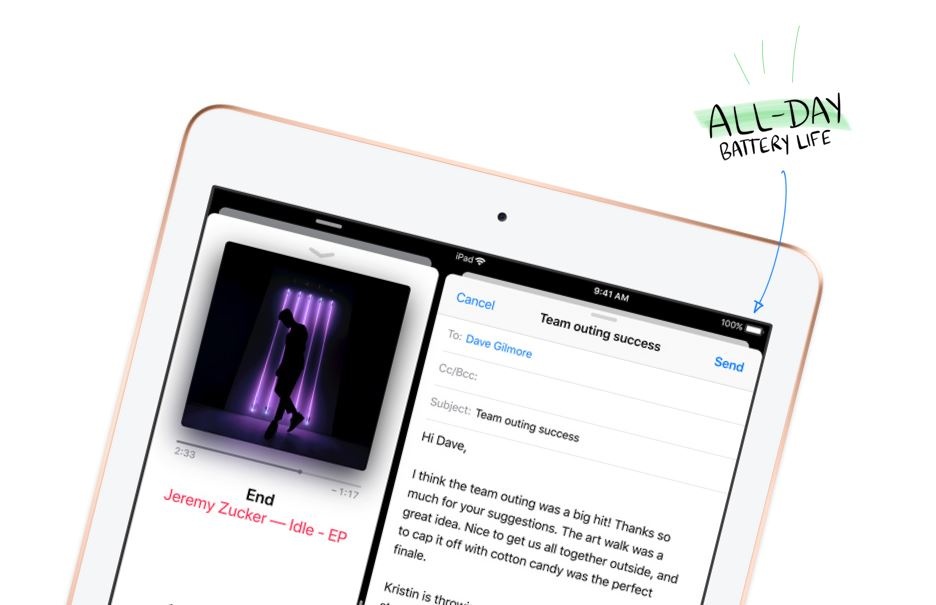
Keep all your stuff safe, organised and always with you.
iCloud keeps things like your photos, files and notes safe and conveniently available on all your devices. And the Files app puts all your files of any type in one place, including those you store with cloud services like Google Drive, OneDrive and Box.
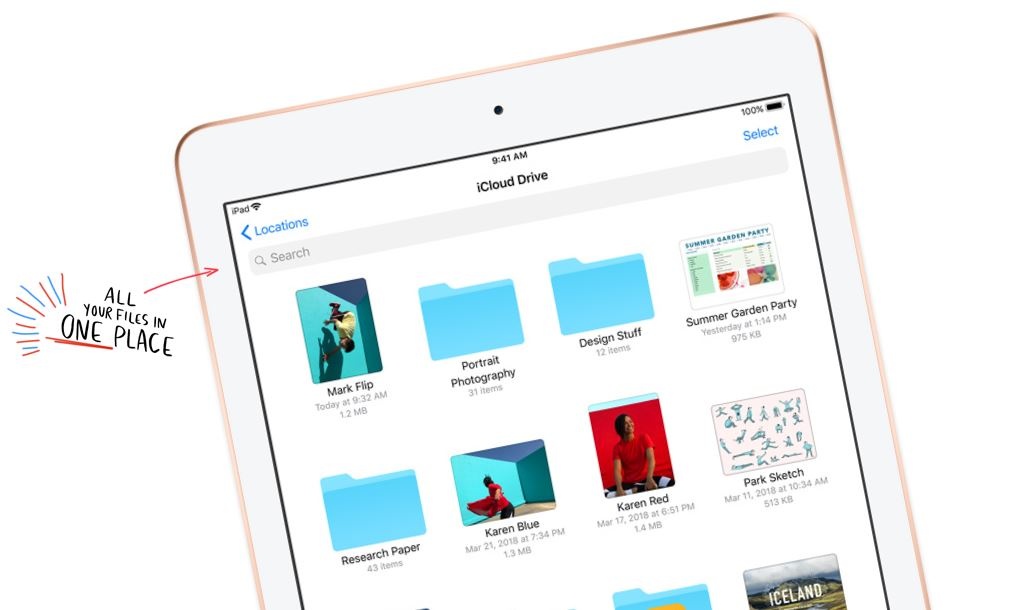
Swipe, pinch, tap. It's that easy.
iPad is designed so that using it feels like second nature, even if you never have before. Multi-Touch gestures let you do things like browse photos, edit documents and organise your files simply by touching the beautiful 9.7-inch Retina display.
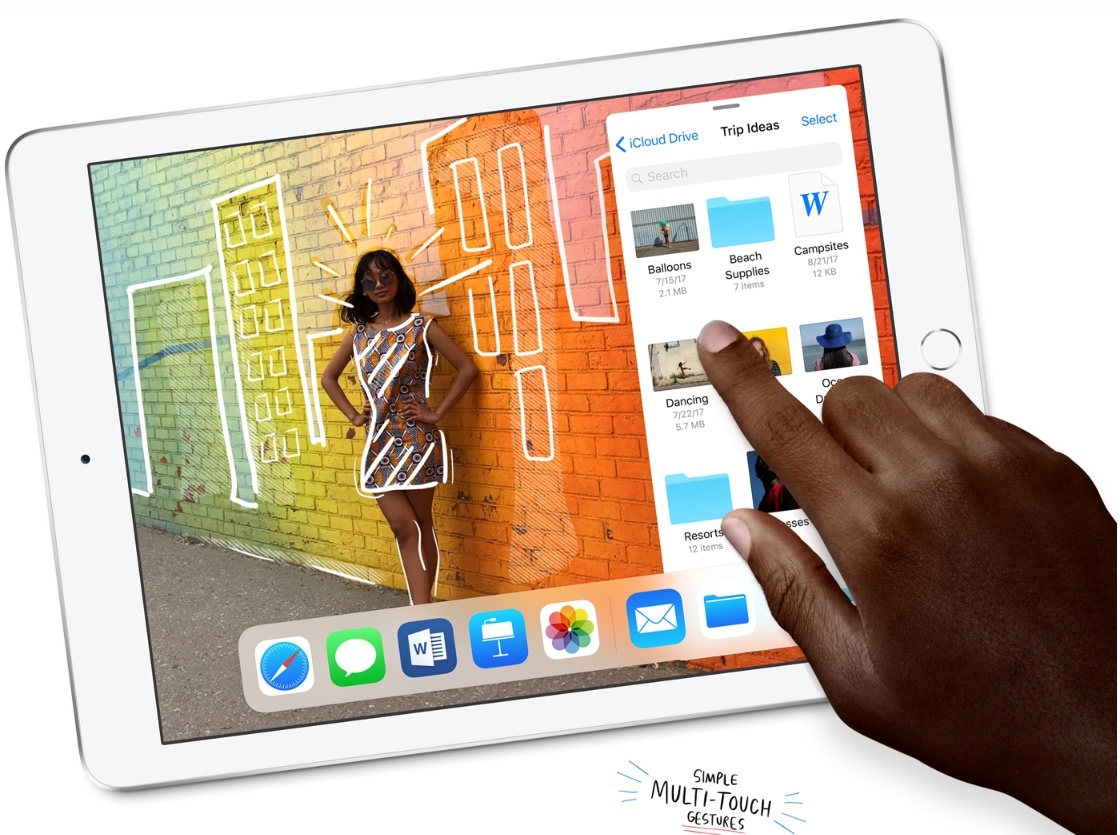
Dock. Get to your favourite apps fast.
With iOS 11, the new Dock is just a swipe away. So it's easy to get to an app from another app without having to go back to the Home screen. Add your favourite apps to the Dock. Or multitask in a flash by opening apps directly from it.
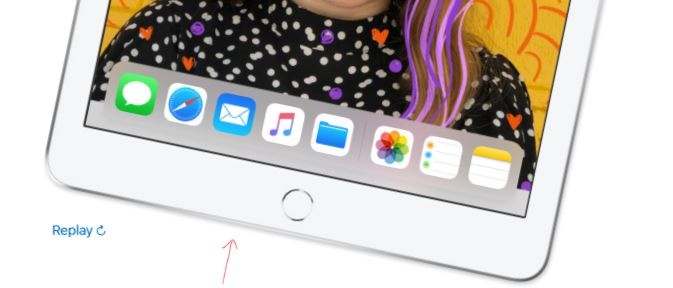
Drag from here. Drop to there.
Designed specifically for Multi-Touch, Drag and Drop makes it easy to move text, images and files between apps just by touching them. Make your document more engaging by dropping in a photo. Or simply add an attachment to your email. You can even select multiple items to move with a few taps of a finger.
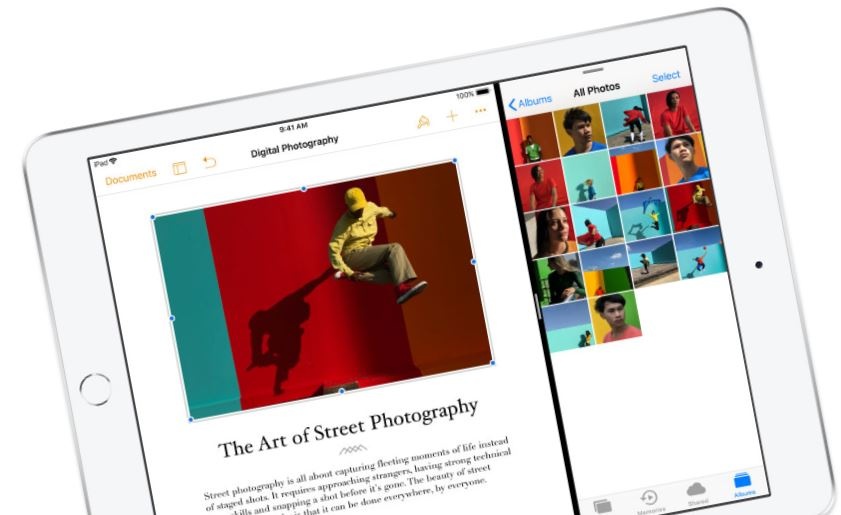
Retina display - As beautiful as it is functional.
The 9.7-inch Retina display is an immersive way to experience all the things you can do with iPad. Whether you're writing a business plan or painting a masterpiece, the spacious display offers a vividness and clarity that's so stunning you can't help but touch it. Which is exactly the point.
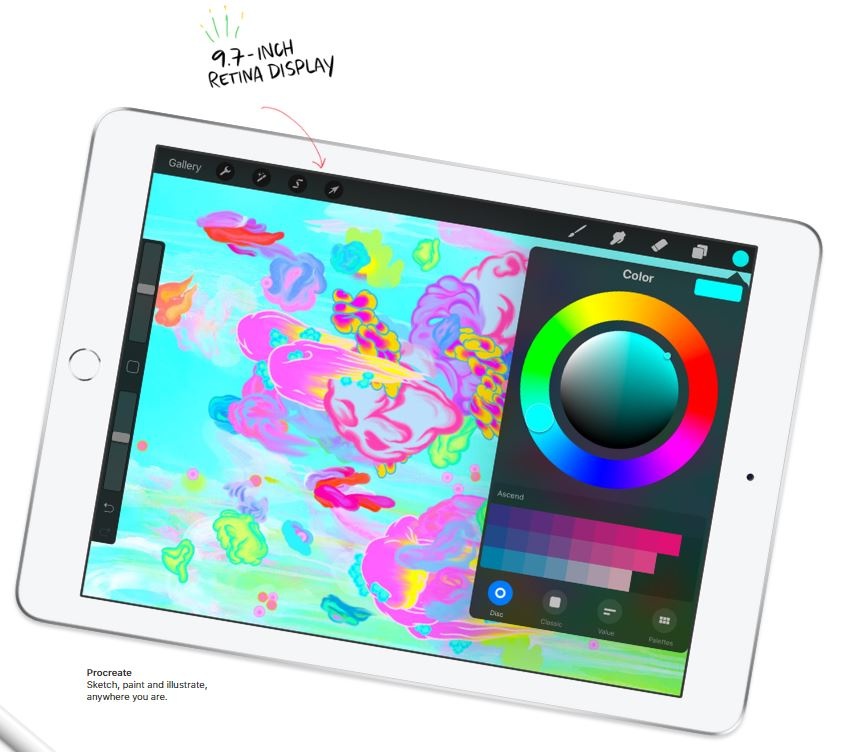
Unlock securely and shop easily with Touch ID.
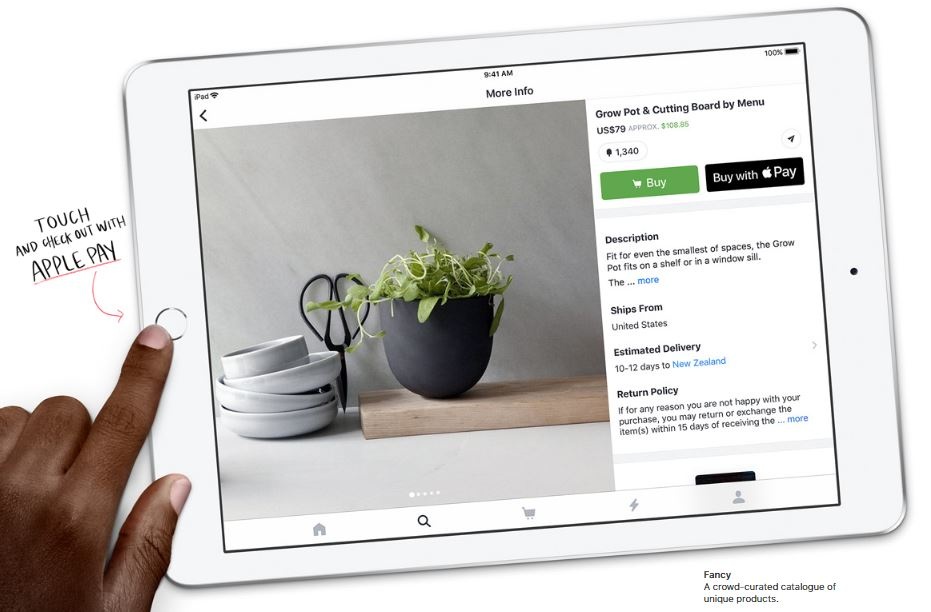
Touch ID makes unlocking your iPad simple and secure. You can also make purchases conveniently and safely with Apple Pay in selected apps and on participating websites. Just place your fingertip on the Touch ID sensor and you're good to go.
Designed with everyone in mind.
The most powerful technology is technology that everyone can use. That's why iPad comes with many assistive features for vision, hearing, motor skills, learning and literacy. You can talk to Siri just by typing. Customise display colours to aid visibility. Or have the content on the screen read aloud to you.

Enhance your iPad experience.
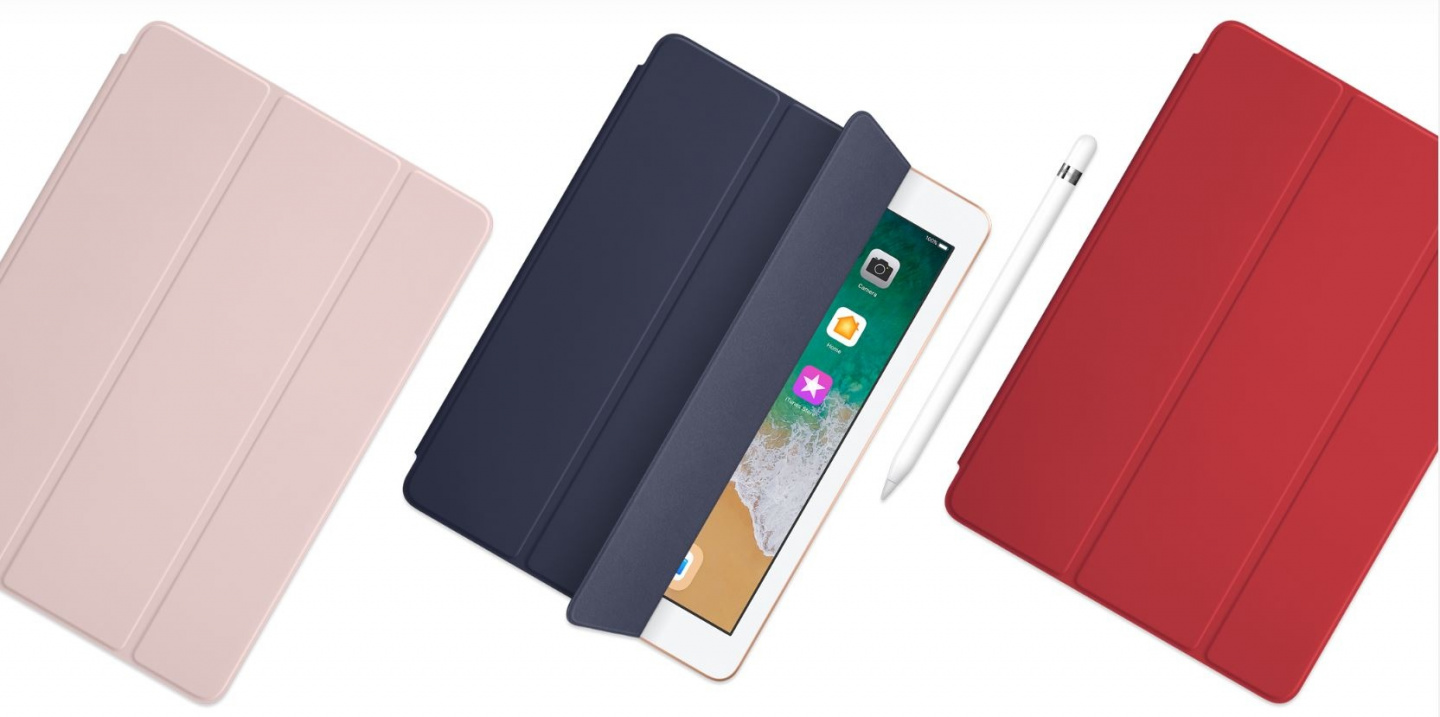
From durable covers and cases to Apple Pencil and Bluetooth keyboards, there are a variety of accessories to help you get the most out of your iPad every day. And there are even more accessories for those interested in photography, gaming or music.
PB Tech is Apple Authorised


PB Tech is your #1 destination for all things Apple. Come see us for the latest Apple products as well as Apple authorised repairs and services including iPhone Repair, Macbook Repair and more.
Specifications
Reviews
Delivery & Pick-up

Delivery Estimates
The estimated time to ship for each product we sell is detailed on the individual product page just underneath the price. From when your items ship, products typically arrive within 1-2 working days for North Island deliveries and 2-3 working days for South Island deliveries. Rural deliveries may take an extra working day. Bulk & hazard deliveries may take an extra 2-7 working days.
Next Day Delivery
Need your order in a hurry? PB Tech offers next day delivery for local Auckland addresses. Simple place your order before 4pm (provided your items are in stock) and select our next day delivery option in the checkout. T&C's apply. Learn more about Next Day Delivery.
Same Day Delivery
Need your order in a hurry? PB Tech offers same day delivery for Auckland, Hamilton, Wellington and Christchurch. Simple place your order before 1pm (provided your items are in stock) and select one of our same day delivery options 'Evening Delivery' or 'Urgent 3-hour Delivery' in the checkout. T&C's apply. Learn more about Same Day Delivery.
Shipping Costs
Shipping costs vary based on your location and the items being shipped and in some cases shipping may even be FREE.
To calculate what the shipping costs will be for your order, add the items you are interested in to your cart, view the Shopping Cart page, and select your 'Delivery Area' to calculate the shipping cost.
Shipping Security & Insurance
All orders shipped by PB Tech are sent via a courier with a signature required for each delivery. In some cases, and only where you have given the courier company permission to leave orders at a designated location, your order may be delivered without requiring a signature. All orders sent by PB Tech are fully insured in the unlikely event that your item(s) are damaged or go missing in transit.
1 Hour Store Pick-up / Click & Collect
You can pick-up your online order from any of our stores nationwide. You can select which store you want to pick up from at the checkout. Provided the store you select has stock and there's no hold-ups with payment we will have your order ready within 1 hour (during normal trading hours for that store) otherwise it may take up to 5 working days to transfer the stock to the store so your order can be fulfilled. Learn more about our Click & Collect process.
Overseas Shipments
PB Tech regularly ships overseas to Australia and beyond. If you are located in Australia, you can order directly from our Australian site www.pbtech.com/au. If you are from another country you can order from www.pbtech.com
Returns & Warranty
Related Promotions


Popular Refurbished Apple

 Apple 13" Macbook Air A2337 M1 Grey - (A-Grade) 8GB RAM - 256GB...

 Apple iPad 9th Gen 10.2" Space Grey - (A-Grade Refurbished) 256GB...

 Apple iPhone 15 Pro Max 256GB - Natural Titanium - (A-Grade...

 Apple IPad Air 1st Gen 9.7" (A-Grade Refurbished) A1474 - 16GB...

 Apple iMac 27" Retina 5K (A-Grade Refurbished) 19.1 - A2115 -...


Apple iPad 6th Gen A1954 9.7" Silver - (B-Grade Refurbished) 128GB Storage - Wi-Fi+Cellular - Includes Lighting Cable - No Charger - Reconditioned by PBTech - 1 Year Warranty
- Brand: Apple
- MPN: EXAPPTABB18932
- Part #: EXAPPTABB18932
Product URL: https://www.pbtech.co.nz/product/EXAPPTABB18932/imgad/aib/CommonX_20251222115813.png
| Branch | New Stock | On Display |
|---|---|---|
| Auckland - Albany | 0 | |
| Auckland - Glenfield | 0 | |
| Auckland - Queen Street | 0 | |
| Auckland - Auckland Uni | 0 | |
| Auckland - Westgate | 0 | |
| Auckland - Penrose | 0 | |
| Auckland - Henderson (Express) | 0 | |
| Auckland - St Lukes | 0 | |
| Auckland - Manukau | 0 | |
| Hamilton | 0 | |
| Tauranga | 0 | |
| New Plymouth | 0 | |
| Palmerston North | 0 | |
| Petone | 0 | |
| Wellington | 0 | |
| Auckland - Head Office | 0 | |
| Auckland - East Tamaki Warehouse | 0 | |
| Christchurch - Hornby | 0 | |
| Christchurch - Christchurch Central | 0 | |
| Dunedin | 0 |
Features
your wallet will love!
Like a computer. Unlike any computer.
If the computer were invented today, what would it look like? It would be powerful enough for any task. So mobile you could take it everywhere. And so intuitive you could use it any way you wanted - with touch, a keyboard or even a pencil.1 In other words, it wouldn't really be a 'computer'. It would be the new iPad.
A10 Fusion chip. Engineered for performance.
64-bit architecture. Four-core design. Over 3.3 billion transistors. Translation: iPad is incredibly fast. Which comes in handy when you want to edit a 4K video, play graphics-intensive games or experience the latest augmented reality apps.
It multitasks easily. So you can too.
iPad packs enough power to use multiple apps at once. Work on your business plan while doing research on the web while making a FaceTime call to a colleague - all at the same time. It's even easier than it sounds.
The most immersive way to experience augmented reality.
Augmented reality (AR) is a new technology that brings virtual objects into the real world. And every aspect of iPad - from the display to the processing power to the cameras to the motion sensors - is designed to make AR apps more magical than ever before.
Augmented reality apps fundamentally change what you're capable of. Learn something new whether you're inside or outside a classroom. Solve everyday problems. Immerse yourself in entertainment and games. With iPad and AR, the possibilities are endless.
Apple Pencil - Dream it up. Jot it down.
iPad has always been a great way to get what's in your mind down on the page. And now you have a new way to do it. Write notes, paint a watercolour or sign a contract. With Apple Pencil, you'll do it all with pixel-perfect precision and responsiveness. Use it as naturally as you would a pencil, while doing a whole lot more than you would with one.
Two great cameras that do more than take great photos.
Built-in front and back cameras allow you to shoot gorgeous photos and cinematic videos, scan documents, make FaceTime calls, or even create a floor plan using augmented reality.
Connect and compose with any Bluetooth keyboard.
Need to sit down and hammer out a research paper, email or your blockbuster screenplay? iPad has an intuitive onscreen keyboard, but it's also compatible with all kinds of Bluetooth keyboards.
Loaded with powerful built-in apps.
Cut a track with GarageBand, create a compelling presentation with Keynote, or shoot and edit a short film with iMovie. iPad comes with a collection of apps from Apple so you can start creating straight out of the box.
With over a million apps for iPad, it can do countless things.
Every one of the 1.3 million iPad apps has been designed specifically for the large iPad display.2 There are apps for anything you want to do - photography, drawing or just getting some work done. And finding your new favourite apps is as easy as visiting the App Store, where our editors are always curating the best of what's new and noteworthy.
Thin, light, portable - And in three great finishes.
At less than 500 grams and just 7.5 millimetres thin, iPad is designed to go wherever you go. It's built to be durable, so you have peace of mind knowing you can take it anywhere. And it's just as beautiful as it is portable - available in silver, space grey and a new gold.
10 hours of battery life on a single charge.
With all-day battery life, iPad gives you more time to surf, write, draw, work, shop and whatever else you need to do between charges.
Keep all your stuff safe, organised and always with you.
iCloud keeps things like your photos, files and notes safe and conveniently available on all your devices. And the Files app puts all your files of any type in one place, including those you store with cloud services like Google Drive, OneDrive and Box.
Swipe, pinch, tap. It's that easy.
iPad is designed so that using it feels like second nature, even if you never have before. Multi-Touch gestures let you do things like browse photos, edit documents and organise your files simply by touching the beautiful 9.7-inch Retina display.
Dock. Get to your favourite apps fast.
With iOS 11, the new Dock is just a swipe away. So it's easy to get to an app from another app without having to go back to the Home screen. Add your favourite apps to the Dock. Or multitask in a flash by opening apps directly from it.
Drag from here. Drop to there.
Designed specifically for Multi-Touch, Drag and Drop makes it easy to move text, images and files between apps just by touching them. Make your document more engaging by dropping in a photo. Or simply add an attachment to your email. You can even select multiple items to move with a few taps of a finger.
Retina display - As beautiful as it is functional.
The 9.7-inch Retina display is an immersive way to experience all the things you can do with iPad. Whether you're writing a business plan or painting a masterpiece, the spacious display offers a vividness and clarity that's so stunning you can't help but touch it. Which is exactly the point.
Unlock securely and shop easily with Touch ID.
Touch ID makes unlocking your iPad simple and secure. You can also make purchases conveniently and safely with Apple Pay in selected apps and on participating websites. Just place your fingertip on the Touch ID sensor and you're good to go.
Designed with everyone in mind.
The most powerful technology is technology that everyone can use. That's why iPad comes with many assistive features for vision, hearing, motor skills, learning and literacy. You can talk to Siri just by typing. Customise display colours to aid visibility. Or have the content on the screen read aloud to you.
Enhance your iPad experience.
From durable covers and cases to Apple Pencil and Bluetooth keyboards, there are a variety of accessories to help you get the most out of your iPad every day. And there are even more accessories for those interested in photography, gaming or music.
PB Tech is Apple Authorised
PB Tech is your #1 destination for all things Apple. Come see us for the latest Apple products as well as Apple authorised repairs and services including iPhone Repair, Macbook Repair and more.
Specifications
Finish
Silver
Model
WiFi + Cellular
Capacity
128GB
Size and Weight
Height
240 mm
Width
169.5 mm
Depth
7.5 mm
Weight
469 g
Connector
Lightning
In the Box
Contents
iPad
Lightning to USB Cable
Display
Type
Retina display
Size
9.7-inch (diagonal) LED-backlit Multi-Touch display with IPS technology
Resolution
2048-by-1536-pixel resolution at 264 ppi
Coating
Fingerprint-resistant oleophobic coating
Apple Pencil
Supports Apple Pencil
Chip
Processor
A10 Fusion chip with 64-bit architecture
Coprocessor
Embedded M10 coprocessor
Camera
Main Camera
8-megapixel photos
Live Photos
Autofocus
Panorama (up to 43 megapixels)
HDR for photos
Exposure control
Burst mode
Tap to focus
Timer mode
ƒ/2.4 aperture
Five-element lens
Hybrid IR filter
Backside illumination
Auto image stabilisation
Body and face detection
Photo geotagging
Video Recording
Main Camera Video
1080p HD video recording
Slow motion (120 fps)
Time-lapse video with stabilisation
Video image stabilisation
Body and face detection
3× video zoom
Video geotagging
FaceTime HD Camera
Front Camera
1.2-megapixel photos
Live Photos
ƒ/2.2 aperture
Retina Flash
720p HD video recording
Backside illumination
HDR for photos and videos
Body and face detection
Burst mode
Exposure control
Timer mode
Video Calling
FaceTime video
Audio Calling
FaceTime audio
Wi-Fi + Cellular Model
Wireless
Wi-Fi (802.11a/b/g/n/ac); dual band (2.4GHz and 5GHz); HT80 with MIMO
Bluetooth 4.2 technology
Cellular
UMTS/HSPA/HSPA+/?DC-HSDPA (850, 900, 1700/2100, 1900, 2100 MHz); GSM/EDGE (850, 900, 1800, 1900 MHz)
CDMA EV-DO Rev. A and Rev. B (800, 1900 MHz)
LTE (Bands 1, 2, 3, 4, 5, 7, 8, 12, 13, 17, 18, 19, 20, 25, 26, 27, 28, 29, 30, 38, 39, 40, 41)
Data only
Location
Location Features
Digital compass
Wi-Fi
iBeacon microlocation
Sensors
Types
Touch ID
Three-axis gyro
Accelerometer
Barometer
Ambient light sensor
Touch ID
Touch ID
Fingerprint identity sensor built into the Home button
Apple Pay
Apple Pay
Pay with your iPad using Touch ID within selected apps and on participating websites
Siri
Siri
Use your voice to send messages, set reminders and more
Use hands-free
Listen to and identify songs
Power and Battery
Battery
Built-in 32.4-watt-hour rechargeable lithium-polymer battery
Battery Life
Up to 10 hours of surfing the web on Wi-Fi, watching video or listening to music
Charging
Charging via USB to a computer system or power adapter
Operating System
OS
iOS 11
Accessibility
Accessibility Features
VoiceOver
Zoom
Magnifier
Siri and Dictation
Switch Control
Closed Captions
AssistiveTouch
Speak Screen
Built-in Apps
Apps
Camera
Photos
Messages
FaceTime
Mail
Music
Safari
Maps
Siri
Calendar
iTunes Store
App Store
Notes
Contacts
iBooks
Home
Reminders
Clock
Videos
Photo Booth
Podcasts
Find My iPhone
Find My Friends
Files
System Requirements
Apple ID
Apple ID (required for some features)
Internet Access
Internet access
Syncing with iTunes
Mac: OS X 10.10.5 or later
PC: Windows 7 or later
iTunes 12.7.3 or later


