


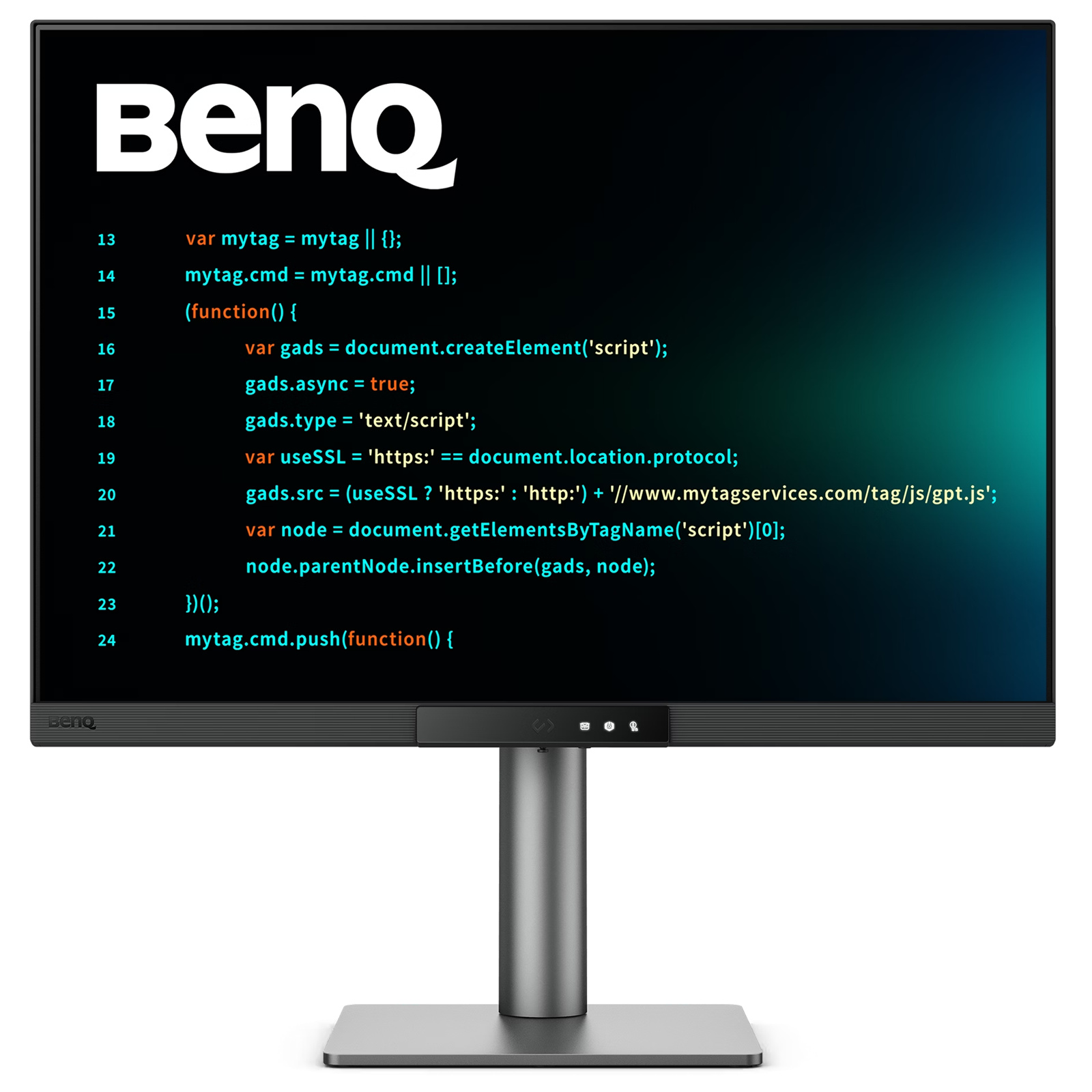
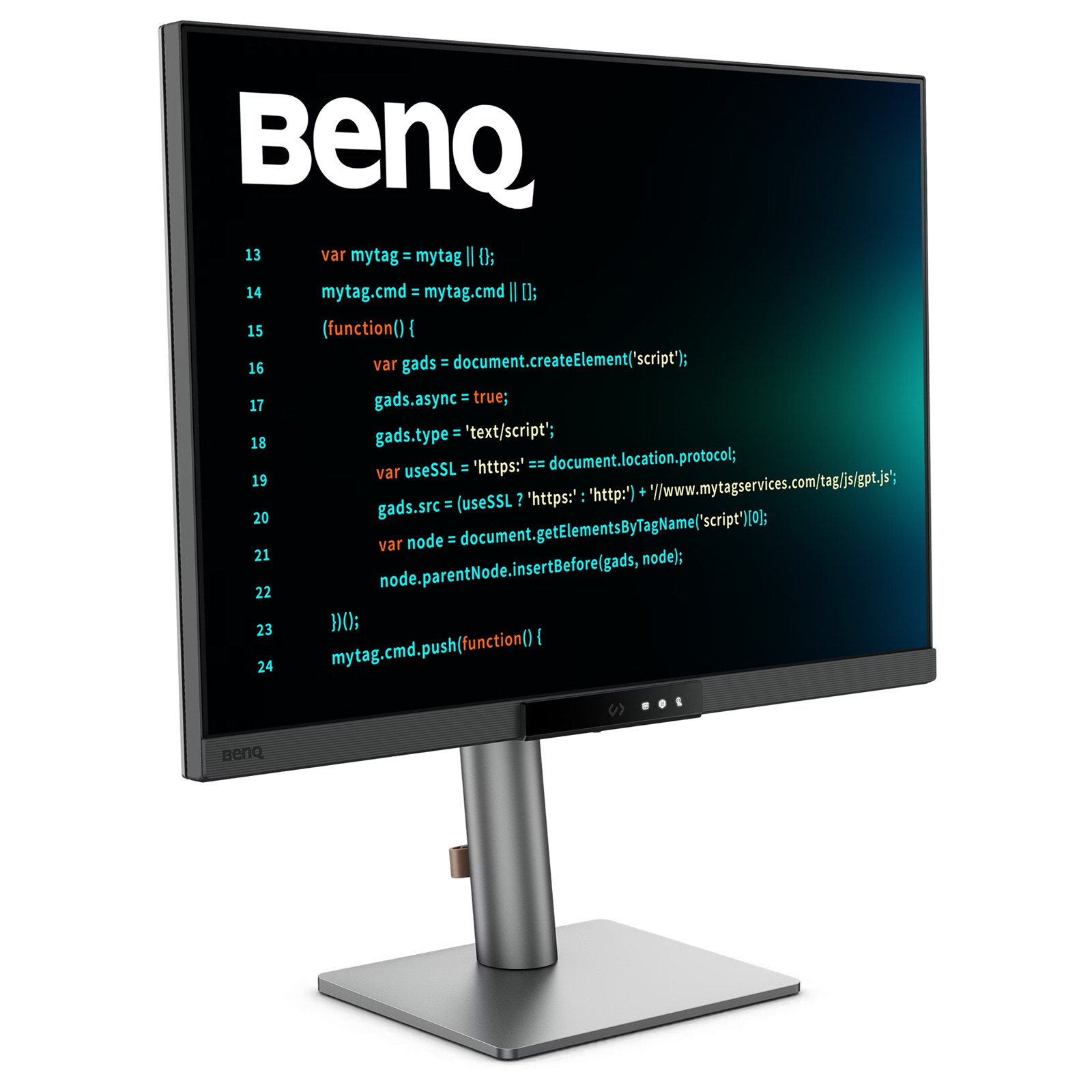
BenQ RD280UG 28.2" 4K+ UHD- Programming Monitor with MoonHalo Backlight-
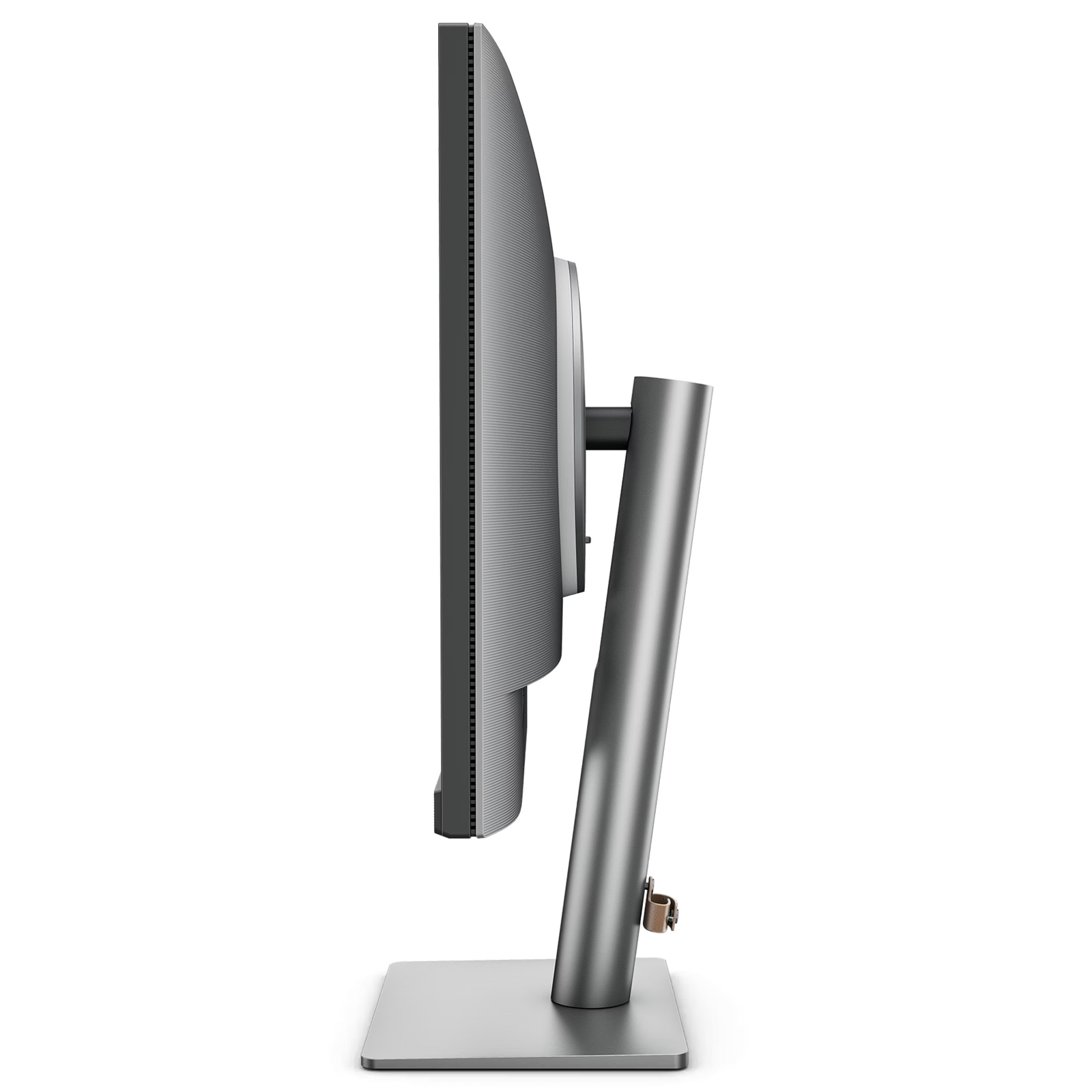
Nano Matte Panel - Exclusive Coding Mode - 2000:1 contrast - 3:2 Aspect Ratio - KVM Switch - 120Hz - Height/Pivot/Swivel/Tilt - 90W PD
BenQ RD280UG 28.2" 4K+ UHD- Programming Monitor with MoonHalo Backlight-
Nano Matte Panel - Exclusive Coding Mode - 2000:1 contrast - 3:2 Aspect Ratio - KVM Switch - 120Hz - Height/Pivot/Swivel/Tilt - 90W PD
- Brand: BenQ
- MPN: RD280UG
- Part #: MONBEQ102810
- UPC:


- Brand: BenQ
- MPN: RD280UG
- Part #: MONBEQ102810
- UPC:
Similar in-stock products available at PB Tech right now


Features
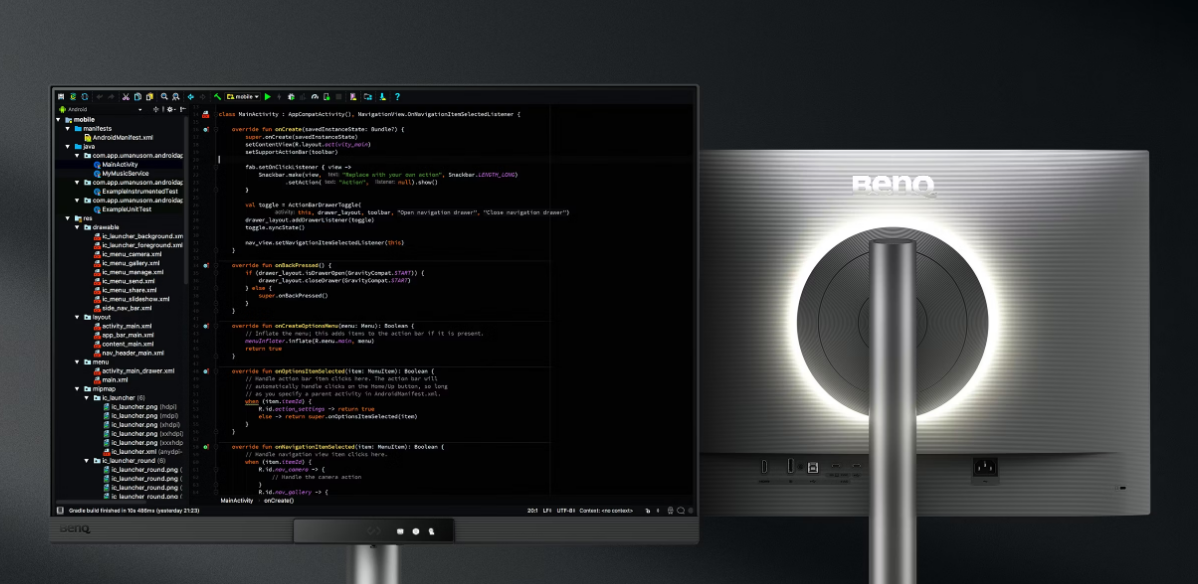
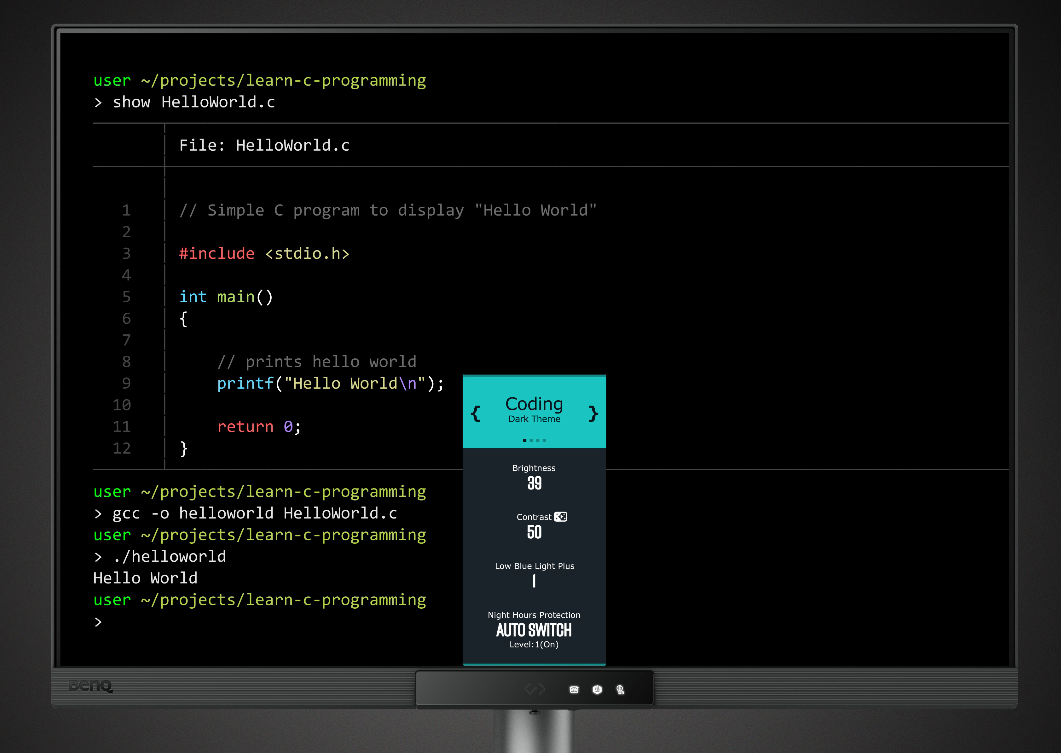
Press the Hotkey to Start Your "Hello, World!"
Hit the Coding HotKey to activate the Function Bar and dive straight into coding. Instantly apply coding modes, adjust brightness, contrast, and eye-care settings, toggle Night Hours Protection, or control the MoonHalo Backlight.
Your Eyes and Body Deserve the Same Care as Your Code
Your eyes and proper ergonomics are important, so we prioritize them in every design.
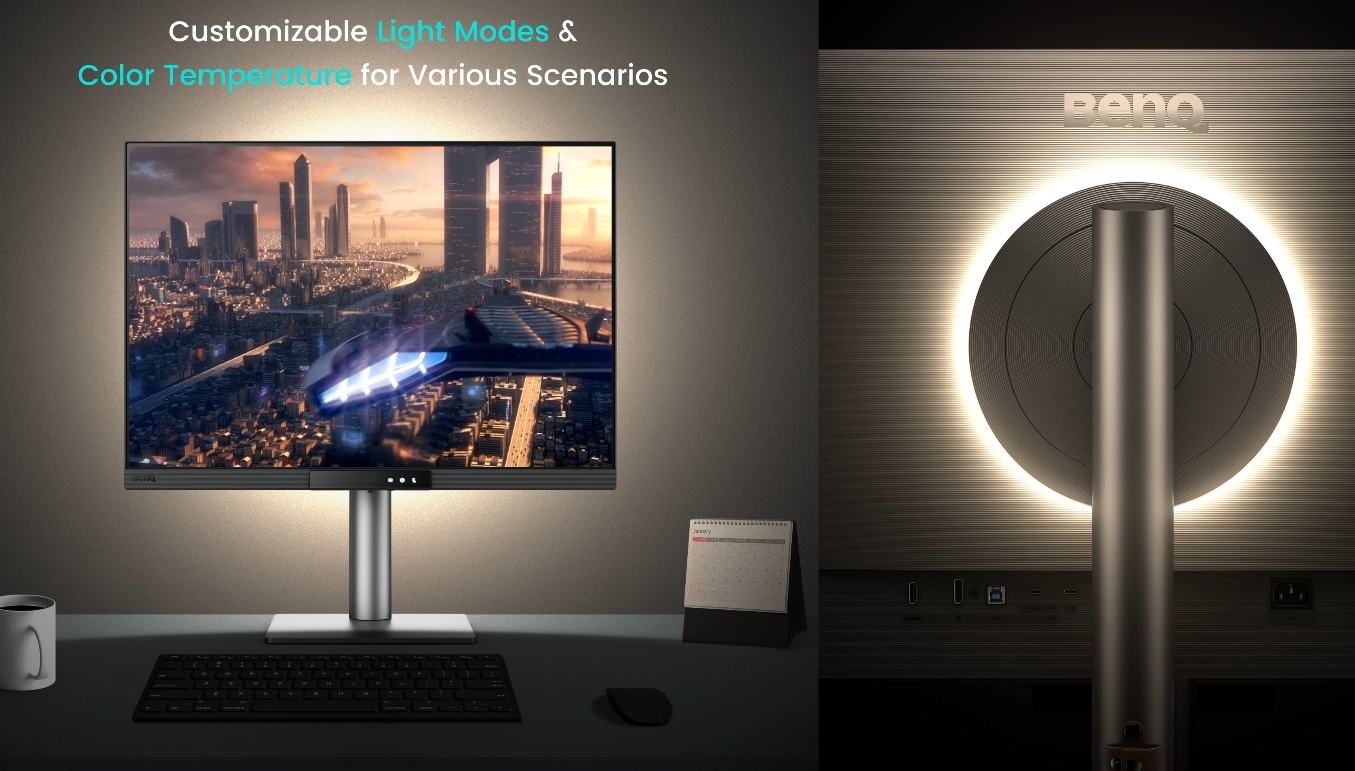
Light up Your Innovative Space with the MoonHalo
Not just a monitor, but also an acclaimed backlight too! With customizable color temperature, brightness, light modes, plus Auto Dimming, MoonHalo ensures optimal eye protection and focus, whether at home or in the office.
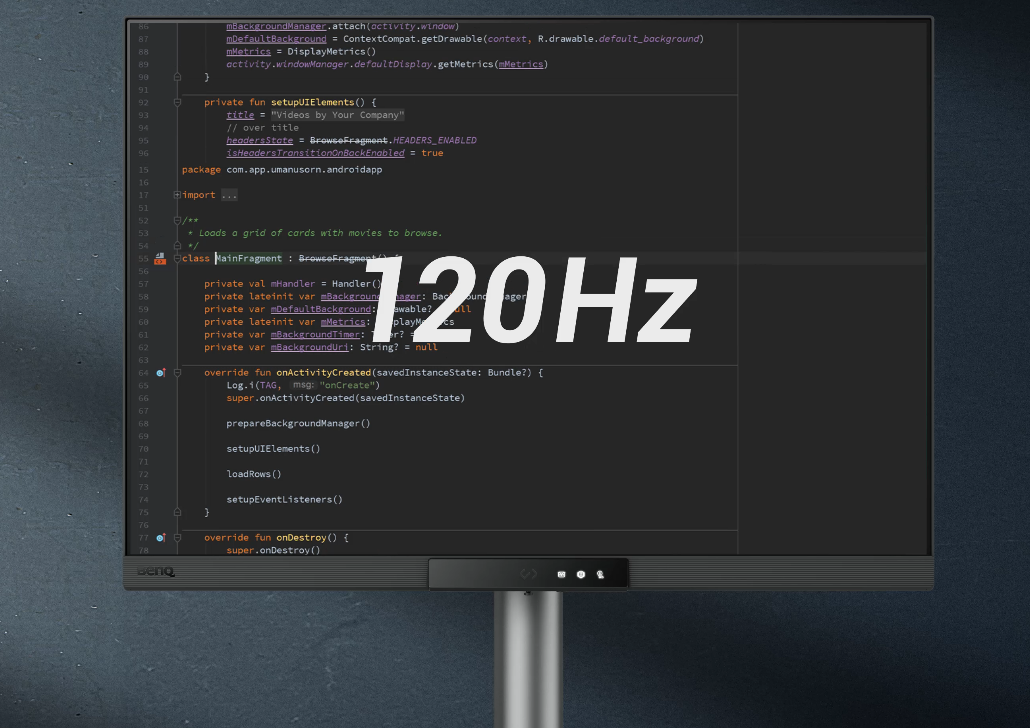
Smooth and Snappy Coding with 120Hz
With 120Hz refresh rate, enjoy ultra-smooth visuals, effortless scrolling, universal performance, and gentle experience that keep your eyes comfortable all day.
Night Hours Protection for Late Night Programmers
Coding late at night just flows. Night Hours Protection with ultra-low brightness technology keeps your eyes safe while letting your creativity flow.
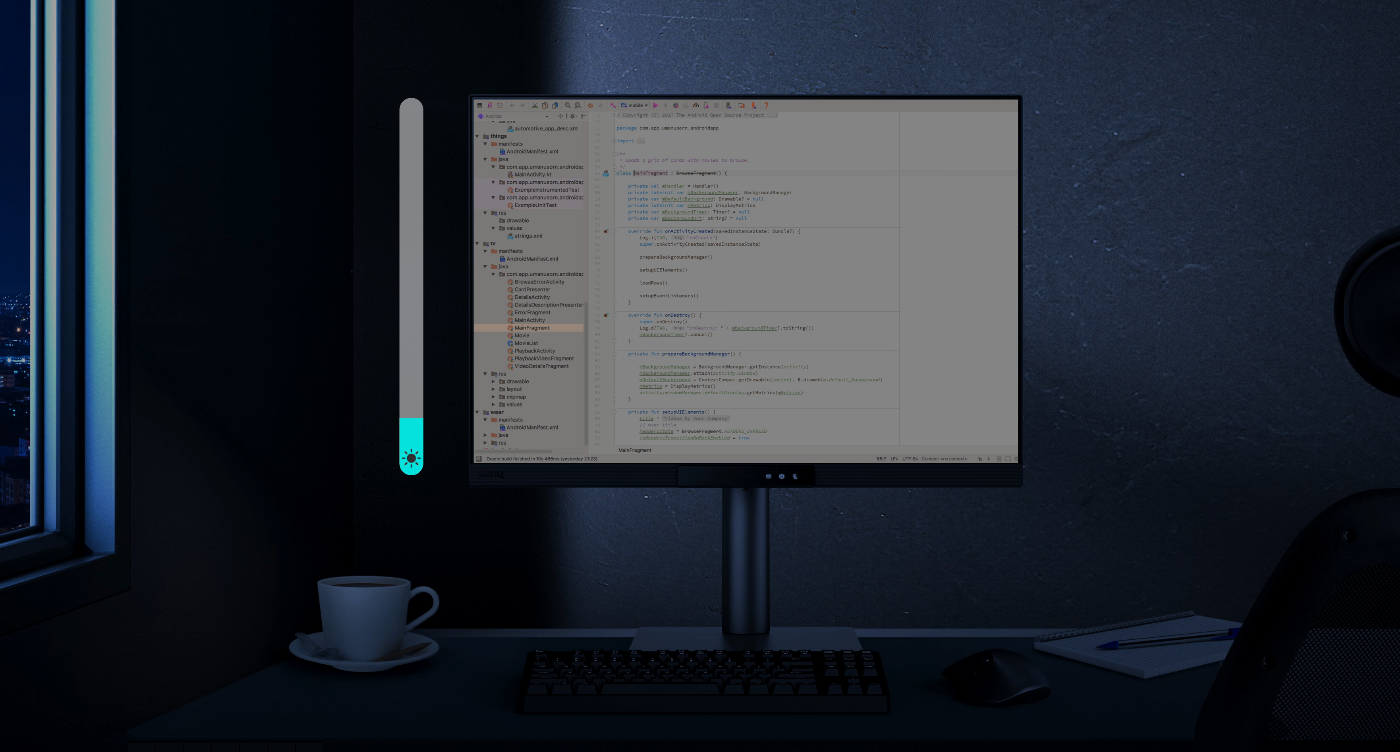
Complete Eye-Care Coverage!
Equipped with visual optimizer for automatic brightness, and color temperature adjustments to adapt seamlessly to your working environment. The RD280UG is TÜV-certified for Flicker-Free, Reflection-Free, Low Blue Light, Eye Comfort 2.0, and Eyesafe 2.0, ensuring minimal distractions, reduced harmful blue light, and a comfortable, safe viewing experience without compromising vivid, lifelike colors.
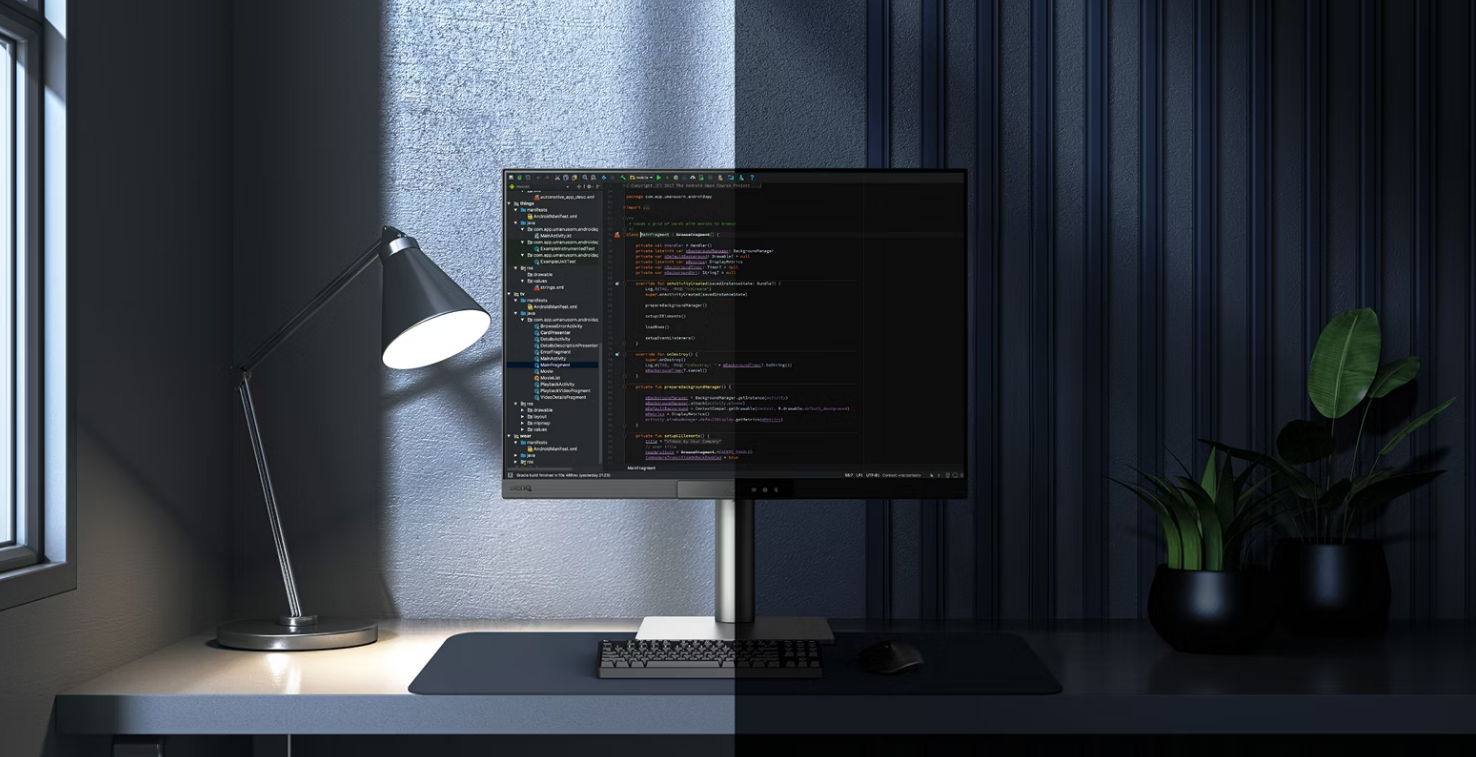
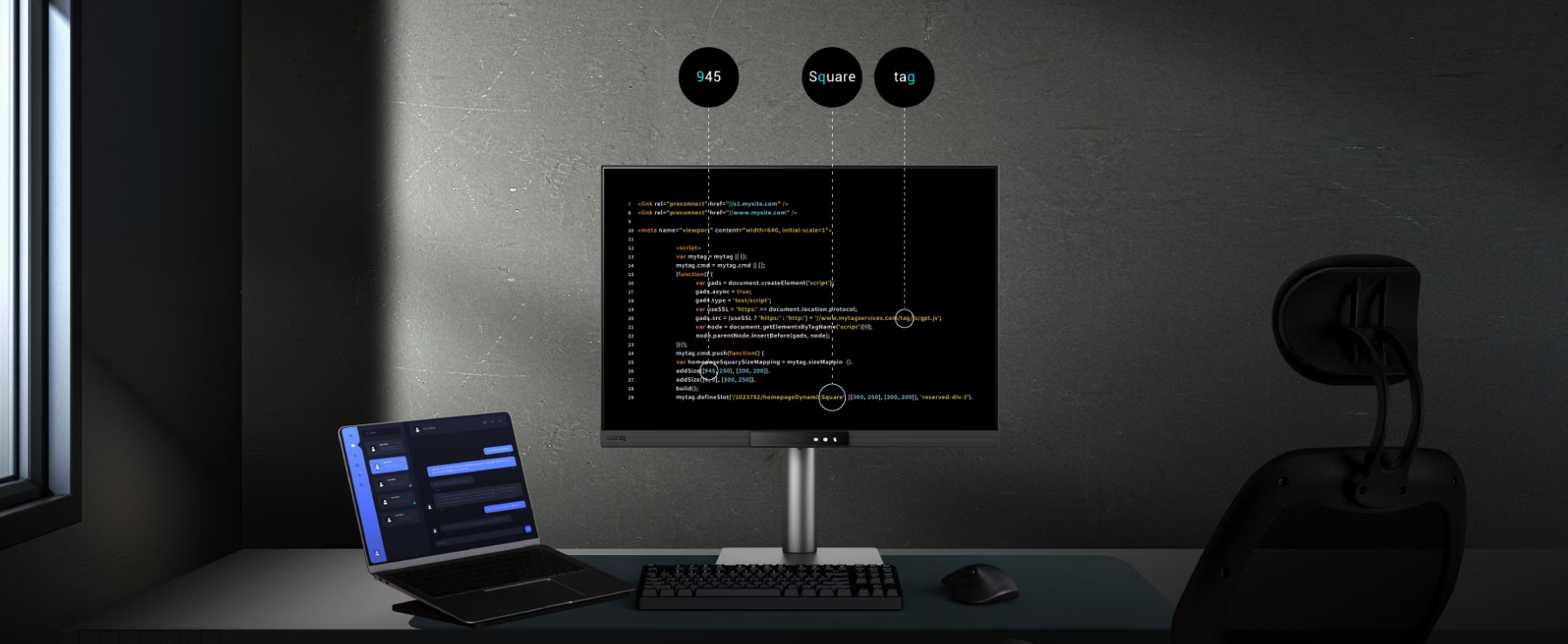
Every Great Project Begins with Code Clarity
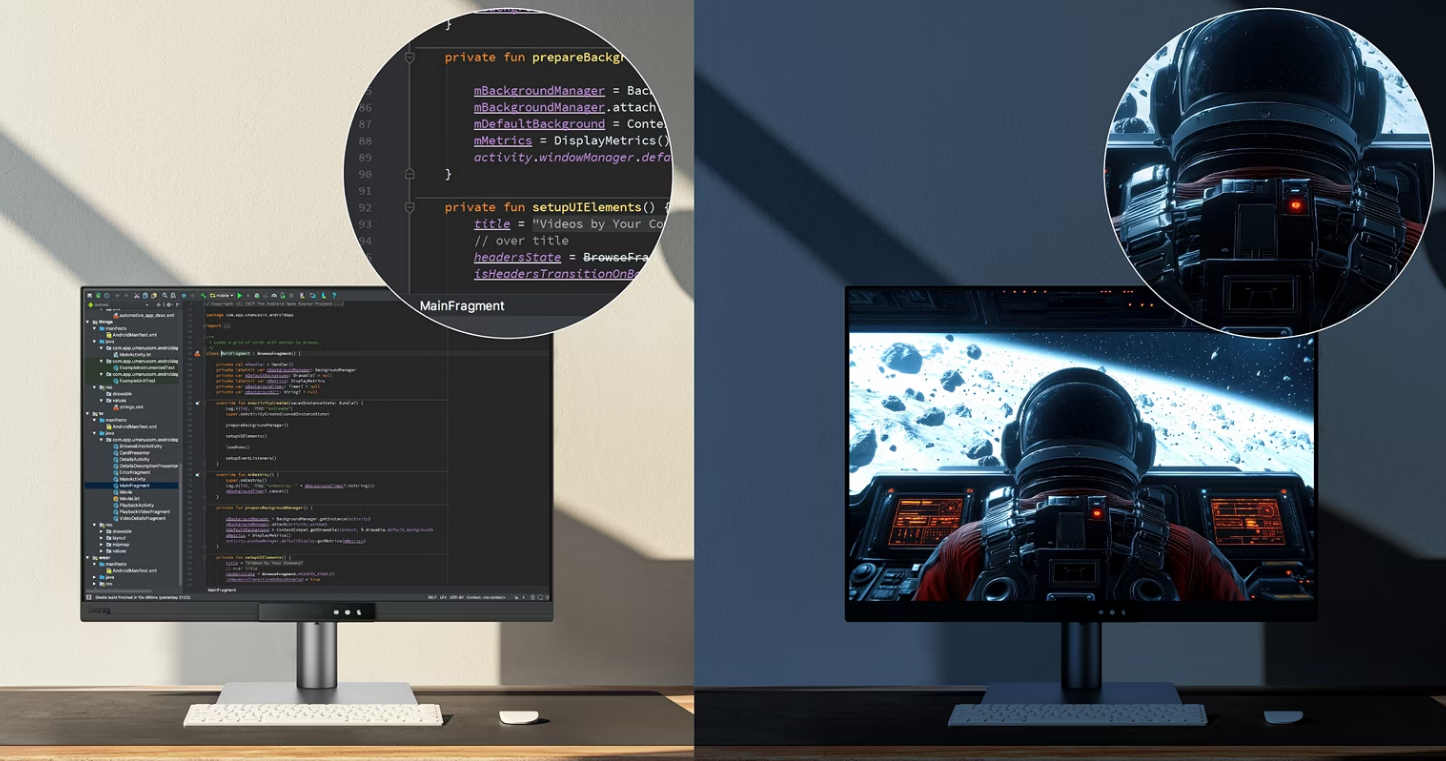
In the exclusive Coding Modes, displays are finely tuned for optimal clarity in both dark and light themes. The new Paper Color Mode simulates the look and feel of printed media and is an additional way to read while being easy on the eyes.
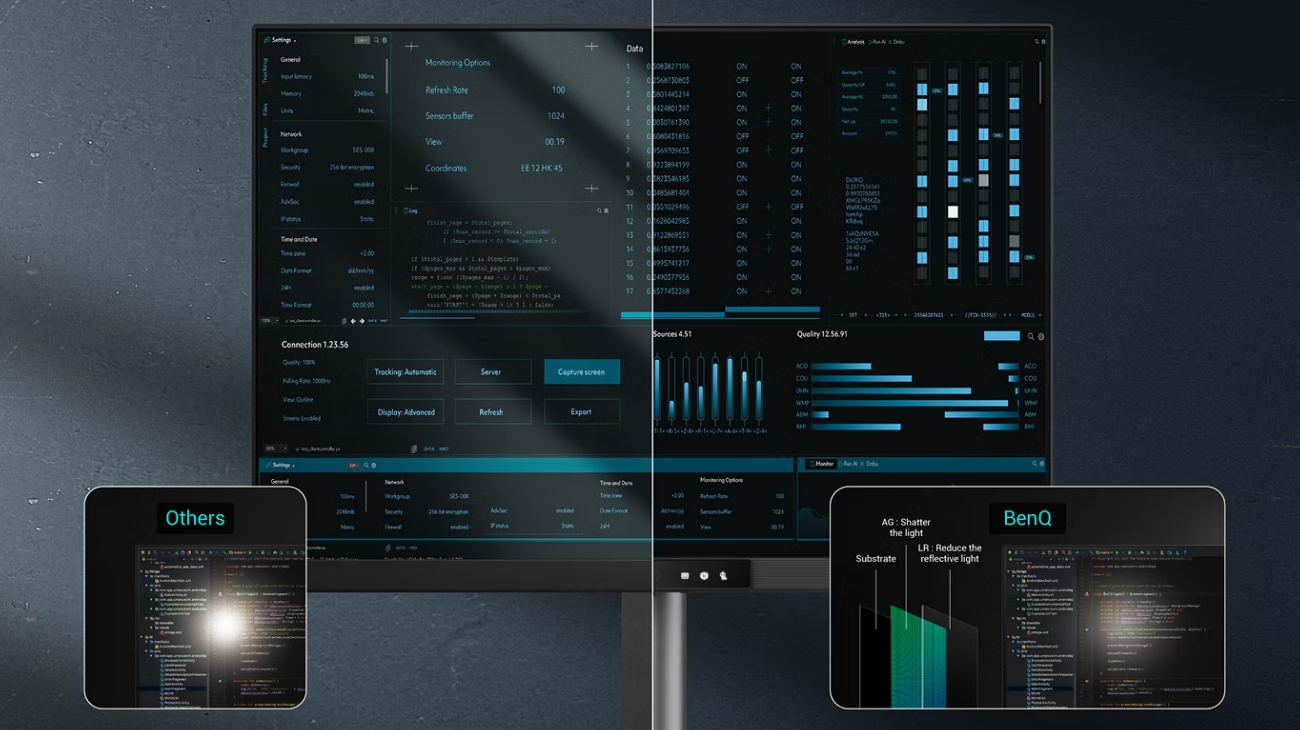
Clarity without Glare with Our Nano Matte Panel
Featuring a low reflection coating to minimize distractions, this advanced technology enhances focus and boosts productivity, delivering unparalleled clarity and eye-strain relief for peak performance.
High Pixel Contrast Enhances Every Line for Sharper Detail
The RD280UG features a 2000:1 contrast ratio with multi-layered High Pixel Contrast Technology. Static and dynamic contrast tuning, combined with Local Contrast Optimization, reveal fine details and enhanced dark-area clarity, for your IDE, movies, or games after work.
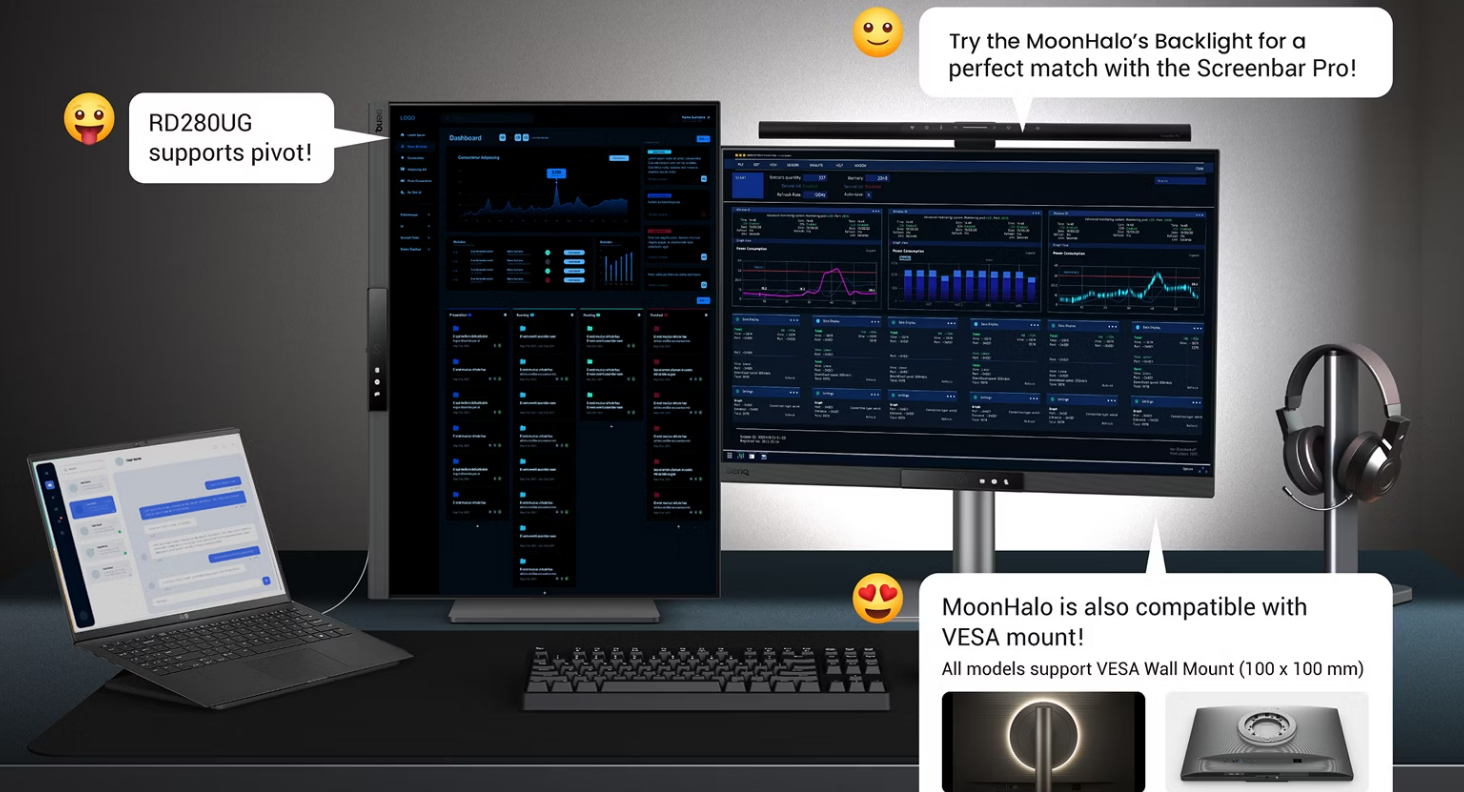
Make the Innovative Spot Yours!
Transform your desk into a productivity hub. With the RD280UG, experience a workspace designed for comfort, focus, and inspiration.
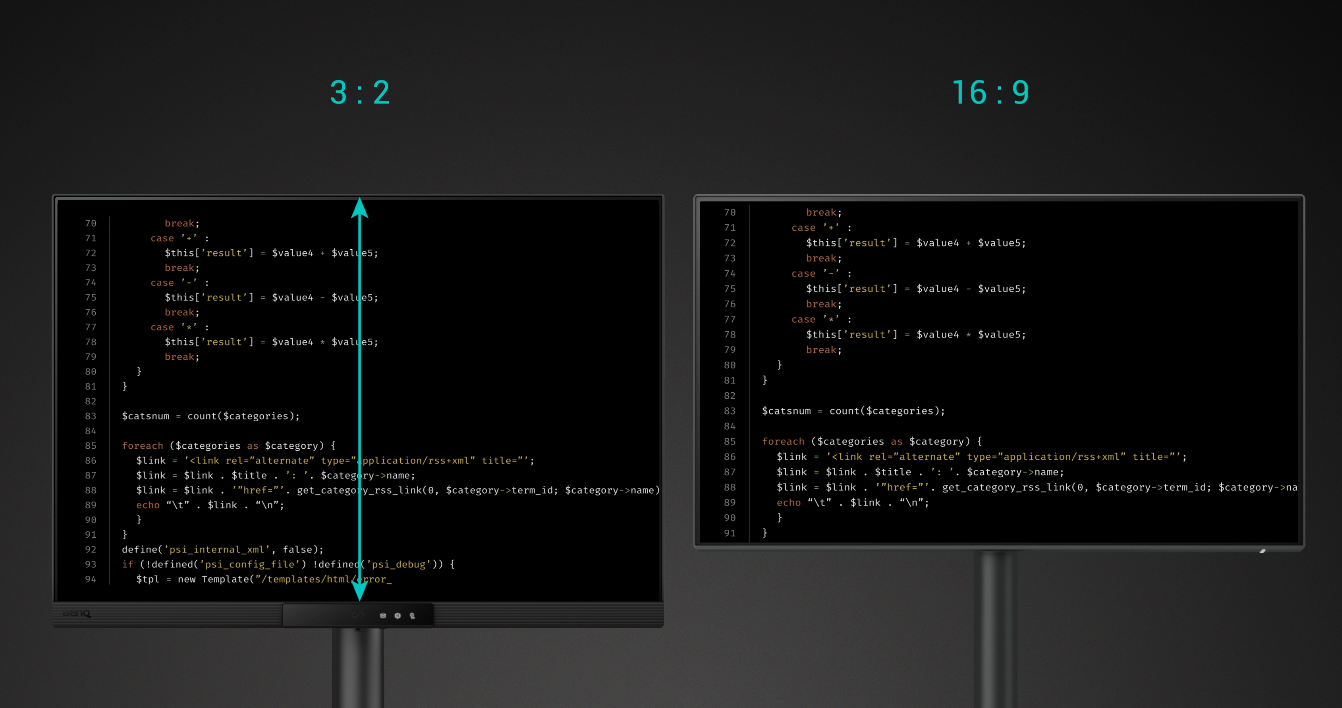
Do More at Once with 3:2 Ratio
Achieve more and scroll less. With its rare 3:2 aspect ratio, the RD280UG is designed specifically for coders, providing an expanded field of view that makes multitasking and reviewing code more efficient and comfortable.
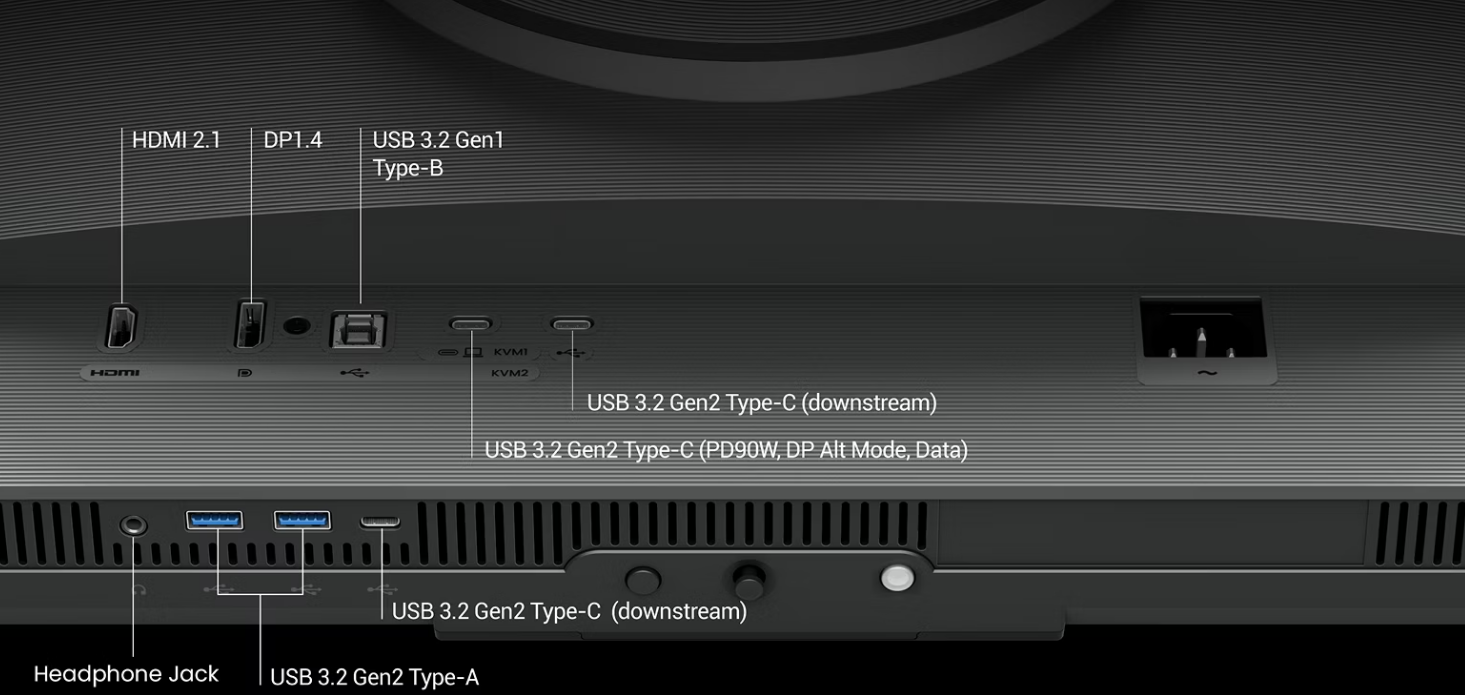
Easy Access for Smart Connectivity
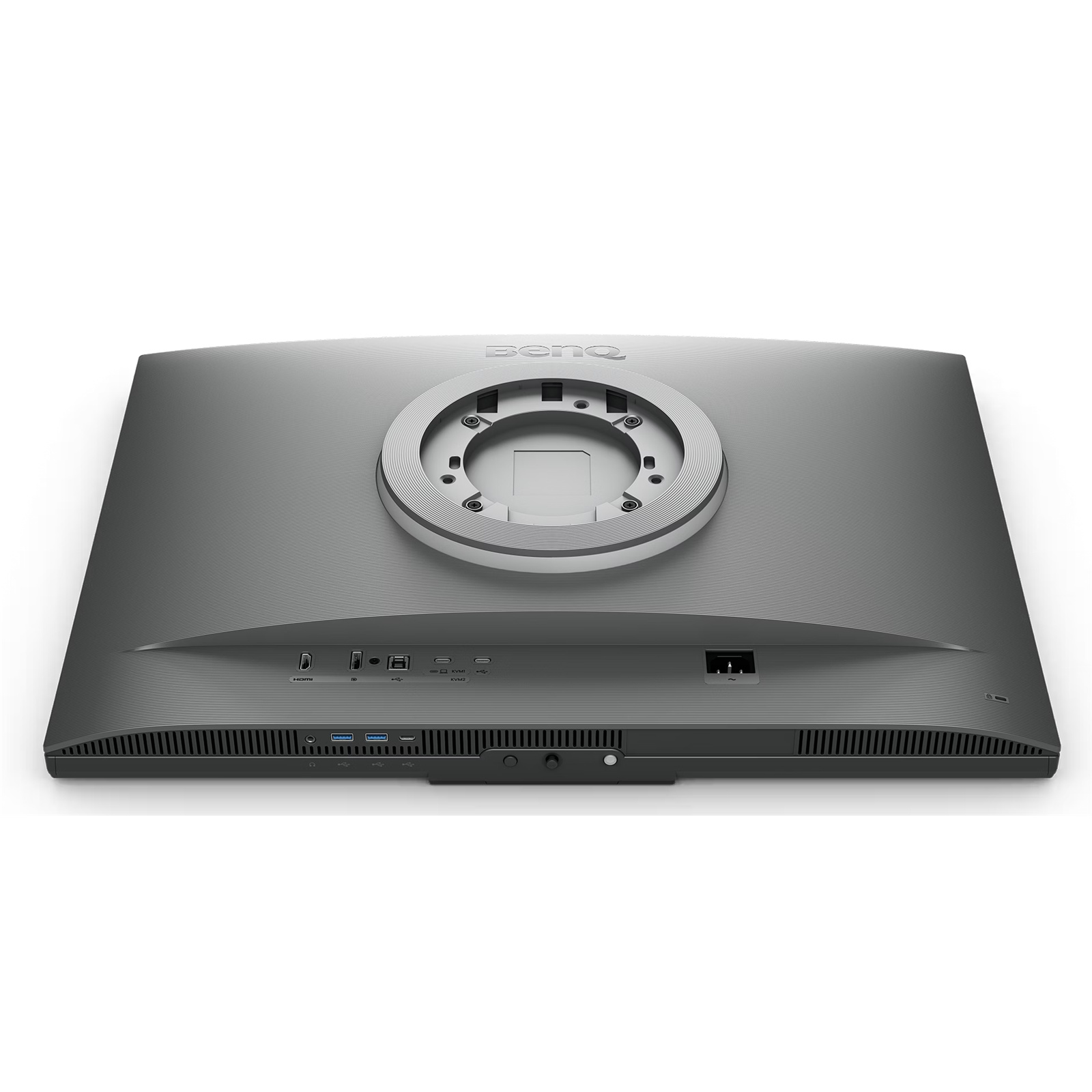
Versatile ports within easy reach, making connecting devices effortless, quick, and simple.
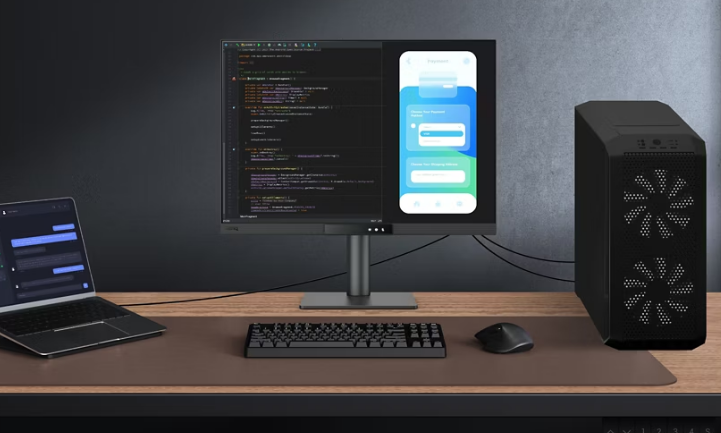
KVM Switching
Connect multiple devices and share peripherals, like a mouse or keyboard, via the built in KVM switch.
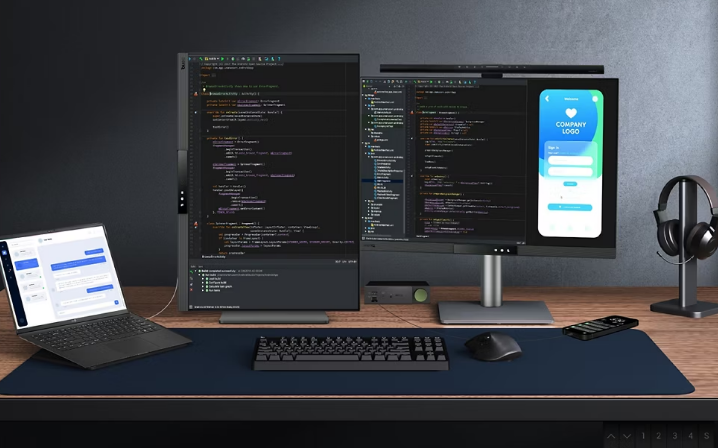
Daisy Chain*
Expand your view with Multi-Stream Transport via USB Type-C. A single 90W cable handles visuals, data, and charging simultaneously.
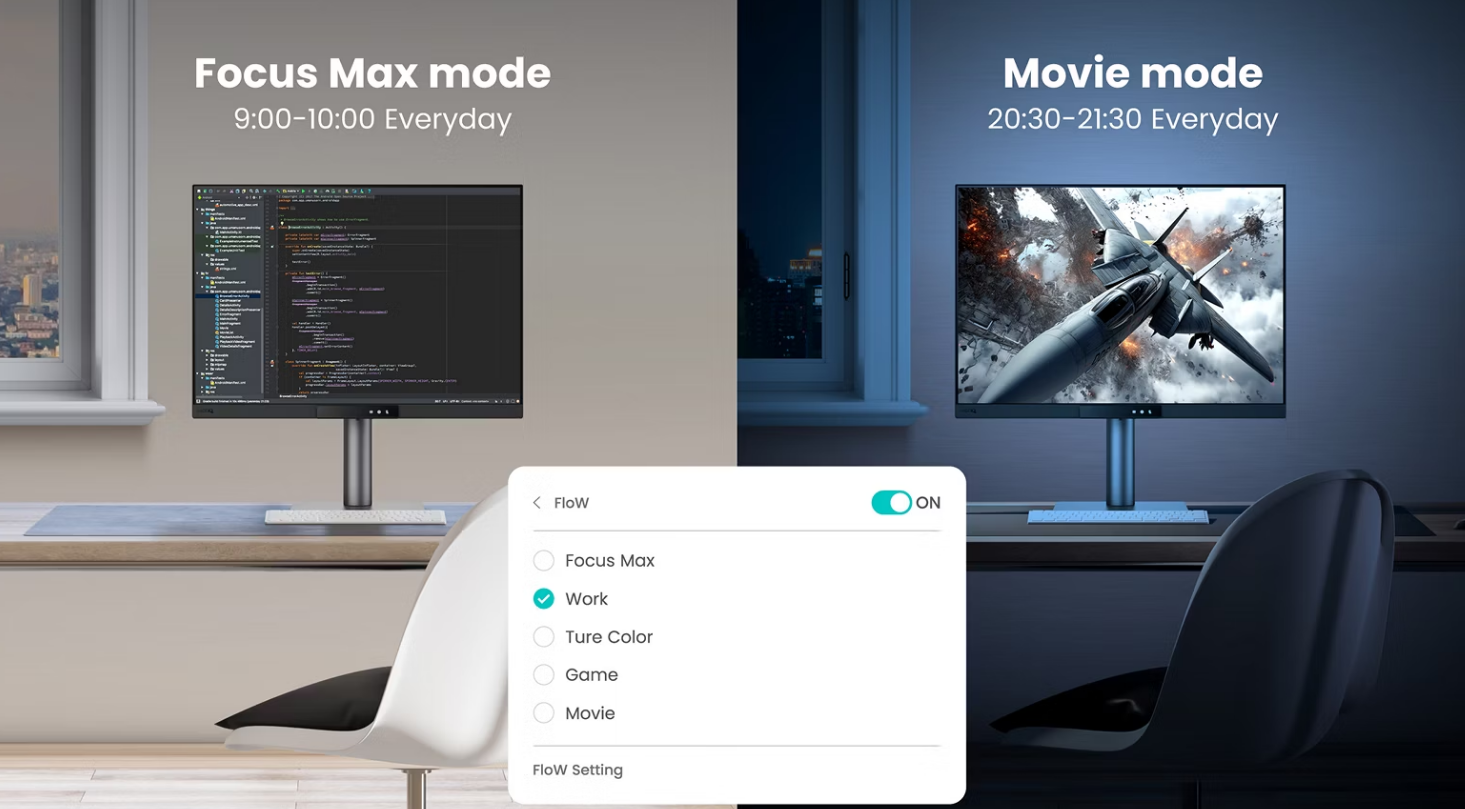
Display Pilot 2 for macOS, Windows, and Linux
The BenQ Programming Series software caters to your needs with intuitive control of features like MoonHalo, Night Hours Protection, and KVM onscreen control. It also offers programmer-focused tools such as FloW, Shortcuts, Desktop Partition, Application Mode, Software Dimming, and Circadian Mode, making your workflow smarter and more efficient.
Specifications
Reviews
Delivery & Pick-up

Delivery Estimates
The estimated time to ship for each product we sell is detailed on the individual product page just underneath the price. From when your items ship, products typically arrive within 1-2 working days for North Island deliveries and 2-3 working days for South Island deliveries. Rural deliveries may take an extra working day. Bulk & hazard deliveries may take an extra 2-7 working days and tracking links for these deliveries can take a few days to generate.
Next Day Delivery
Need your order in a hurry? PB Tech offers next day delivery for local Auckland addresses. Simple place your order before 4pm (provided your items are in stock) and select our next day delivery option in the checkout. T&C's apply. Learn more about Next Day Delivery.
Same Day Delivery
Need your order in a hurry? PB Tech offers same day delivery for Auckland, Hamilton, Wellington and Christchurch. Simple place your order before 1pm (provided your items are in stock) and select one of our same day delivery options 'Evening Delivery' or 'Urgent 3-hour Delivery' in the checkout. T&C's apply. Learn more about Same Day Delivery.
Shipping Costs
Shipping costs vary based on your location and the items being shipped and in some cases shipping may even be FREE.
To calculate what the shipping costs will be for your order, add the items you are interested in to your cart, view the Shopping Cart page, and select your 'Delivery Area' to calculate the shipping cost.
Shipping Security & Insurance
All orders shipped by PB Tech are sent via a courier with a signature required for each delivery. In some cases, and only where you have given the courier company permission to leave orders at a designated location, your order may be delivered without requiring a signature. All orders sent by PB Tech are fully insured in the unlikely event that your item(s) are damaged or go missing in transit.
1 Hour Store Pick-up / Click & Collect
You can pick-up your online order from any of our stores nationwide. You can select which store you want to pick up from at the checkout. Provided the store you select has stock and there's no hold-ups with payment we will have your order ready within 1 hour (during normal trading hours for that store) otherwise it may take up to 5 working days to transfer the stock to the store so your order can be fulfilled. Learn more about our Click & Collect process.
Overseas Shipments
PB Tech regularly ships overseas to Australia and beyond. If you are located in Australia, you can order directly from our Australian site www.pbtech.com/au. If you are from another country you can order from www.pbtech.com
Returns & Warranty
Related Promotions

Popular High Resolution Monitors

 LG UltraFine 32U720A-B 32" 4K UHD Business Monitor 3840x2160 -...

 LG UltraFine 27U730A-B 27" 4K UHD Business Monitor 3840x2160 -...

 Dell Alienware AW3225QF 32" 4K 240Hz Curved OLED Gaming Monitor...

 Dell S2725QC 27" 4K UHD 120Hz USB-C Business Monitor 3840x2160 -...

 Dell UltraSharp U2725QE 27" 4K UHD Thunderbolt Business Monitor -...


BenQ RD280UG 28.2" 4K+ UHD- Programming Monitor with MoonHalo Backlight- Nano Matte Panel - Exclusive Coding Mode - 2000:1 contrast - 3:2 Aspect Ratio - KVM Switch - 120Hz - Height/Pivot/Swivel/Tilt - 90W PD
- Brand: BenQ
- MPN: RD280UG
- Part #: MONBEQ102810
Product URL: https://www.pbtech.co.nz/product/MONBEQ102810/api/files/image?path=imgad/aib/Menu-Left_20260311105707.png
| Branch | New Stock | On Display |
|---|---|---|
| Auckland - Albany | 0 | |
| Auckland - Glenfield | 0 | |
| Auckland - Queen Street | 0 | |
| Auckland - Auckland Uni | 0 | |
| Auckland - Westgate | 0 | |
| Auckland - Penrose | 0 | |
| Auckland - Henderson (Express) | 0 | |
| Auckland - St Lukes | 0 | |
| Auckland - Manukau | 0 | |
| Hamilton | 0 | |
| Tauranga | 0 | |
| New Plymouth | 0 | |
| Palmerston North | 0 | |
| Petone | 0 | |
| Wellington | 0 | |
| Auckland - Head Office | 0 | |
| Auckland - East Tamaki Warehouse | 0 | |
| Christchurch - Hornby | 0 | |
| Christchurch - Christchurch Central | 0 | |
| Dunedin | 0 |
Features
Press the Hotkey to Start Your "Hello, World!"
Hit the Coding HotKey to activate the Function Bar and dive straight into coding. Instantly apply coding modes, adjust brightness, contrast, and eye-care settings, toggle Night Hours Protection, or control the MoonHalo Backlight.
Your Eyes and Body Deserve the Same Care as Your Code
Your eyes and proper ergonomics are important, so we prioritize them in every design.
Light up Your Innovative Space with the MoonHalo
Not just a monitor, but also an acclaimed backlight too! With customizable color temperature, brightness, light modes, plus Auto Dimming, MoonHalo ensures optimal eye protection and focus, whether at home or in the office.
Smooth and Snappy Coding with 120Hz
With 120Hz refresh rate, enjoy ultra-smooth visuals, effortless scrolling, universal performance, and gentle experience that keep your eyes comfortable all day.
Night Hours Protection for Late Night Programmers
Coding late at night just flows. Night Hours Protection with ultra-low brightness technology keeps your eyes safe while letting your creativity flow.
Complete Eye-Care Coverage!
Equipped with visual optimizer for automatic brightness, and color temperature adjustments to adapt seamlessly to your working environment. The RD280UG is TÜV-certified for Flicker-Free, Reflection-Free, Low Blue Light, Eye Comfort 2.0, and Eyesafe 2.0, ensuring minimal distractions, reduced harmful blue light, and a comfortable, safe viewing experience without compromising vivid, lifelike colors.
Every Great Project Begins with Code Clarity
In the exclusive Coding Modes, displays are finely tuned for optimal clarity in both dark and light themes. The new Paper Color Mode simulates the look and feel of printed media and is an additional way to read while being easy on the eyes.
Clarity without Glare with Our Nano Matte Panel
Featuring a low reflection coating to minimize distractions, this advanced technology enhances focus and boosts productivity, delivering unparalleled clarity and eye-strain relief for peak performance.
High Pixel Contrast Enhances Every Line for Sharper Detail
The RD280UG features a 2000:1 contrast ratio with multi-layered High Pixel Contrast Technology. Static and dynamic contrast tuning, combined with Local Contrast Optimization, reveal fine details and enhanced dark-area clarity, for your IDE, movies, or games after work.
Make the Innovative Spot Yours!
Transform your desk into a productivity hub. With the RD280UG, experience a workspace designed for comfort, focus, and inspiration.
Do More at Once with 3:2 Ratio
Achieve more and scroll less. With its rare 3:2 aspect ratio, the RD280UG is designed specifically for coders, providing an expanded field of view that makes multitasking and reviewing code more efficient and comfortable.
Easy Access for Smart Connectivity
Versatile ports within easy reach, making connecting devices effortless, quick, and simple.
KVM Switching
Connect multiple devices and share peripherals, like a mouse or keyboard, via the built in KVM switch.
Daisy Chain*
Expand your view with Multi-Stream Transport via USB Type-C. A single 90W cable handles visuals, data, and charging simultaneously.
Display Pilot 2 for macOS, Windows, and Linux
The BenQ Programming Series software caters to your needs with intuitive control of features like MoonHalo, Night Hours Protection, and KVM onscreen control. It also offers programmer-focused tools such as FloW, Shortcuts, Desktop Partition, Application Mode, Software Dimming, and Circadian Mode, making your workflow smarter and more efficient.
Specifications
Display
Screen Size
28.2 inch
Panel Type
IPS
Backlight Technology
LED backlight
Resolution (max.)
3840x2560
Brightness (typ.)
350 nits
Brightness (peak)(HDR)
400 nits
HDR
HDR10, VESA DisplayHDR 400
Viewing Angle (L/R) (CR>=10)
178°/178°
Response Times (GtG)
5 ms
Refresh Rate (Hz)
120
Native Contrast
2000:1
Color Gamut
95% P3
Color Mode
Coding - Paper Color, sRGB, HDR, M-book, User, Game, ePaper, Cinema, Coding - Dark Theme, Coding - Light Theme
Aspect Ratio
3:2
Display Colors
1.07 billion colors
PPI
164
Display Screen Coating
Nano Matte
Color Temperature
Bluish, Normal, Reddish, User Define
Gamma
1.8 - 2.6
HDCP
2.3
OSD Language
Bulgarian, Greek, Ukrainian, Arabic, Chinese (simplified), Chinese (traditional), Czech, Deutsch, English, French, Hungarian, Italian, Japanese, Korean, Netherlands, Polish, Portuguese, Romanian, Russian, Spanish, Swedish
AMA
Yes
Audio
Built-in Speaker
3Wx2
Headphone Jack
Yes
Power
Voltage Rating
100 - 240V
Power Supply
Built-in
Power Consumption (normal)
30 W
Power Consumption (max)
250 W
Power Consumption (sleep mode)
<0.5 W
Power Delivery(USB C / Thunderbolt )
90
Dimension and Weight
Tilt (down/up)
-5˚ - 20˚
Swivel (left/right)
15˚/ 15˚
Pivot
90˚
Height Adjustment Stand
150 mm
Dimensions (HxWxD) (mm)
465.2 - 615.2x610.4x233.3
Dimensions (HxWxD) (inch)
18.3 - 24.2x24.0x9.2
Dimensions (HxWxD) (Landscape) (mm)
615.2x610.4x233.3
Dimensions (HxWxD) (Landscape) (inch)
24.2x24.0x9.2
Dimensions (HxWxD) (Pivot) (mm)
611.1 - 714.5x432.8x233.3
Dimensions (HxWxD) (Pivot) (inch)
24.1 - 28.1x17.0x9.2
Dimensions (HxWxD) (w/o Base) (mm)
432.8x610.4x91.5
Dimensions (HxWxD) (w/o Base) (inch)
17.0x24.0x3.6
Net Weight (kg)
10.1
Net Weight (lb)
22.2
Net Weight (w/o Base) (kg)
7.8
Net Weight (w/o Base) (lb)
17.1
VESA Wall Mount
100x100 mm
Accessories
Other Accessories
QSG, Warranty Card, Safety Instruction
Signal Cable (may vary by region)
HDMI (v2.1), USB 3.2, USB C
Connectivity
HDMI (v2.1)
1
DisplayPort (v1.4)
1
USB C(PowerDelivery 90W, DisplayPort Alt Mode, Data)
1
Daisy Chain Technology
USB C out (MST)
USB Type-B Upstream (USB 3.2 Gen 1, 5 Gbps, Data only)
1
USB Type-A Downstream (USB 3.2 Gen 2, 10 Gbps, power charging 4.5W)
2
USB Type-C Downstream (USB 3.2 Gen 2, 10 Gbps, power charging 15W)
1
USB Type-C Downstream (USB 3.2 Gen 2, 10 Gbps, power charging 7.5W)
1
Eye Care
Flicker-free Technology
Yes
Low Blue Light
Yes
Color Weakness
Yes
ePaper
Yes
Eye Reminder
Yes
Night Hours Protection
Yes
Visual Optimizer
Yes
Environmental Standards
Energy Star
8.0
EPEAT
Bronze
Certification
TUV Certificate
Eye Comfort 2.0, EyeSafe 2.0, Flicker-free, Low Blue light (Hardware Solution), Low Blue light (Software Solution), Reflection Free
Professional
KVM Switch
Yes
DualView Plus
Yes
Auto Pivot
Yes
FW update by USB
Yes
PIP/PBP
Yes
MoonHalo
Yes
Gaming
FreeSync Premium
Yes
Software
Display Pilot 2
Yes
Display Quickit
Yes


