


Panasonic SC-GN01E-FF GAMING NECK SPEAKER - LIMITED EDITION
Out of stock
Panasonic SC-GN01E-FF GAMING NECK SPEAKER - LIMITED EDITION
- Brand: Panasonic
- MPN: SC-GN01E-FF
- Part #: HOMPAN06004
- UPC:


- Brand: Panasonic
- MPN: SC-GN01E-FF
- Part #: HOMPAN06004
- UPC:
Product is out of stock. View similar products in-stock at PB Tech
Features
Level up your gaming experience with immersive 3D Sound from 4 channel speakers
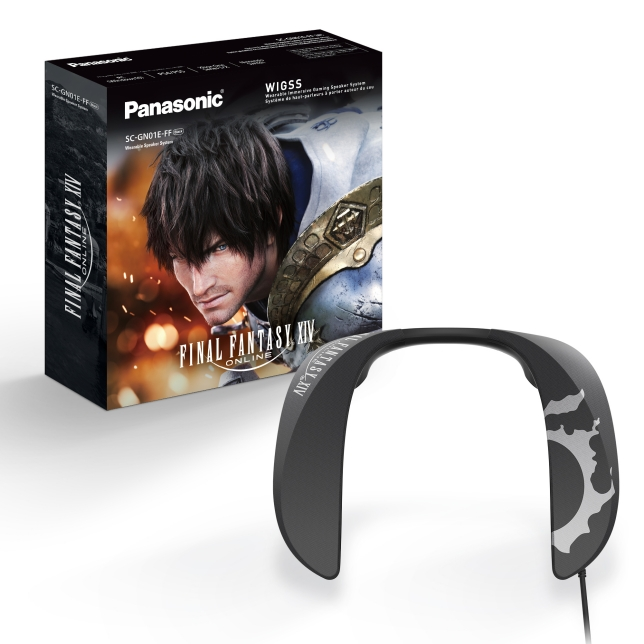
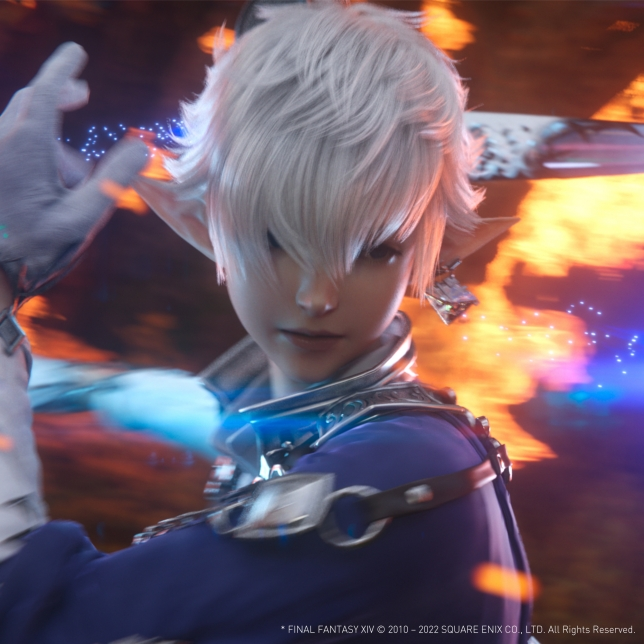
The SC-GN01 is the industry's first neck-type 4-channel surround speaker designed for both performance and comfort. Developed together with the FINAL FANTASY® XIV Online sound team, the GN01 has 3 distinct gaming sound modes to provide the best experience no matter what type of game you're playing.

* FINAL FANTASY, SQUARE ENIX and the SQUARE ENIX logo are registered trademarks or trademarks of Square Enix Holdings Co., Ltd. * FINAL FANTASY XIV © 2010 - 2022 SQUARE ENIX CO., LTD. All Rights Reserved.
SC-GN01: Immerse yourself in thrilling audio
The FINAL FANTASY® XIV Online sound team from SQUARE ENIX® and Panasonic have once again teamed up to develop this never-seen-before speaker-headset combo to deliver a totally new gaming experience.
Experience the whole world of FINAL FANTASY® XIV Online
Now you can enjoy the sounds of FINAL FANTASY® XIV Online to their fullest while also showing off you're a Warrior of Light. Get your hands on this special edition of the GN01 which comes with a collaborative FINAL FANTASY® XIV Online custom design and special sound effects pulled straight from in-game!
Immersive surround sound experience
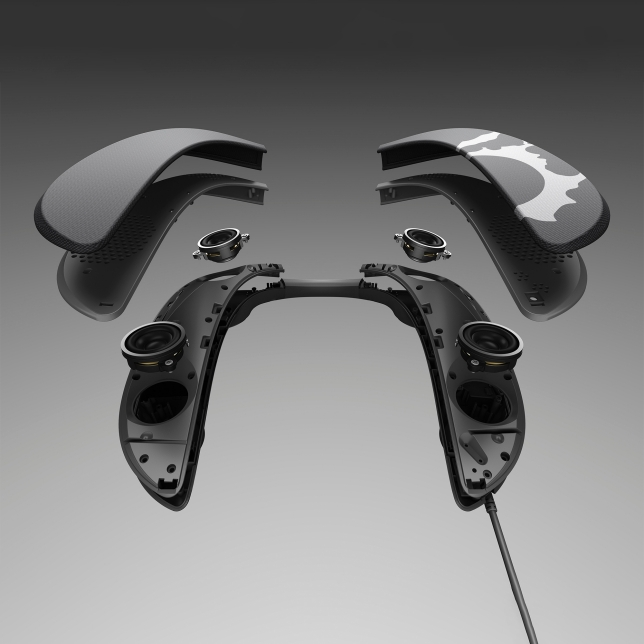
Thanks to the 4 speakers located in an ideal ergonomic position, you can enjoy a truly realistic and immersive sound experience while playing your favourite games.
Comfortable even for long hours of play
Comfortable design fits your shoulders, and comfortable play for a long time because it does not block your ears.

Great sound, whatever the style of play
Developed together with the FINAL FANTASY® XIV Online sound team, switch between three unique gaming modes to best fit the game you're playing.
3 Gaming Modes
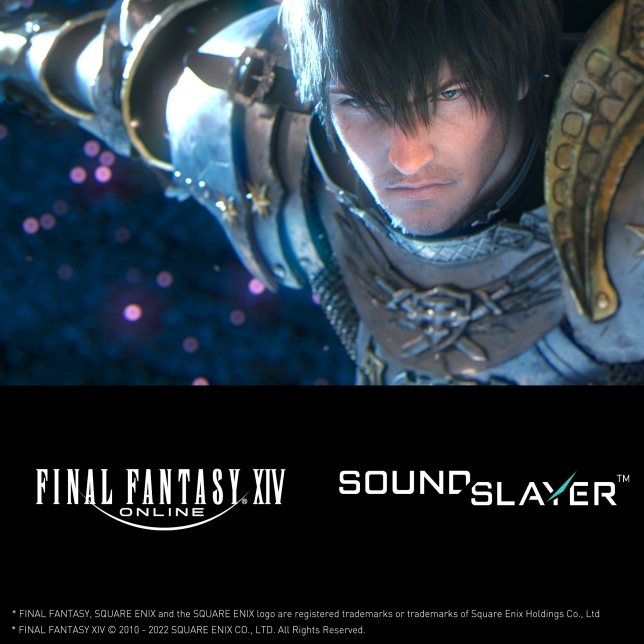
Role-Playing Game mode
Ideal for role-playing games and optimized for FINAL FANTASY® XIV Online. This mode creates a sense of reality and intensity-as if they were inside of the game's virtual world.

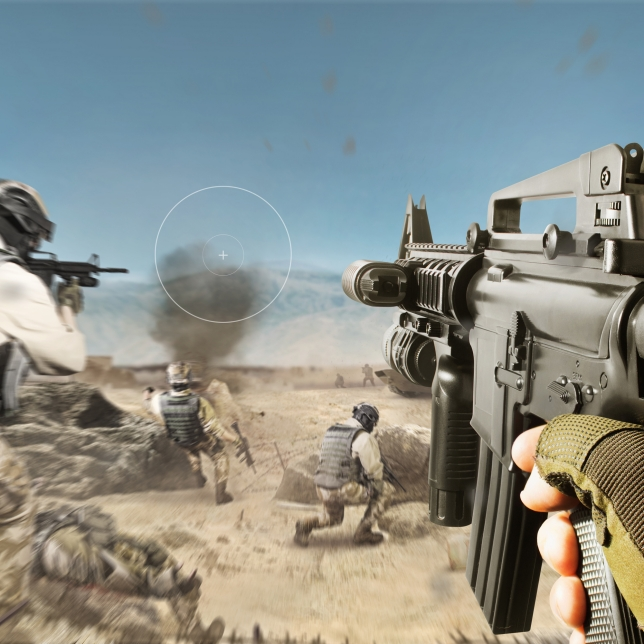
First-Person Shooter mode
Provides accurate audio locations which allow users to hear subtle sounds such as footsteps, giving players the advantage in first-person shooter and third-person shooter games.
Voice mode
Enhances voices and further contributes to the immersive experience. Recommended for adventure games, where clear dialogue can provide important clues.
Clear voice communication for gaming
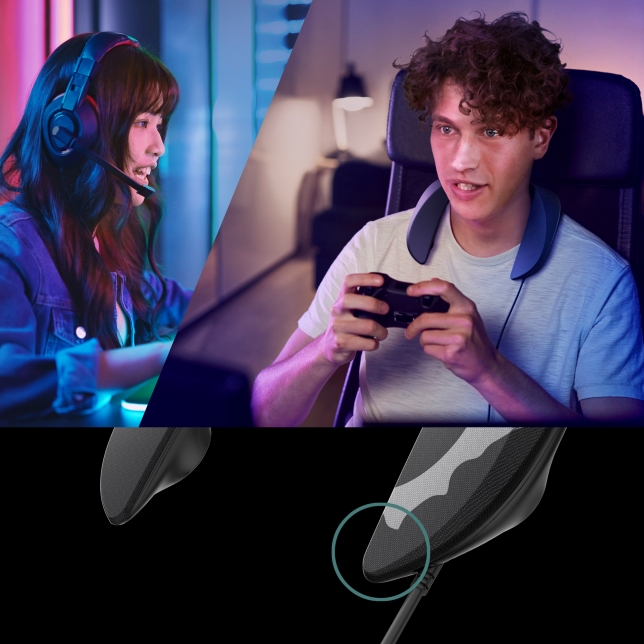
For voice duties, the GN01 is equipped with a high-performance noise and echo cancelling dual microphone. This allows you to chat clearly with other players without interference from the powerful sound of the speakers.
Boost your gameplay even more.
Fast response time with no delay
As a gamer you want a fast response, so you will appreciate the 3m long USB cable that transmits the sound signals without any delay. Many game consoles enable connections with a single USB cable, just be sure to check the instruction manual of your gaming device.

Easy and convenient operation
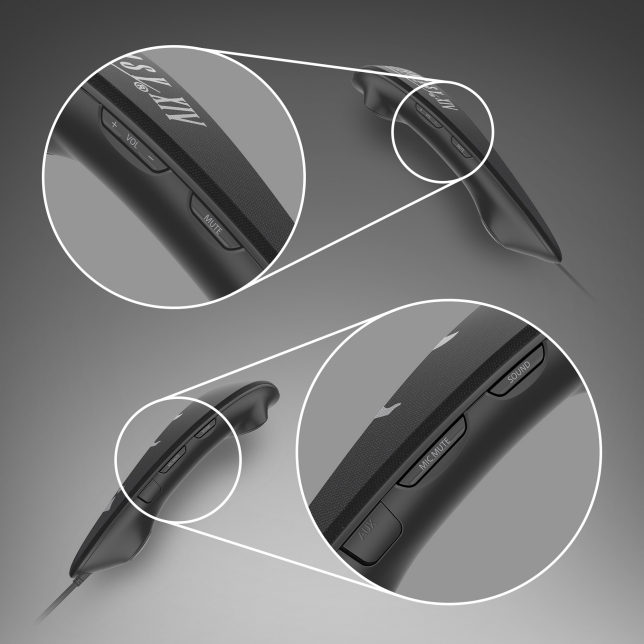
The GN01 can be operated easily while gaming: Two mute buttons let you control microphone and videogame. Wired connection is offered as USB and AUX option.
Specifications
Reviews
Delivery & Pick-up

Delivery Estimates
The estimated time to ship for each product we sell is detailed on the individual product page just underneath the price. From when your items ship, products typically arrive within 1-2 working days for North Island deliveries and 2-3 working days for South Island deliveries. Rural deliveries may take an extra working day. Bulk & hazard deliveries may take an extra 2-7 working days and tracking links for these deliveries can take a few days to generate.
Next Day Delivery
Need your order in a hurry? PB Tech offers next day delivery for local Auckland addresses. Simple place your order before 4pm (provided your items are in stock) and select our next day delivery option in the checkout. T&C's apply. Learn more about Next Day Delivery.
Same Day Delivery
Need your order in a hurry? PB Tech offers same day delivery for Auckland, Hamilton, Wellington and Christchurch. Simple place your order before 1pm (provided your items are in stock) and select one of our same day delivery options 'Evening Delivery' or 'Urgent 3-hour Delivery' in the checkout. T&C's apply. Learn more about Same Day Delivery.
Shipping Costs
Shipping costs vary based on your location and the items being shipped and in some cases shipping may even be FREE.
To calculate what the shipping costs will be for your order, add the items you are interested in to your cart, view the Shopping Cart page, and select your 'Delivery Area' to calculate the shipping cost.
Shipping Security & Insurance
All orders shipped by PB Tech are sent via a courier with a signature required for each delivery. In some cases, and only where you have given the courier company permission to leave orders at a designated location, your order may be delivered without requiring a signature. All orders sent by PB Tech are fully insured in the unlikely event that your item(s) are damaged or go missing in transit.
1 Hour Store Pick-up / Click & Collect
You can pick-up your online order from any of our stores nationwide. You can select which store you want to pick up from at the checkout. Provided the store you select has stock and there's no hold-ups with payment we will have your order ready within 1 hour (during normal trading hours for that store) otherwise it may take up to 5 working days to transfer the stock to the store so your order can be fulfilled. Learn more about our Click & Collect process.
Overseas Shipments
PB Tech regularly ships overseas to Australia and beyond. If you are located in Australia, you can order directly from our Australian site www.pbtech.com/au. If you are from another country you can order from www.pbtech.com
Returns & Warranty
Related Promotions


Popular Ceiling & Wall Mounted Speakers

 Lumiaudio FLF-6WBS 6.5" WiFi & Bluetooth Ceiling Speakers (Pair) ...

 Edifier P12 4" Passive Bookshelf Speakers - Brown Wood (Pair) - 3...

 Edifier P17 4" Passive Bookshelf Speakers - Brown Wood (Pair) 2...

 Lumiaudio FLC-6 6.5" 2-Way Frameless Ceiling Speaker (Sold...

 KEF THX Rectangle In-Wall Speaker with 3x4"(LF) / 1x4"(MF) / 1x...


Panasonic SC-GN01E-FF GAMING NECK SPEAKER - LIMITED EDITION
- Brand: Panasonic
- MPN: SC-GN01E-FF
- Part #: HOMPAN06004
Product URL: https://www.pbtech.co.nz/product/HOMPAN06004/Panasonic-SC-GN01E-FF-GAMING-NECK-SPEAKER---LIMITE
| Branch | New Stock | On Display |
|---|---|---|
| Auckland - Albany | 0 | |
| Auckland - Glenfield | 0 | |
| Auckland - Queen Street | 0 | |
| Auckland - Auckland Uni | 0 | |
| Auckland - Westgate | 0 | |
| Auckland - Penrose | 0 | |
| Auckland - Henderson (Express) | 0 | |
| Auckland - St Lukes | 0 | |
| Auckland - Manukau | 0 | |
| Hamilton | 0 | |
| Tauranga | 0 | |
| New Plymouth | 0 | |
| Palmerston North | 0 | |
| Petone | 0 | |
| Wellington | 0 | |
| Auckland - Head Office | 0 | |
| Auckland - East Tamaki Warehouse | 0 | |
| Christchurch - Hornby | 0 | |
| Christchurch - Christchurch Central | 0 | |
| Dunedin | 0 |
Features
Level up your gaming experience with immersive 3D Sound from 4 channel speakers
The SC-GN01 is the industry's first neck-type 4-channel surround speaker designed for both performance and comfort. Developed together with the FINAL FANTASY® XIV Online sound team, the GN01 has 3 distinct gaming sound modes to provide the best experience no matter what type of game you're playing.
* FINAL FANTASY, SQUARE ENIX and the SQUARE ENIX logo are registered trademarks or trademarks of Square Enix Holdings Co., Ltd. * FINAL FANTASY XIV © 2010 - 2022 SQUARE ENIX CO., LTD. All Rights Reserved.
SC-GN01: Immerse yourself in thrilling audio
The FINAL FANTASY® XIV Online sound team from SQUARE ENIX® and Panasonic have once again teamed up to develop this never-seen-before speaker-headset combo to deliver a totally new gaming experience.
Experience the whole world of FINAL FANTASY® XIV Online
Now you can enjoy the sounds of FINAL FANTASY® XIV Online to their fullest while also showing off you're a Warrior of Light. Get your hands on this special edition of the GN01 which comes with a collaborative FINAL FANTASY® XIV Online custom design and special sound effects pulled straight from in-game!
Immersive surround sound experience
Thanks to the 4 speakers located in an ideal ergonomic position, you can enjoy a truly realistic and immersive sound experience while playing your favourite games.
Comfortable even for long hours of play
Comfortable design fits your shoulders, and comfortable play for a long time because it does not block your ears.
Great sound, whatever the style of play
Developed together with the FINAL FANTASY® XIV Online sound team, switch between three unique gaming modes to best fit the game you're playing.
3 Gaming Modes
Role-Playing Game mode
Ideal for role-playing games and optimized for FINAL FANTASY® XIV Online. This mode creates a sense of reality and intensity-as if they were inside of the game's virtual world.
First-Person Shooter mode
Provides accurate audio locations which allow users to hear subtle sounds such as footsteps, giving players the advantage in first-person shooter and third-person shooter games.
Voice mode
Enhances voices and further contributes to the immersive experience. Recommended for adventure games, where clear dialogue can provide important clues.
Clear voice communication for gaming
For voice duties, the GN01 is equipped with a high-performance noise and echo cancelling dual microphone. This allows you to chat clearly with other players without interference from the powerful sound of the speakers.
Boost your gameplay even more.
Fast response time with no delay
As a gamer you want a fast response, so you will appreciate the 3m long USB cable that transmits the sound signals without any delay. Many game consoles enable connections with a single USB cable, just be sure to check the instruction manual of your gaming device.
Easy and convenient operation
The GN01 can be operated easily while gaming: Two mute buttons let you control microphone and videogame. Wired connection is offered as USB and AUX option.
Specifications
Amplifier
Total RMS Output Power
4W (1kHz, T.H.D.10.0%, 6ohm, 20kHz LPF)[1]
Speaker System
Speaker Unit
3.0 cm Cone type x 4 (Front L/R, Surround L/R)
Impedance
6ohm
Sound Function
Surround
Yes
Sound Mode
GAME (RPG/ FPS/ Voice)
MUSIC
CINEMA
STEREO
Switches
Mic Mute ×1 (Tact Switch)
Sound Mute ×1 (Tact Switch)
Volume control Up / Down ×2 (Tact Switch)
Sound Mode ×1 (Tact Switch)
LPCM
USB: Multi Channel Input (PC only)
Microphone
Microphone units
MEMS type 2 pcs
Terminals[2]
USB Port
USB Type A
AUX
3.5mm mini jack CTIA compliant[3]
Compatible equipment[4]
Connection with USB cable: PC, PS4, PS5, Nintendo Switch (TV mode)
Connection with Audio cable[5]: PC, PS4, PS5, Xbox One, Xbox Series S/X, Nintendo Switch (Tabletop/ Handheld mode)
PC compatible OS: Windows10
Design
Body Colour
Mat Black
Speaker Net
Cloth Net
General
Power Supply (USB cable)
DC 5 V 900 mA
Display
LED indicator: Mic Mute (Red)
Power Consumption
Approx. 4.5 W
Supplied Accessory
Approx. 1.5 m Audio cable
Dimensions & Weight
Length of USB cable
Approx. 3 m
Dimensions (W x H x D)
Approx. 240 x 46 x 209 mm
Weight
Approx. 244 g[7]
Notes
Notes
[1] When the power supply capacity of the USB port of the connected device is 5 V 900 mA. At 5V 500 mA, the volume will be low.
[2] When connecting the headset terminal of the connected device to the audio cable (included), connect the USB cable to the USB port of the connected device or the USB power supply (sold separately), Use a USB power supply (sold separately) equivalent to 5 V 900 mA.
[3] We do not quarantee the operation of audio output and microphone input of all devices equipped with a headset terminal compatible with 3.5 mm mini jack.
[4] Be sure to check the instruction manual of each compatible device before using it by connecting it.
[5] Please use by connecting the USB plug to the USB port or USB power supply (sold separately).
[6] We do not quarantee the operation of all PCs equipped with a compatible OS.
[7] Not include Cable and USB plug


