


Logitech Logi Dock Flex - White
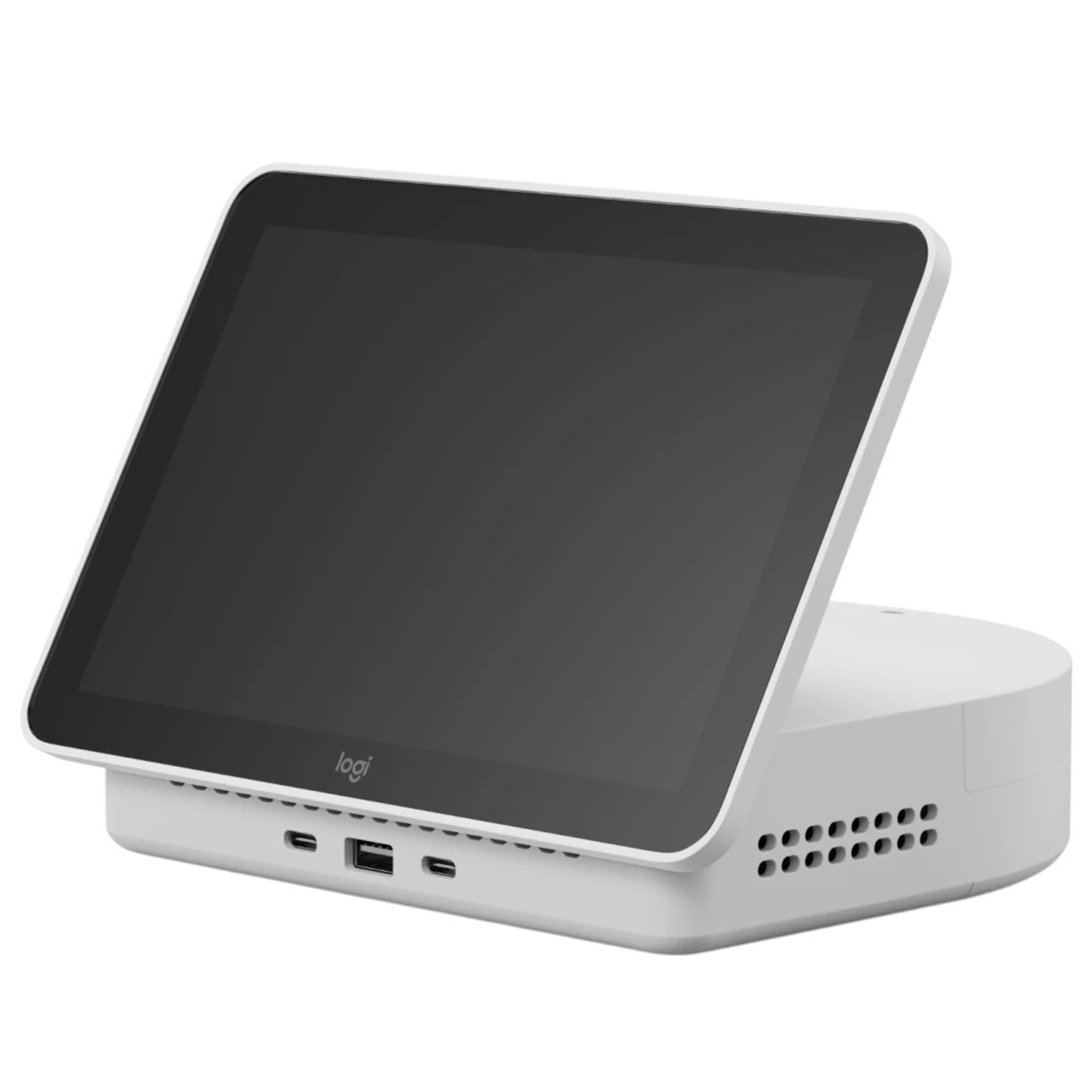
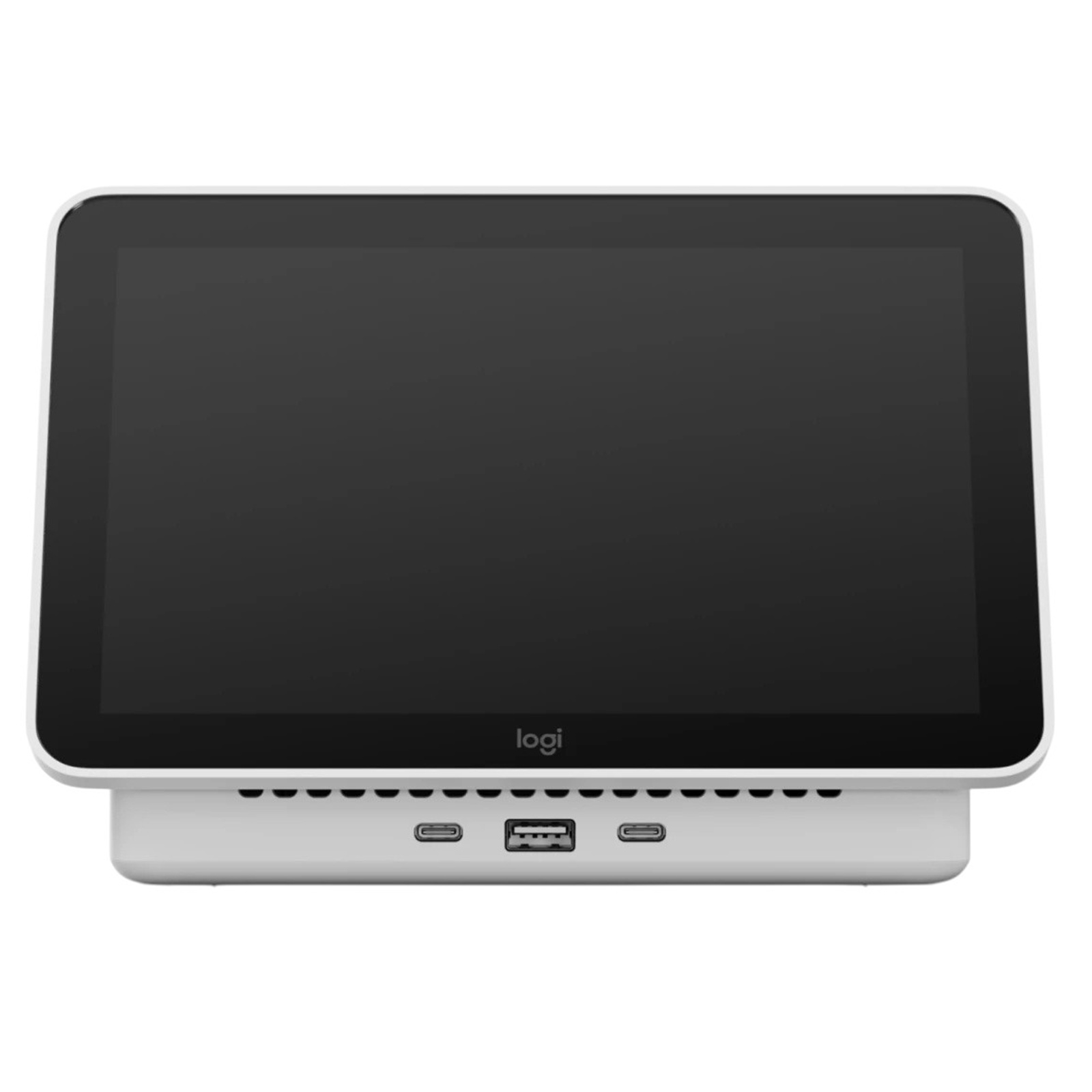
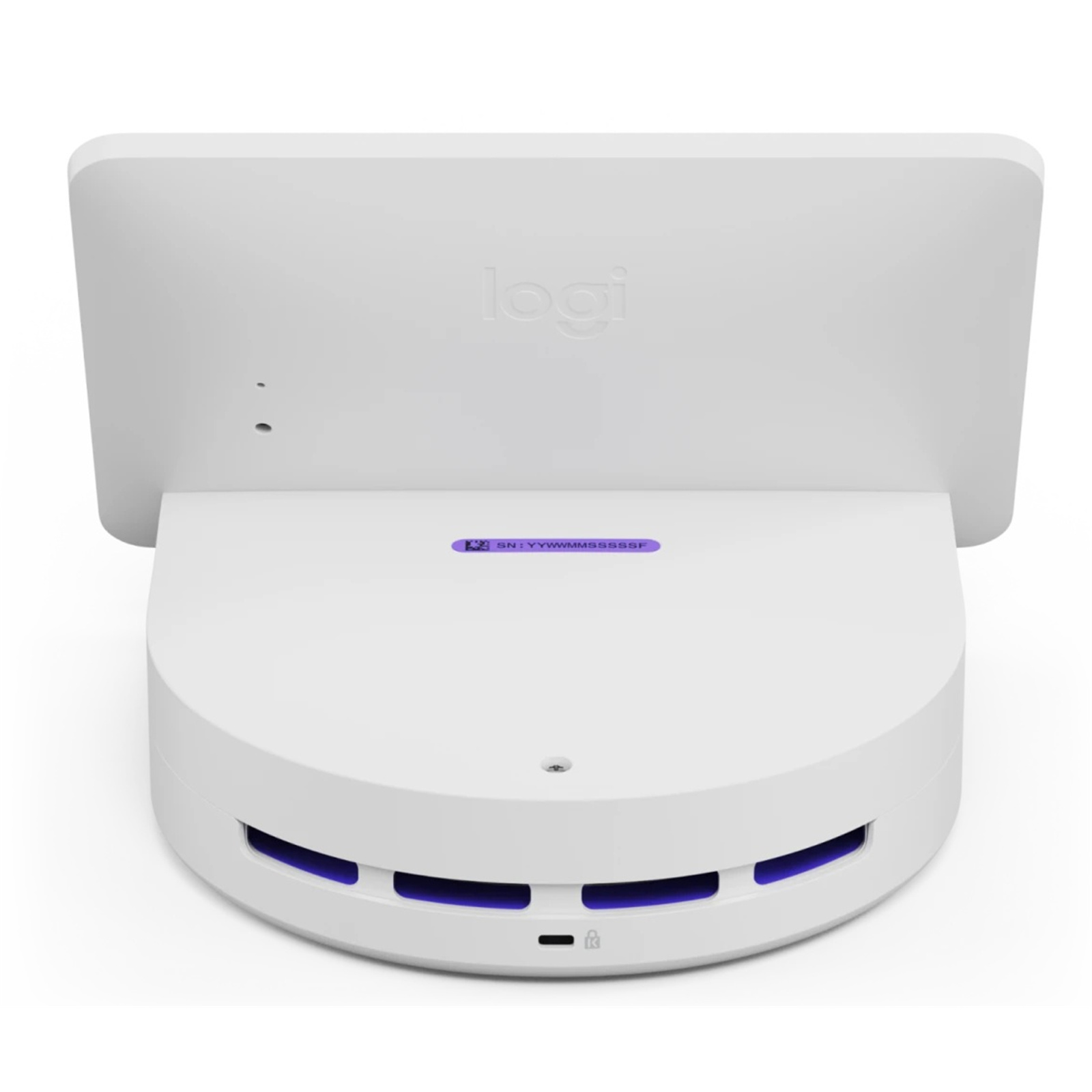
Touch Screen - Front 2x USB-C - 1x USB-A - 1x HDMI - 1x DP Port - Multi Purpose Docking Station - Enables Easy Desk Booking Experiences
Logitech Logi Dock Flex - White
Touch Screen - Front 2x USB-C - 1x USB-A - 1x HDMI - 1x DP Port - Multi Purpose Docking Station - Enables Easy Desk Booking Experiences
- Brand: Logitech
- MPN: 939-002184
- Part #: NBDLOG5931395
- UPC:
- Brand: Logitech
- MPN: 939-002184
- Part #: NBDLOG5931395
- UPC:
Features
A MULTI-PURPOSE DOCK
Logi Dock Flex is a managed docking station that enables easy and personalized desk booking for employees and simple device management for IT.

DESK AVAILABILITY AT A GLANCE
Employees never have to guess which desk is free, occupied, or in between. The 8" screen clearly indicates desk status at a glance.

UNDERSTAND AND OPTIMIZE YOUR WORKPLACE
Logi Dock Flex makes it easy to manage shared desks, keep them up to date and ready to go, and gain insights about usage.
Automatic Check-In
Employees easily check in to their desk booking by plugging in their laptop. This also grants them access to all desk peripherals.

Gather Accurate Data
Logi Dock Flex tracks when employees plug in, so you can accurately keep track of office usage for better space planning.

Keep Devices Connected And Running
Get notified right away if a device is disconnected or goes missing so you can resolve problems quickly.

A TRUE WORKPLACE COMPANION
Logi Dock Flex creates a hassle-free and personal experience for hybrid employees.
Choose Personalized Backgrounds
For a personal touch, employees can choose their own background photos.

Set Away Messages
Employees never have to worry about losing their seat. Logi Dock Flex clearly indicates that the desk is reserved, even when the computer is unplugged.

Join Calls and See Upcoming Events
Connect calendars to view upcoming meetings, with one touch to join directly from the dock.

CHOOSE YOUR PLATFORM
Logi Dock Flex can easily be integrated and managed with Microsoft Teams, Zoom Workspace Reservation, Appspace Space Reservation, or Logitech's own desk booking service for a simple and consistent user experience.
Logitech
Logitech's desk booking enables employees to easily find and reserve desks, choose desks near coworkers, and notify colleagues when they're coming to the office.

Microsoft Team
Reserve a shared desk with an associated Logi Dock Flex in advance through Teams, Outlook, or right from Logi Dock Flex if you're already in the office.

Zoom
With Zoom Workspace Reservation, employees can easily reserve desks ahead of time from their Zoom App or reserve instantaneously at the office from Logi Dock Flex.

Appspace
Appspace lets employees find and book desks directly on Logi Dock Flex or reserve in advance through Outlook, Teams or the Appspace employee app.

A SECURE AND RELIABLE CONNECTION
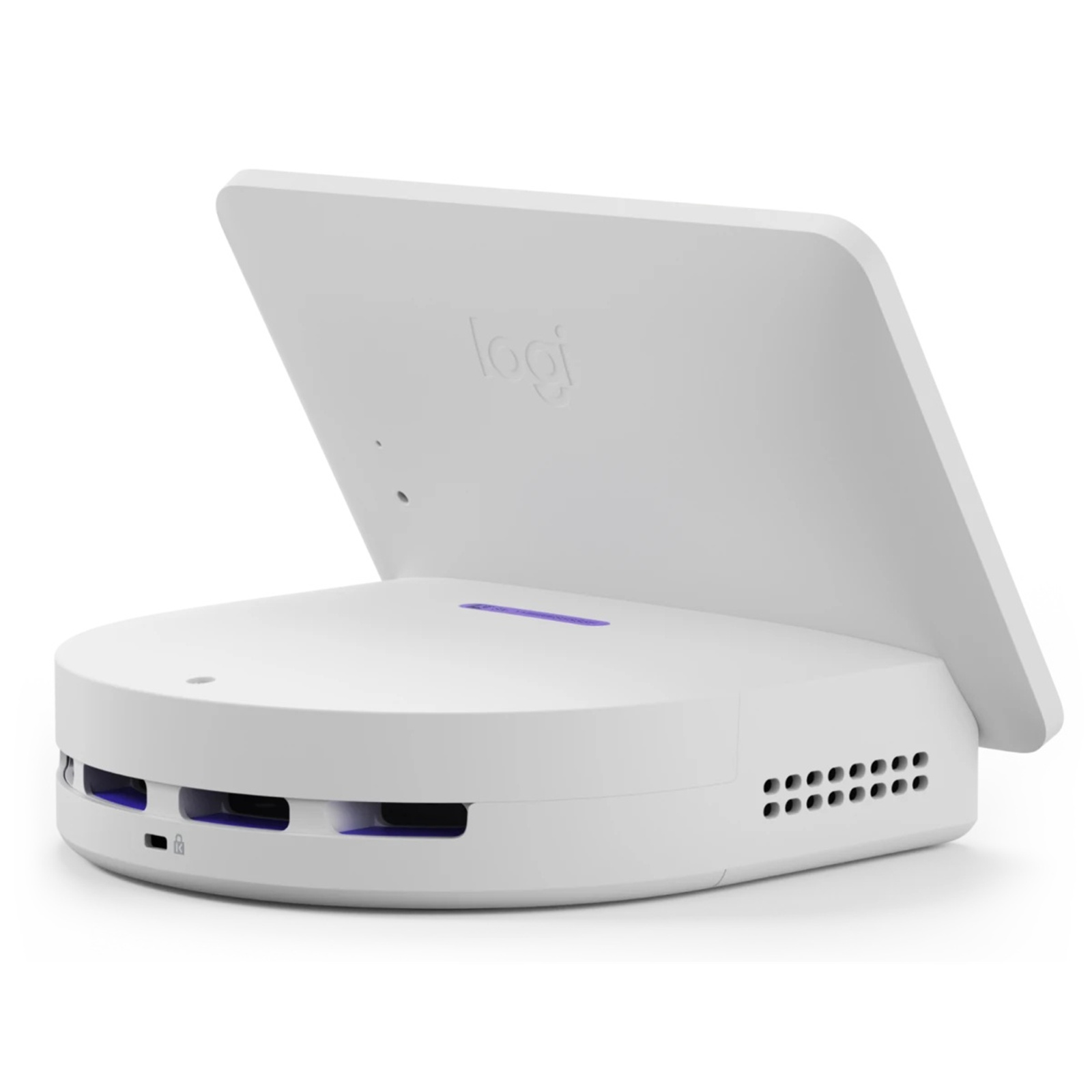
The smart cable management is designed to keep employees connected, day after day. Locked-in cables help you make sure desk peripherals aren't lost or unplugged. But should something go missing, Logi Dock Flex will automatically alert you right away.
Connect Everything You Need
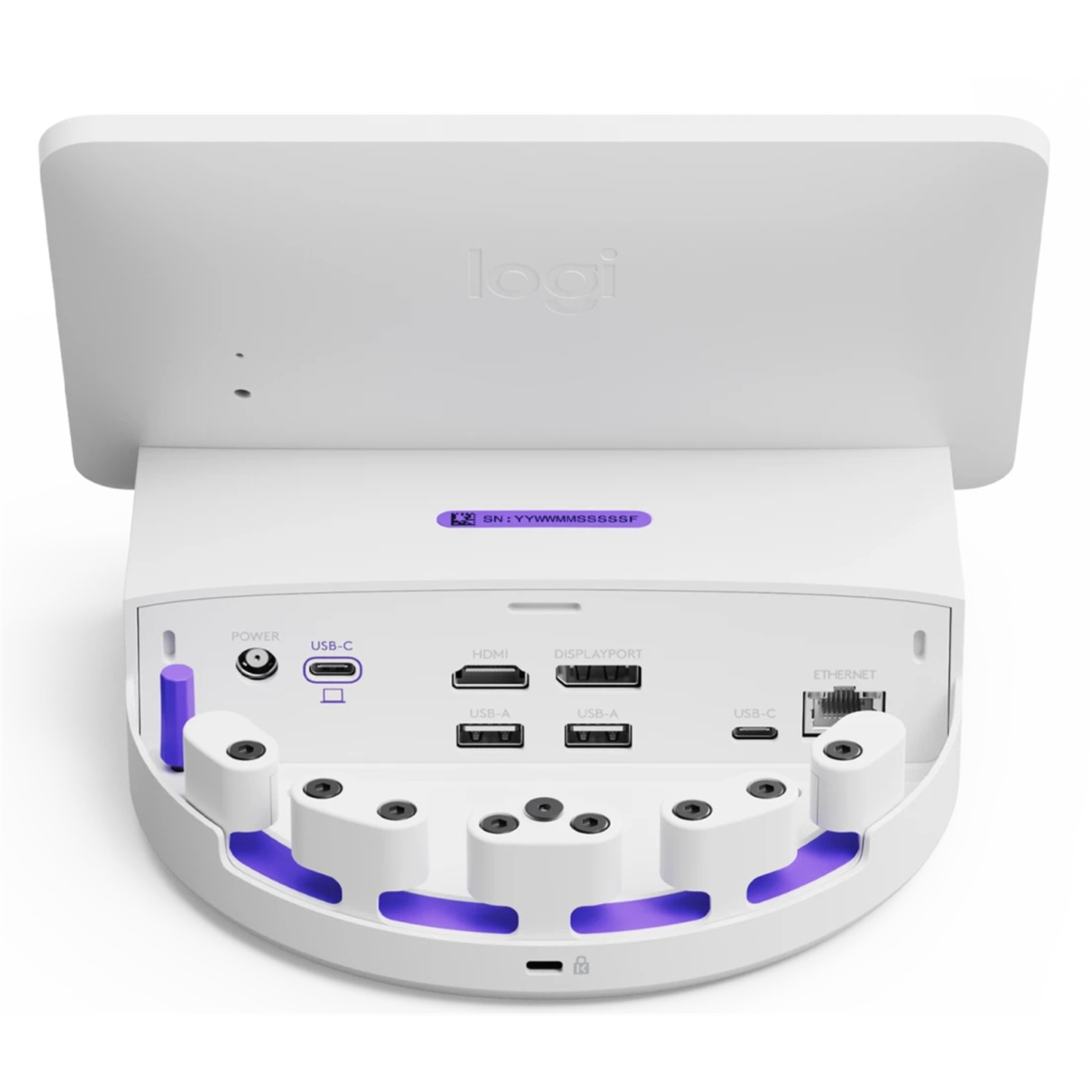
All the ports you need. Attach up to two monitors with HDMI and DisplayPort. Attach peripherals with three IT-managed USB ports and Ethernet for security. There are also three front-facing USB ports for users.

1. Power/Reset Button
2. Power
3. USB-C Upstream 100W
4. HDMI
5. DisplayPort
6. USB-C (USB 3.1)
7. Gigabit Ethernet
8. Cable Retention Key
9. Cable Retention
10. USB-A (USB 3.1)
11. Kensington Security Slot
Keep Cables Secure
Keep cables securely locked so you don't have to worry about unplugged or missing equipment.

Note
Features may vary by provider.
Specifications
Reviews
Delivery & Pick-up

Delivery Estimates
The estimated time to ship for each product we sell is detailed on the individual product page just underneath the price. From when your items ship, products typically arrive within 1-2 working days for North Island deliveries and 2-3 working days for South Island deliveries. Rural deliveries may take an extra working day. Bulk & hazard deliveries may take an extra 2-7 working days and tracking links for these deliveries can take a few days to generate.
Next Day Delivery
Need your order in a hurry? PB Tech offers next day delivery for local Auckland addresses. Simple place your order before 4pm (provided your items are in stock) and select our next day delivery option in the checkout. T&C's apply. Learn more about Next Day Delivery.
Same Day Delivery
Need your order in a hurry? PB Tech offers same day delivery for Auckland, Hamilton, Wellington and Christchurch. Simple place your order before 1pm (provided your items are in stock) and select one of our same day delivery options 'Evening Delivery' or 'Urgent 3-hour Delivery' in the checkout. T&C's apply. Learn more about Same Day Delivery.
Shipping Costs
Shipping costs vary based on your location and the items being shipped and in some cases shipping may even be FREE.
To calculate what the shipping costs will be for your order, add the items you are interested in to your cart, view the Shopping Cart page, and select your 'Delivery Area' to calculate the shipping cost.
Shipping Security & Insurance
All orders shipped by PB Tech are sent via a courier with a signature required for each delivery. In some cases, and only where you have given the courier company permission to leave orders at a designated location, your order may be delivered without requiring a signature. All orders sent by PB Tech are fully insured in the unlikely event that your item(s) are damaged or go missing in transit.
1 Hour Store Pick-up / Click & Collect
You can pick-up your online order from any of our stores nationwide. You can select which store you want to pick up from at the checkout. Provided the store you select has stock and there's no hold-ups with payment we will have your order ready within 1 hour (during normal trading hours for that store) otherwise it may take up to 5 working days to transfer the stock to the store so your order can be fulfilled. Learn more about our Click & Collect process.
Overseas Shipments
PB Tech regularly ships overseas to Australia and beyond. If you are located in Australia, you can order directly from our Australian site www.pbtech.com/au. If you are from another country you can order from www.pbtech.com
Returns & Warranty
Popular Docking Stations

 HP G6 USB-C 100W Dock 2x USB Type-A 5Gbps signaling rate ...

 HP G6 Thunderbolt 4 100W Dock 1x HDMI2.1 - 2x DisplayPort1.4 - 1x...

 Targus DOCK182 USB-C Dual 4K DisplayLink Docking Station with...

 Dell Pro Dock WD25 USB-C Quad WQHD Docking Station with 100W...

 7-in-1 USB-C Docking Station for Steam Deck / Nintendo Switch /...

_20260312185932.webp)
Logitech Logi Dock Flex - White Touch Screen - Front 2x USB-C - 1x USB-A - 1x HDMI - 1x DP Port - Multi Purpose Docking Station - Enables Easy Desk Booking Experiences
- Brand: Logitech
- MPN: 939-002184
- Part #: NBDLOG5931395
Product URL: https://www.pbtech.co.nz/product/NBDLOG5931395/Logitech-Logi-Dock-Flex---White-Touch-Screen---Fro
| Branch | New Stock | On Display |
|---|---|---|
| Auckland - Albany | 0 | |
| Auckland - Glenfield | 0 | |
| Auckland - Queen Street | 0 | |
| Auckland - Auckland Uni | 0 | |
| Auckland - Westgate | 0 | |
| Auckland - Penrose | 0 | |
| Auckland - Henderson (Express) | 0 | |
| Auckland - St Lukes | 0 | |
| Auckland - Manukau | 0 | |
| Hamilton | 0 | |
| Tauranga | 0 | |
| New Plymouth | 0 | |
| Palmerston North | 0 | |
| Petone | 0 | |
| Wellington | 0 | |
| Auckland - Head Office | 0 | |
| Auckland - East Tamaki Warehouse | 0 | |
| Christchurch - Hornby | 0 | |
| Christchurch - Christchurch Central | 0 | |
| Dunedin | 0 |
Features
A MULTI-PURPOSE DOCK
Logi Dock Flex is a managed docking station that enables easy and personalized desk booking for employees and simple device management for IT.
DESK AVAILABILITY AT A GLANCE
Employees never have to guess which desk is free, occupied, or in between. The 8" screen clearly indicates desk status at a glance.
UNDERSTAND AND OPTIMIZE YOUR WORKPLACE
Logi Dock Flex makes it easy to manage shared desks, keep them up to date and ready to go, and gain insights about usage.
Automatic Check-In
Employees easily check in to their desk booking by plugging in their laptop. This also grants them access to all desk peripherals.
Gather Accurate Data
Logi Dock Flex tracks when employees plug in, so you can accurately keep track of office usage for better space planning.
Keep Devices Connected And Running
Get notified right away if a device is disconnected or goes missing so you can resolve problems quickly.
A TRUE WORKPLACE COMPANION
Logi Dock Flex creates a hassle-free and personal experience for hybrid employees.
Choose Personalized Backgrounds
For a personal touch, employees can choose their own background photos.
Set Away Messages
Employees never have to worry about losing their seat. Logi Dock Flex clearly indicates that the desk is reserved, even when the computer is unplugged.
Join Calls and See Upcoming Events
Connect calendars to view upcoming meetings, with one touch to join directly from the dock.
CHOOSE YOUR PLATFORM
Logi Dock Flex can easily be integrated and managed with Microsoft Teams, Zoom Workspace Reservation, Appspace Space Reservation, or Logitech's own desk booking service for a simple and consistent user experience.
Logitech
Logitech's desk booking enables employees to easily find and reserve desks, choose desks near coworkers, and notify colleagues when they're coming to the office.
Microsoft Team
Reserve a shared desk with an associated Logi Dock Flex in advance through Teams, Outlook, or right from Logi Dock Flex if you're already in the office.
Zoom
With Zoom Workspace Reservation, employees can easily reserve desks ahead of time from their Zoom App or reserve instantaneously at the office from Logi Dock Flex.
Appspace
Appspace lets employees find and book desks directly on Logi Dock Flex or reserve in advance through Outlook, Teams or the Appspace employee app.
A SECURE AND RELIABLE CONNECTION
The smart cable management is designed to keep employees connected, day after day. Locked-in cables help you make sure desk peripherals aren't lost or unplugged. But should something go missing, Logi Dock Flex will automatically alert you right away.
Connect Everything You Need
All the ports you need. Attach up to two monitors with HDMI and DisplayPort. Attach peripherals with three IT-managed USB ports and Ethernet for security. There are also three front-facing USB ports for users.
1. Power/Reset Button
2. Power
3. USB-C Upstream 100W
4. HDMI
5. DisplayPort
6. USB-C (USB 3.1)
7. Gigabit Ethernet
8. Cable Retention Key
9. Cable Retention
10. USB-A (USB 3.1)
11. Kensington Security Slot
Keep Cables Secure
Keep cables securely locked so you don't have to worry about unplugged or missing equipment.
Note
Features may vary by provider.
Specifications
TECHNICAL
PORTS
Front (User-Facing)
2 x USB-C (2 x 7.5W)
1 x USB-A (7.5W)
Rear (IT-Managed)
1 x USB-C (7.5W)
2 x USB-A (2 x 7.5W)
1 x HDMI v. 2.0 (supports up to 4K, or 3840 x 2160 @60Hz HDR)
1 x DisplayPort 1.4 (supports up to 4K, or 3840 x 2160 @60Hz HDR)
1 x RJ45 Ethernet 10/100/1000 DC Power Connection
1 x USB-C laptop connection, up to 100 watt charging
SYSTEM REQUIREMENTS
Windows® 11, Windows 10
macOS: two most recent versions
Available USB-C port*
AC power
Latest version of Logitech CollabOS
*For USB-C functionality, laptops must support USB Power Delivery 2.0 (or greater) for power delivery of up to 100W, USB 3.1 Gen 2 (or greater) for data transfer, and DisplayPort Alt mode for video output.
APPLIANCE PORTS AND INTERFACES
Ethernet: 10/100 Mbps (shared via internal twoport Ethernet switch)
Wi-Fi: 802.11a/b/g/n/ac
Bluetooth 5.0 (inactive, reserved for future use)
Ambient Light Sensor
SCREEN
Size: 8" (203 mm) diagonal
IPS (In-Plane Switching)
LCD Panel with LED Backlighting
Resolution: 1280 x 800 resolution
Touch: Capacitive, 5 points multi-touch
Brightness: 300 nits
Contrast: 800:1
Anti Fingerprint: Oleophobic coating
Viewing angle: 85 degrees (U/D/L/R)
Position angle: 60 degrees
Enviromental
Operating temperature: 0 to 40°C
Operating humidity: 10 to 90%
Stored temperature: -40 to 70°C
Stored humidity: 0 to 95%
Security
Full disk encryption: AES-128
Data encryption: Symmetric Keys, PKI
Device identity: Protected by device attestation
Key protection: Arm TrustZone, RPMP
Device security: Kensington Lock
DIMENSIONS
Total Height x Width x Depth
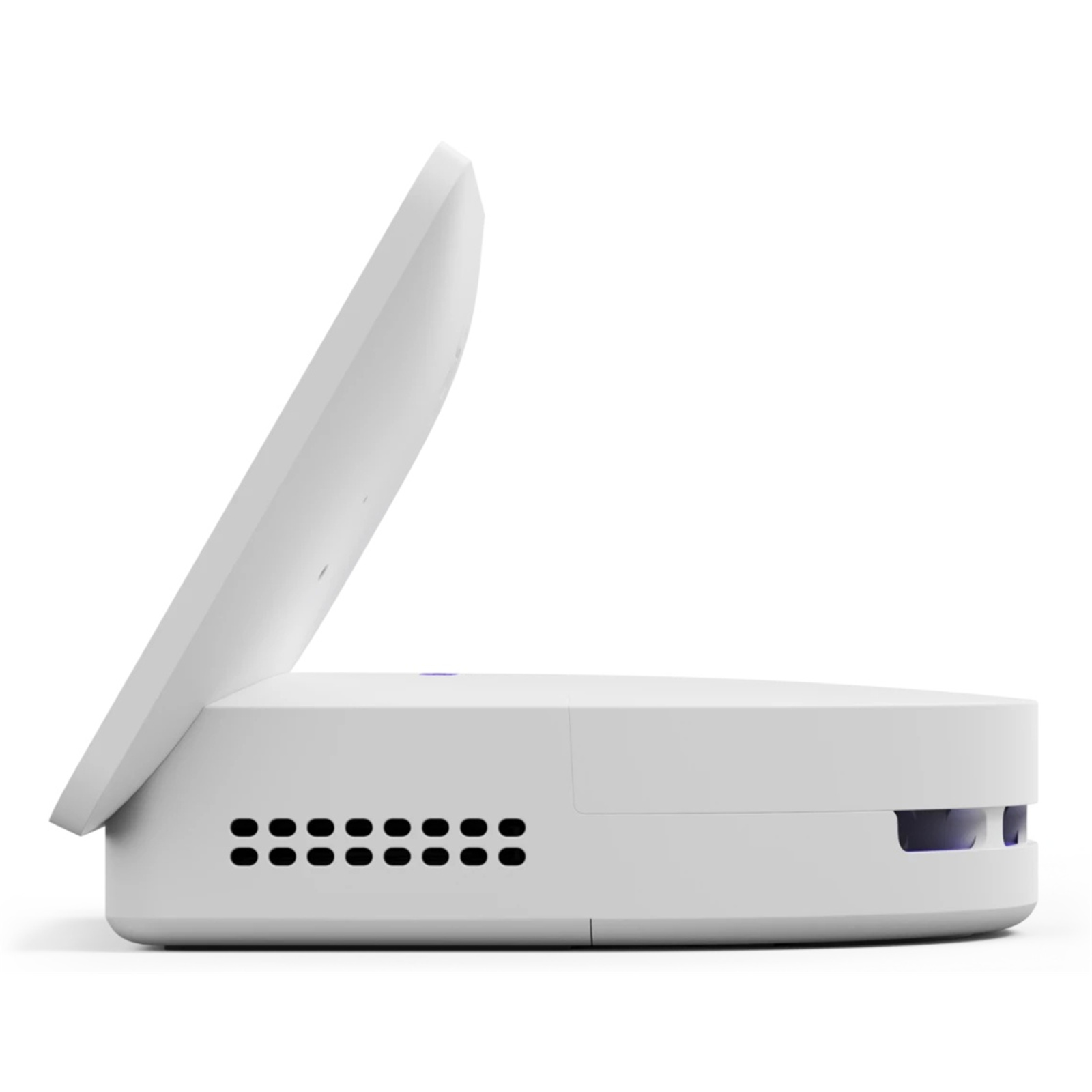
141 x 201 x 176 mm (5.6 x 7.9 x 7.0 in)
Weight
1.0 kg (2.2 lbs)


