


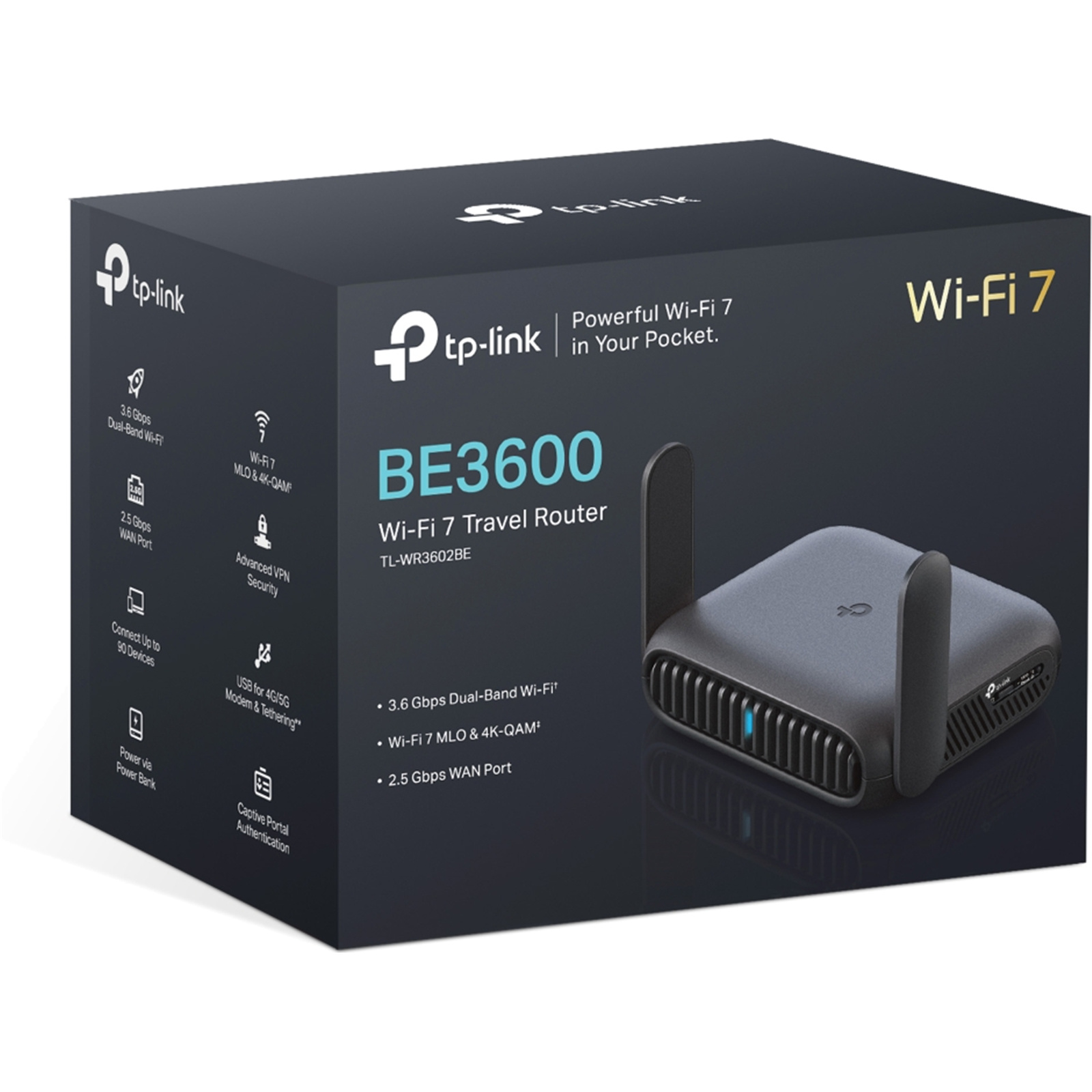
TP-Link TL-WR3602BE Dual-Band WiFi 7 Portable Travel Router
2.5GbE x 1 - 1GbE x1 - USB 3.0 x1
TP-Link TL-WR3602BE Dual-Band WiFi 7 Portable Travel Router
2.5GbE x 1 - 1GbE x1 - USB 3.0 x1
- Brand: TP-Link
- MPN: TL-WR3602BE
- Part #: NETTPL3602
- UPC:


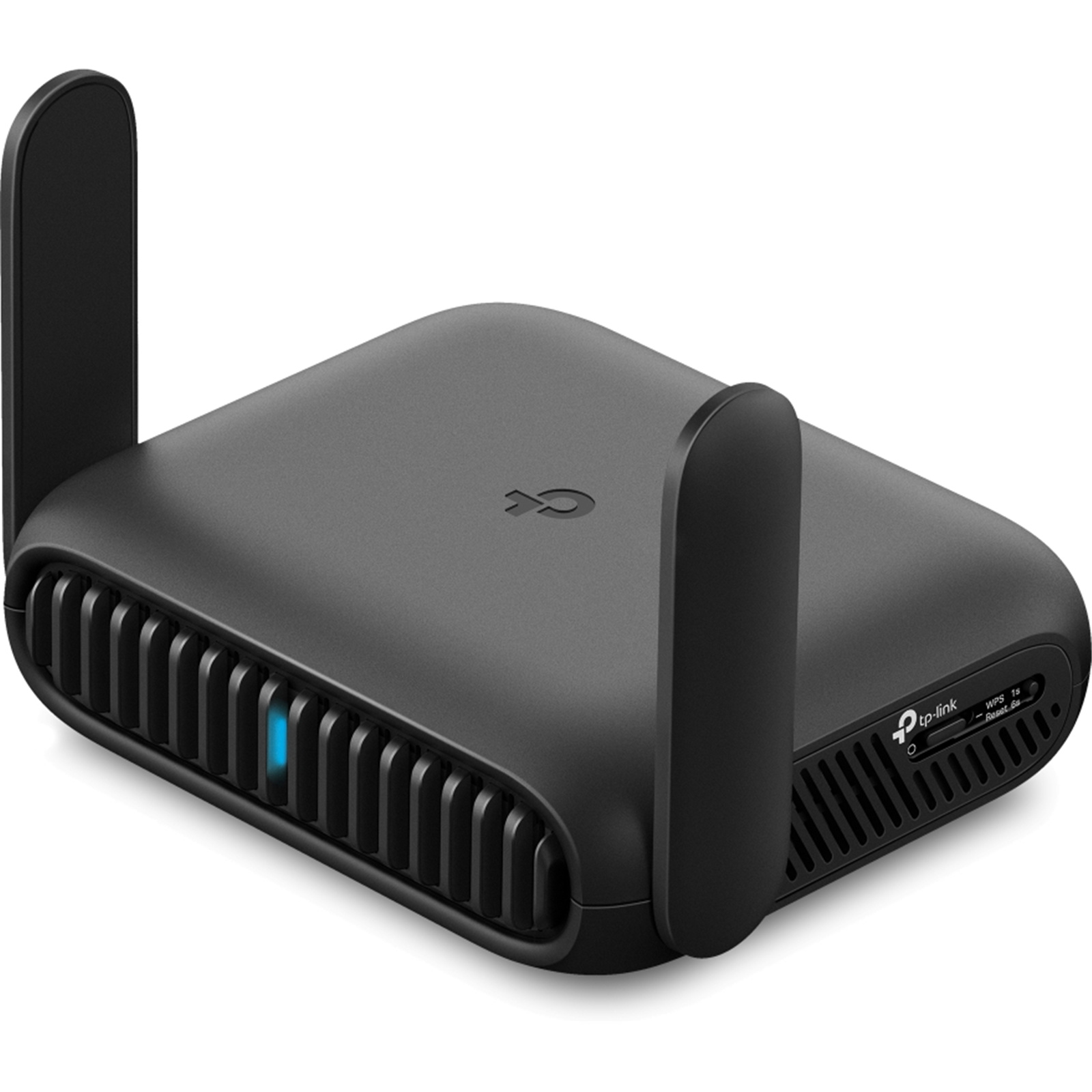
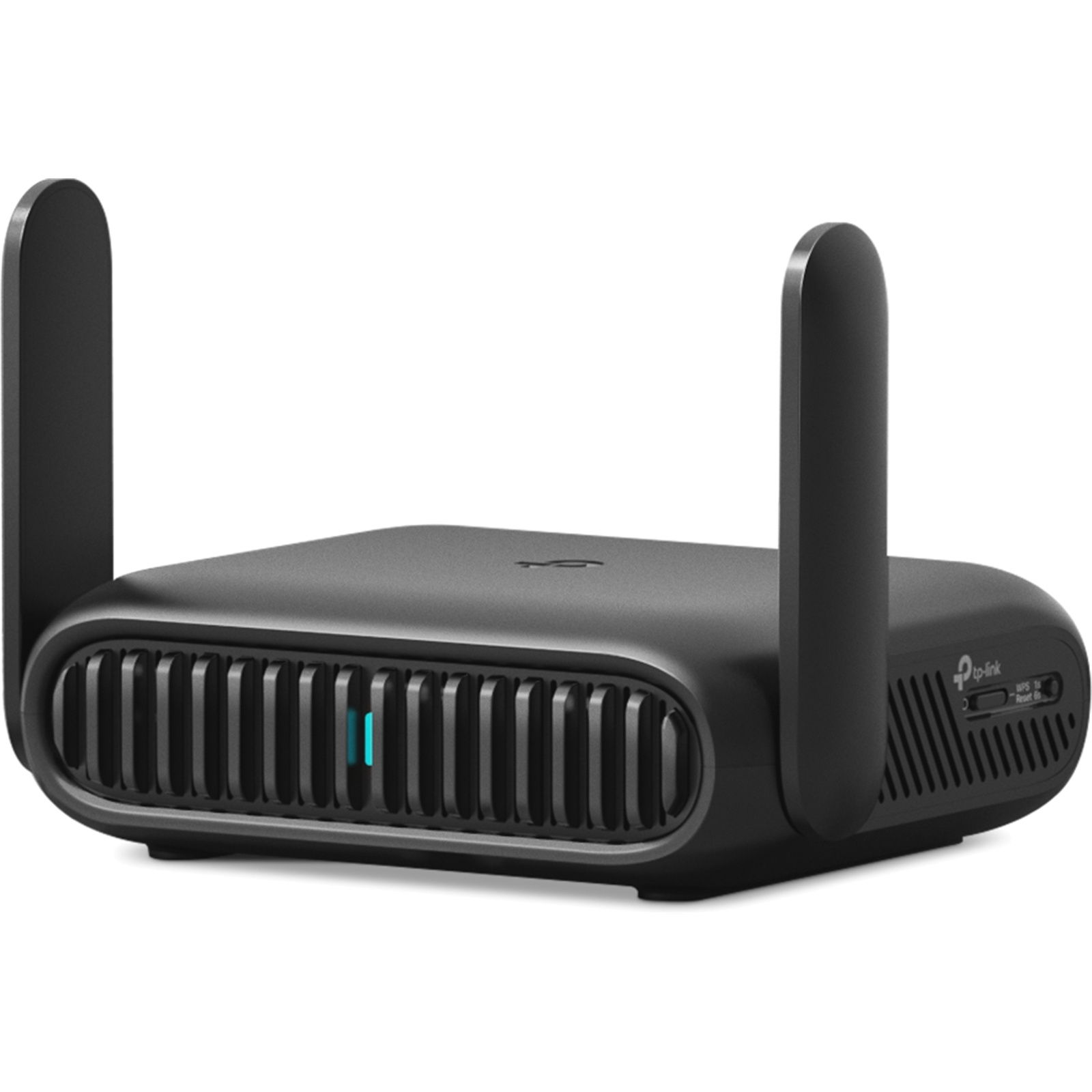
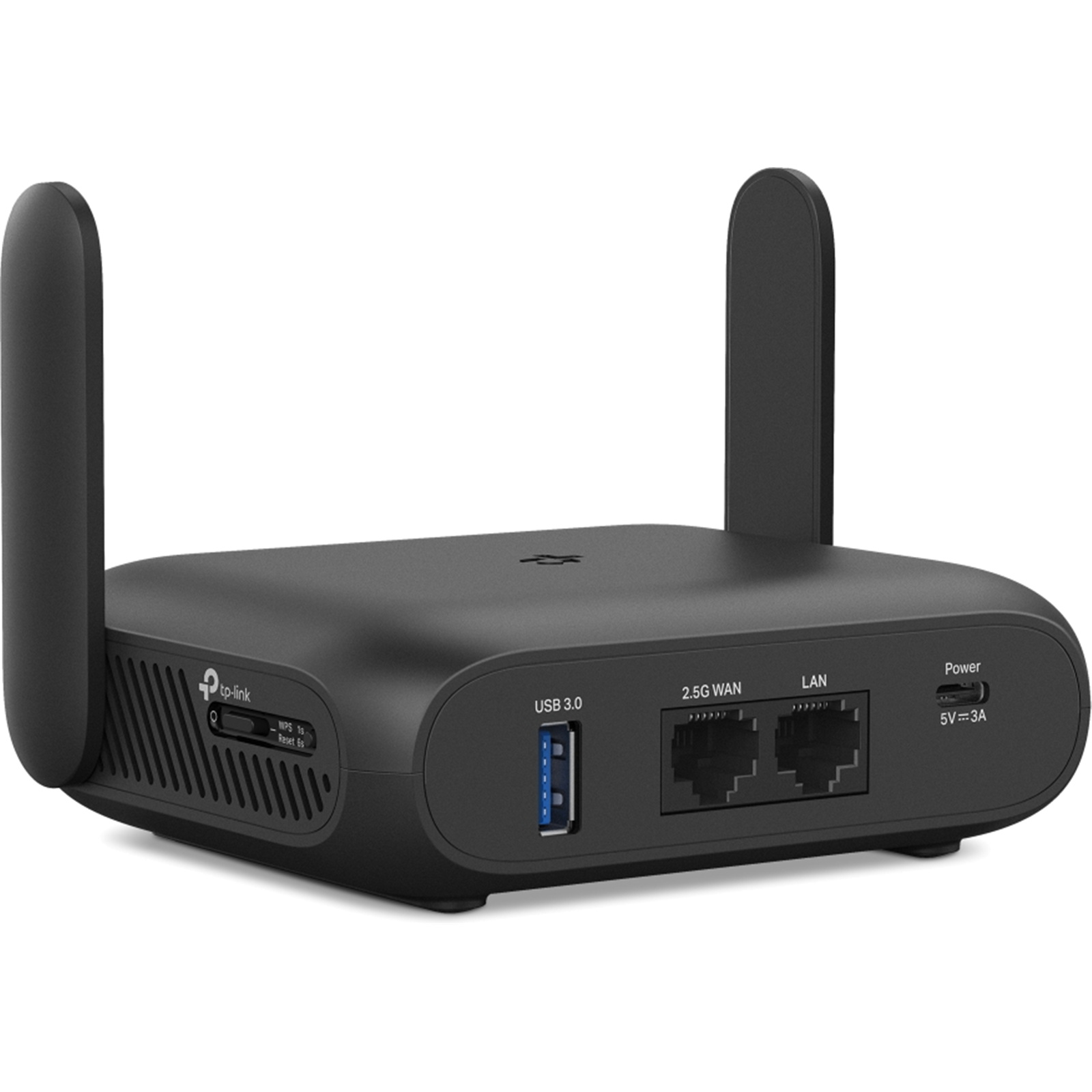
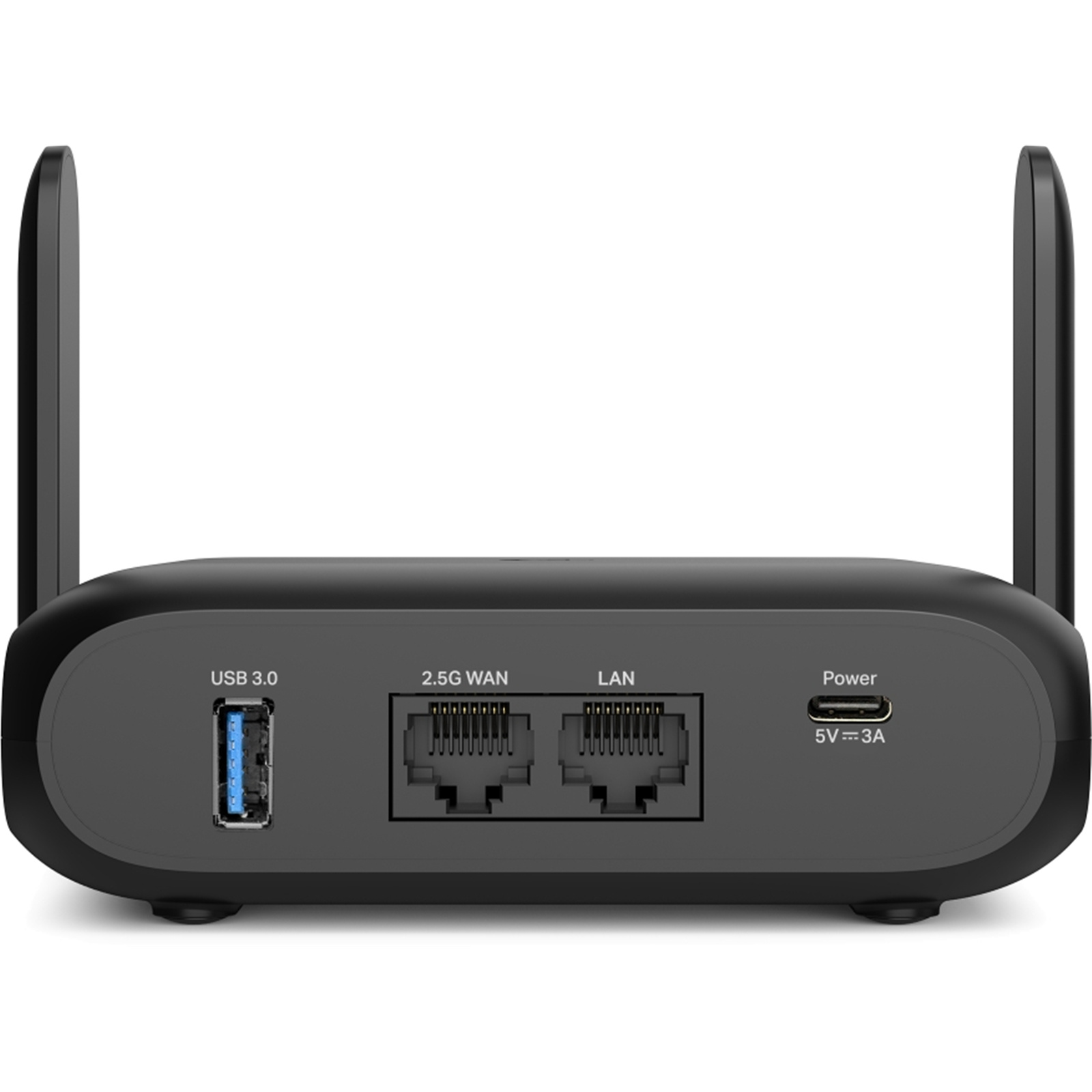
- Brand: TP-Link
- MPN: TL-WR3602BE
- Part #: NETTPL3602
- UPC:
Similar in-stock products available at PB Tech right now


Features
TL-WR3602BE - BE3600 Wi-Fi 7 Travel Router
- BE3600 Dual-Band Wi-Fi 7 Portable Travel Router: Merging Wi-Fi 7 Technology, TL-WR3602BE delivers fast wireless speed for uninterrupted video streaming, downloading, and online gaming all at the same time.[1][2]
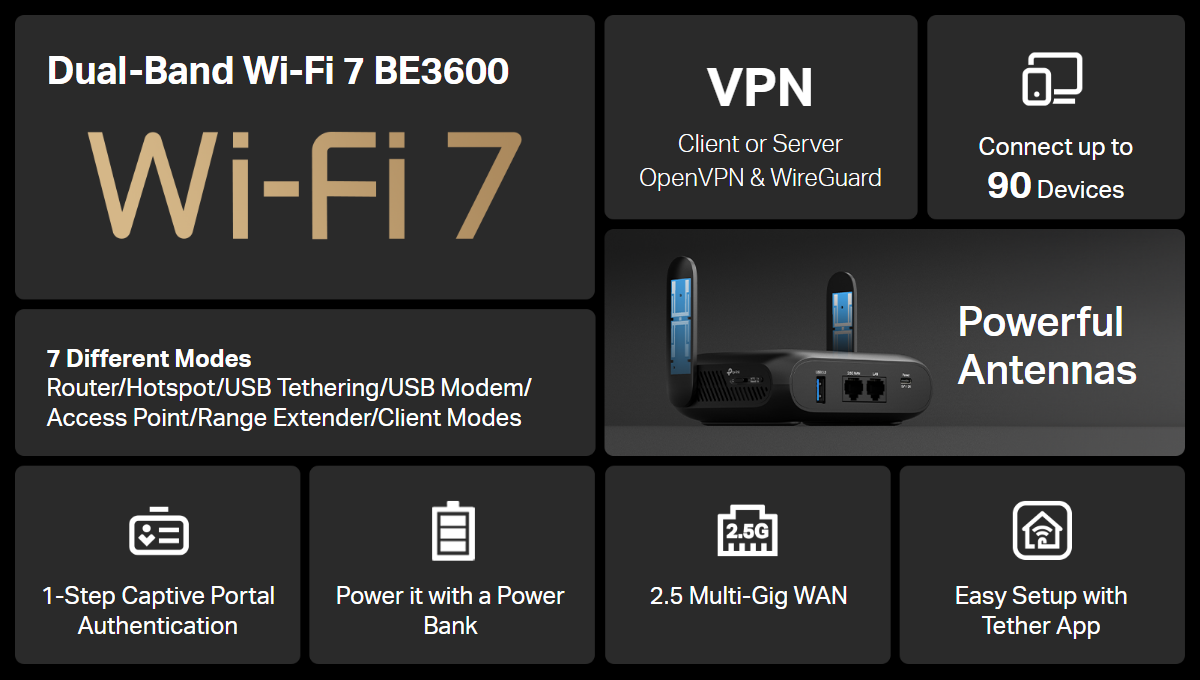
- 2.5G Multi-Gig Connectivity: 1× 2.5 Gbps WAN port + 1× Gigabit LAN port offer high-speed data transmissions.[3]
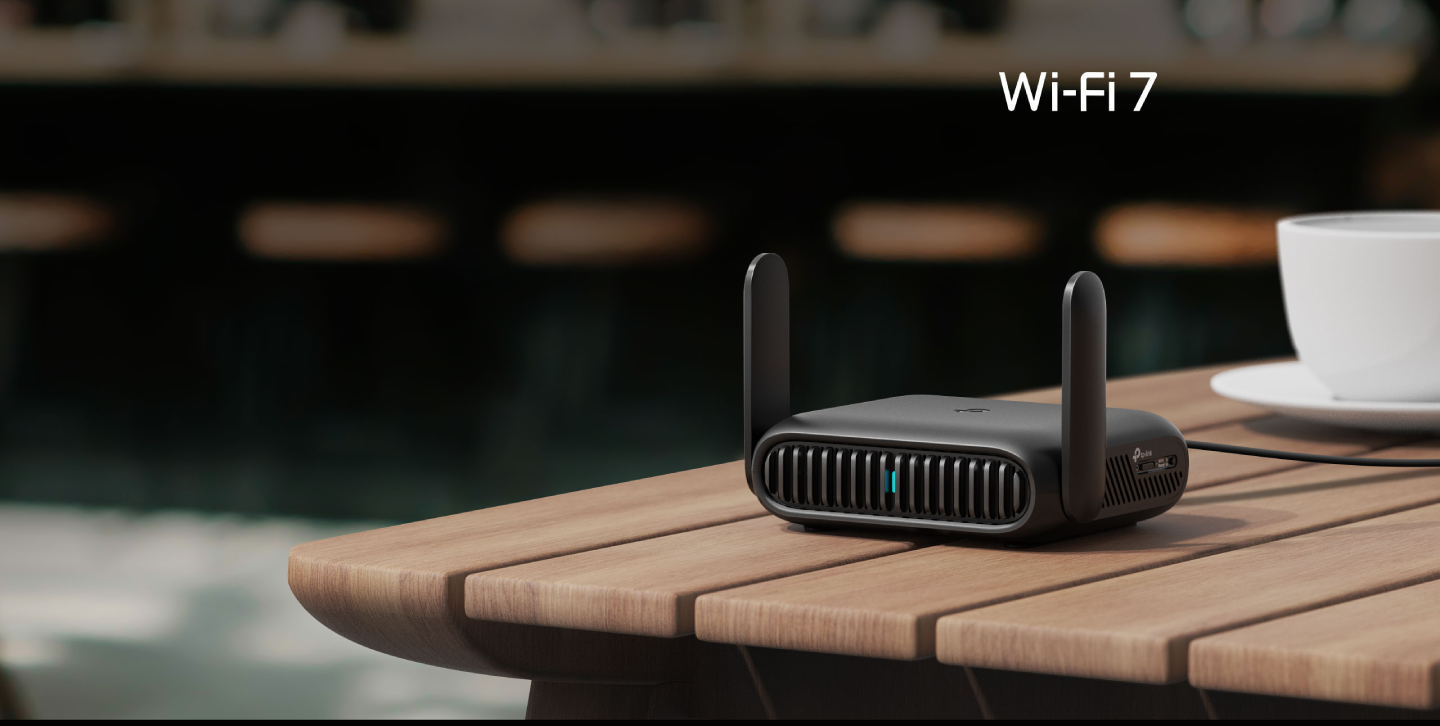
- Portable and Durable Design: TL-WR3602BE is a pocket-sized travel router compactly designed for your next trip or adventure. Its small size is designed for travel-friendly storage.
- Enjoy Reliable Network Anywhere: Supporting multiple modes (Router / USB Tethering / 3G-4G USB Modem / Hotspot / Access Point / Range Extender / Client), TL-WR3602BE allows you to create Wi-Fi in various scenarios at home, hotel rooms or on the road. **
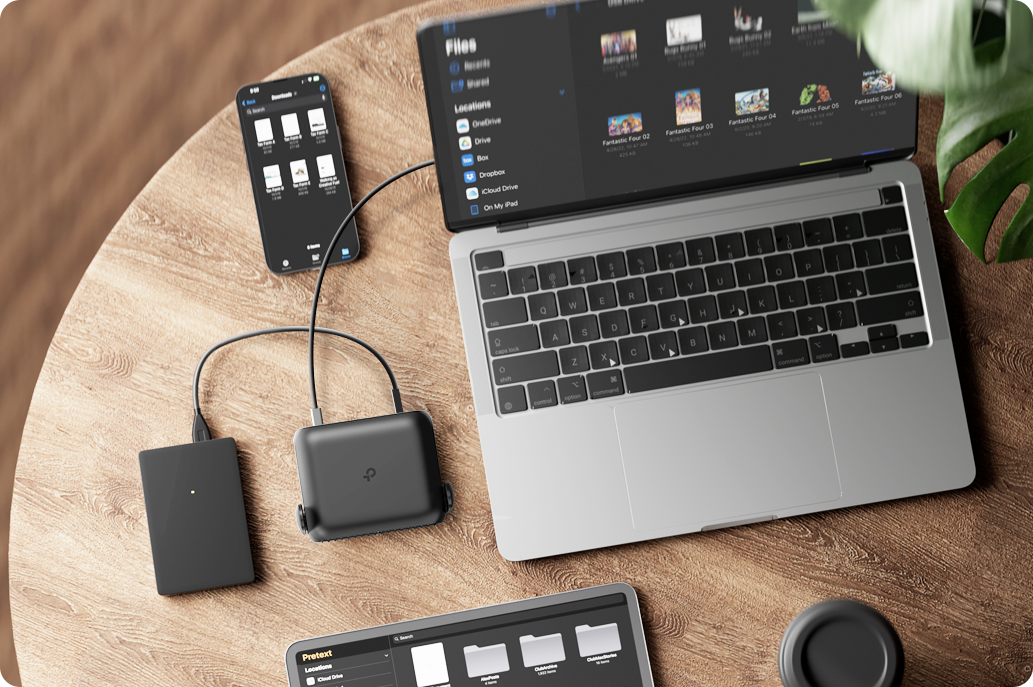
- Easily Access Your Files From Anywhere: With support for connecting external hard drives via USB 3.0, you can easily backup and share files on your private network.
- 24/7 Secure Surfing with VPN Encryption: Supporting OpenVPN and WireGuard®, TL-WR3602BE can keep your network private and secure from anywhere in the world, whether you're working remotely abroad, or browsing on the public WiFi.
- Power It with a Power Bank: With a Type-C interface, you power on your travel router with a power bank.*
Powerful Wi-Fi 7 in Your Pocket. BE3600 Wi-Fi 7 Travel Router - TL-WR3602BE
WiFi 7 - WiFi Like Never Before
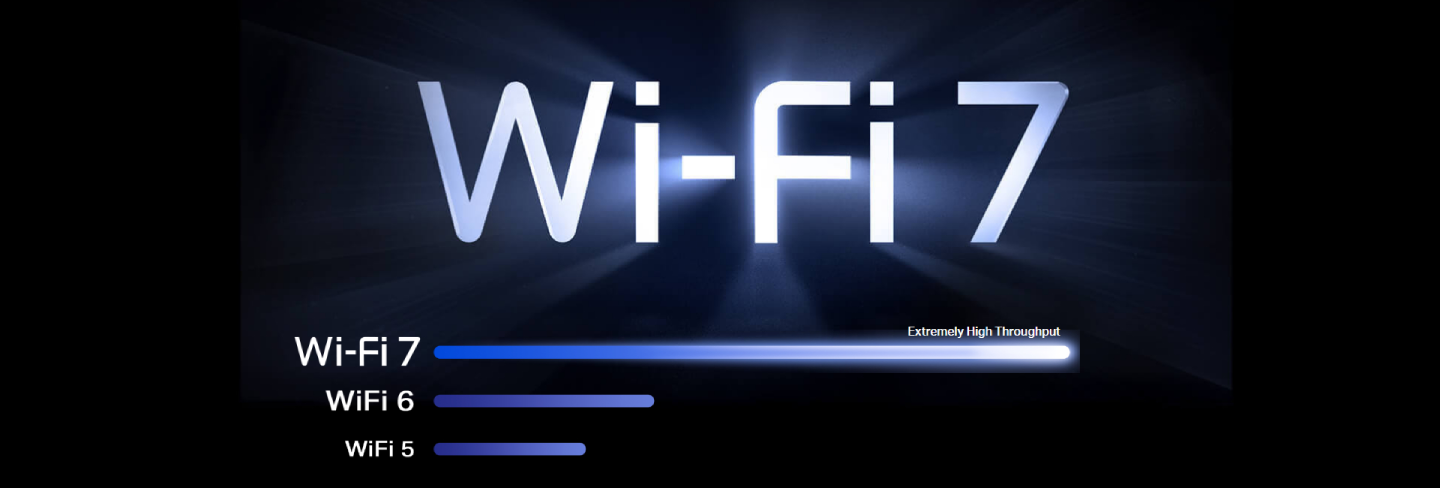
WiFi 7 offers accelerated throughput, lower latency, stronger anti-jamming, and higher efficiency. Join the league of pros and experience the sheer performance of the next generation of WiFi.
160 MHz
Wider bandwidth, greater capacity
4K-QAM
Packs 120% data for higher speeds
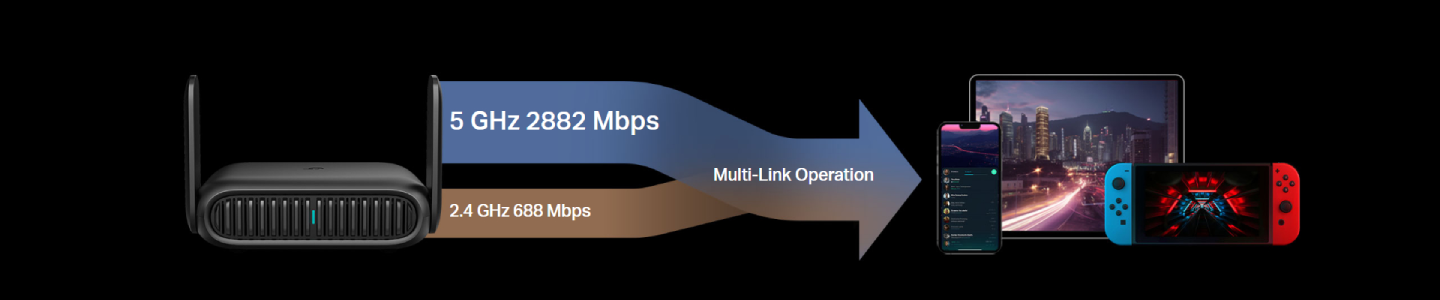
Multi-Link Operation
Increases throughput, reduces latency, and improves reliability
Multi-RUs
Makes full use of every resource for maximum efficiency
Superfast Wi-Fi 7, Everywhere You Go.
The TL-WR3602BE combines exceptional speed and performance with a compact, travel-ready design, ensuring you stay connected no matter where you go.
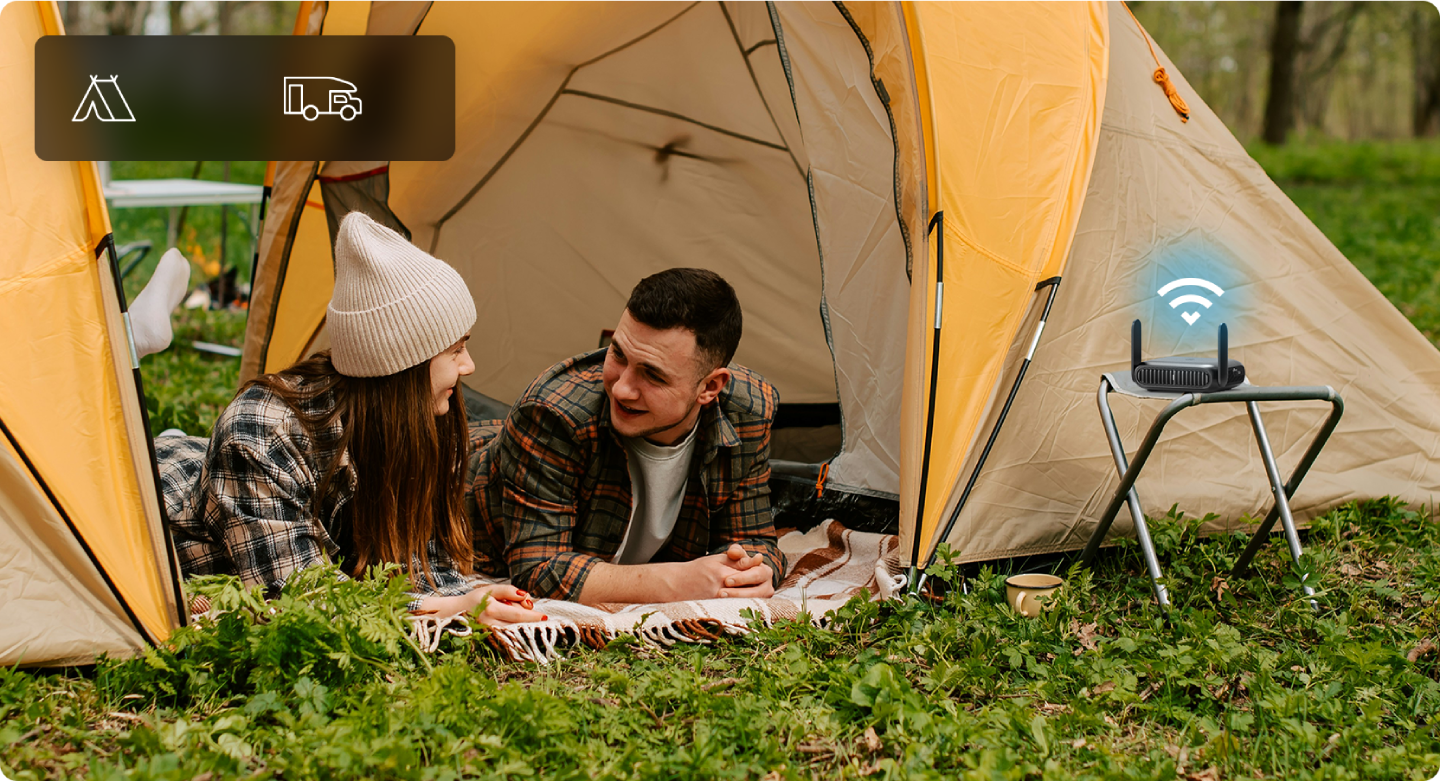
On-the-Go Wi-Fi. Anywhere, Anytime.
With its versatile modes including Router, USB Tethering, 3G/ 4G/ 5G USB Modem, Hotspot, Access Point, Range Extender, and Client, TL-WR3602BE enables flexible WiFi setup for homes, hotel stays, and travel.
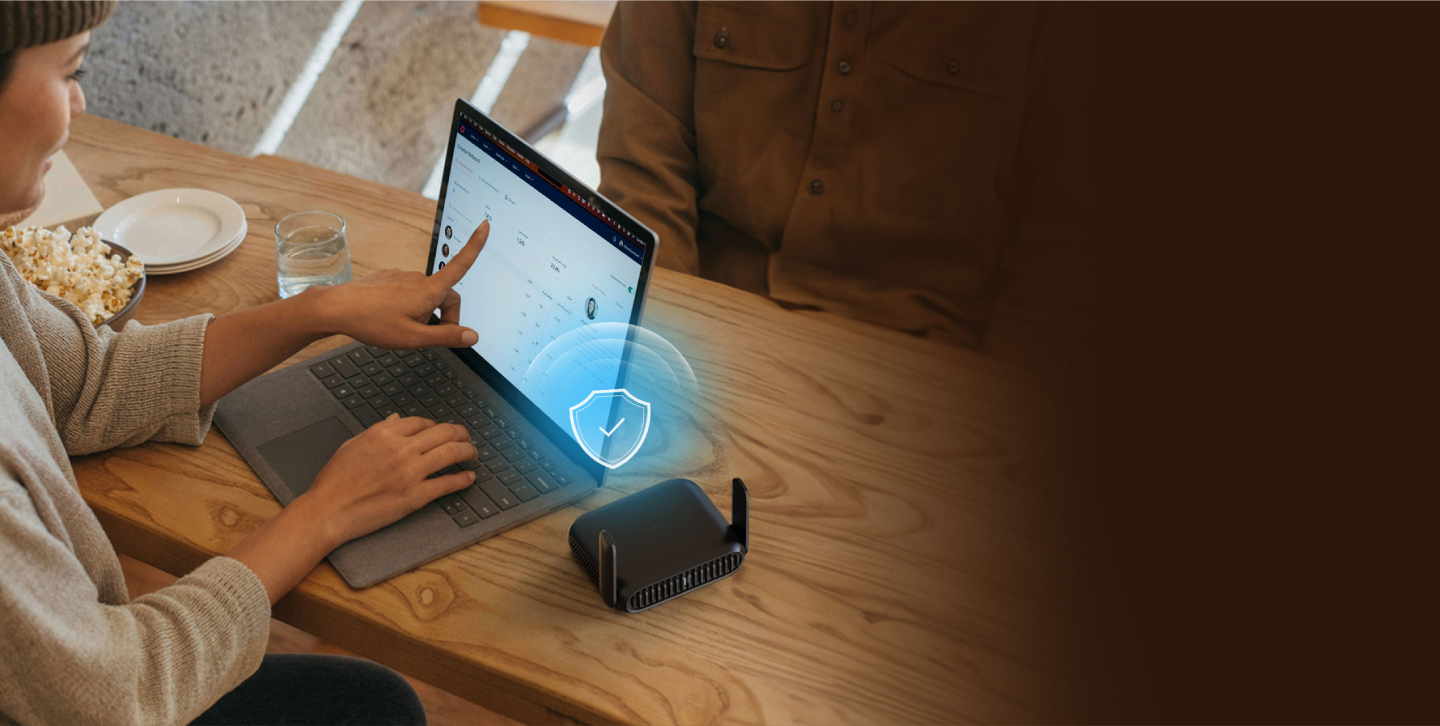
24/7 Fast & Secure Surfing with VPN
Ensures privacy and security around the clock. Its dual capability to run a VPN alongside a regular internet connection offers unmatched protection and flexibility for all your online activities.
*Subscription fees for VPN services must be purchased separately from the respective VPN providers.
Supported VPN protocols (OpenVPN/WireGuard) may differ by provider and usage scenario (e.g., app vs. router setup). Please verify compatibility with the official resources of each VPN service before configuration.
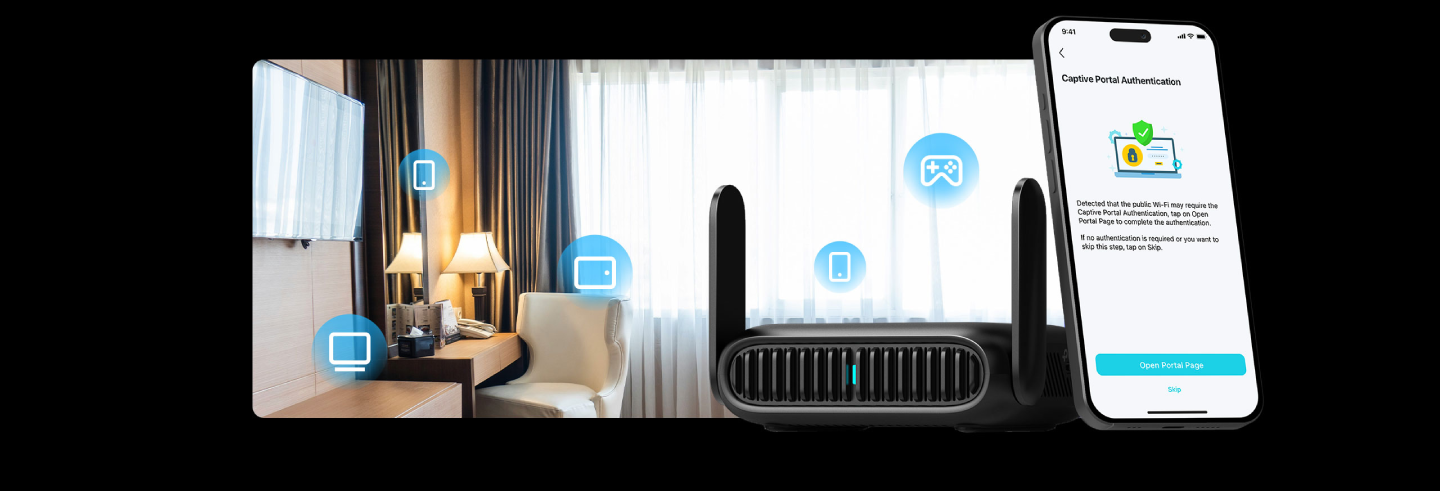
One-Step Captive Portal Login
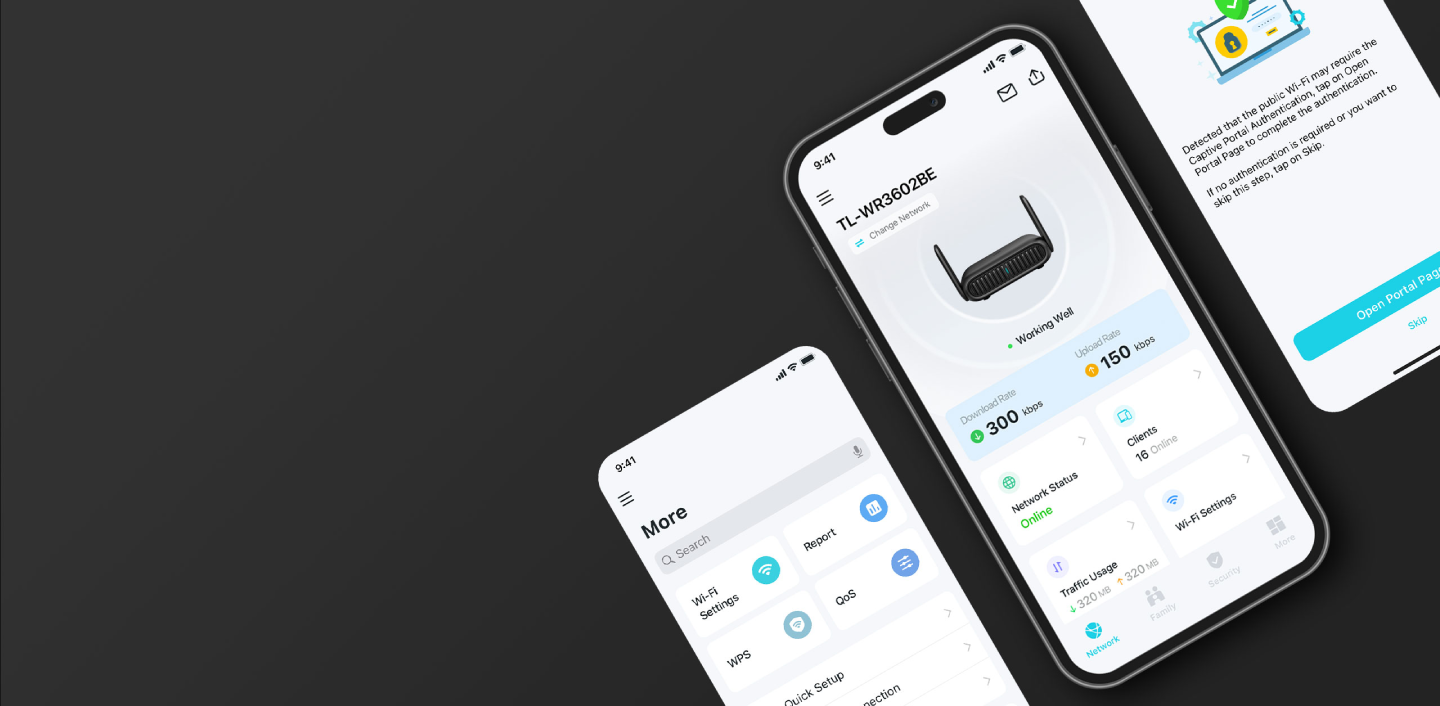
Easily authenticate with public Wi-Fi using the Tether app. Only the router connects directly to public networks-your devices remain protected on the private network.
Portable and Durable
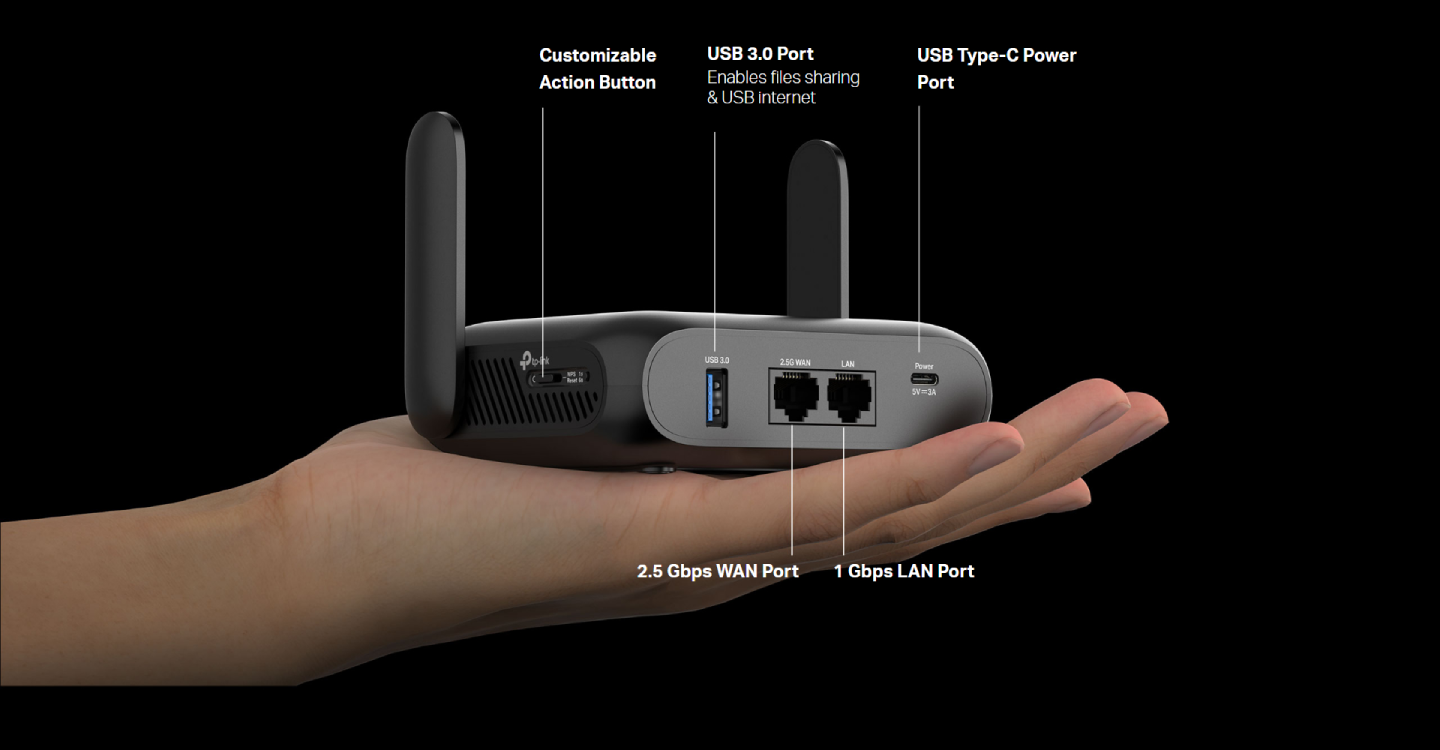
Always Online. Always With You.
Say Goodbye to Messy Files and Cable Clutter
Share Files. Share Internet.
A versatile USB 3.0 port that does it all! Connect a hard drive to share files-or plug in a USB 4G/5G modem or your phone for internet access.
Power Anywhere With USB-C
Power up your network anywhere with a USB-C port, using a 5V/3A PD/QC power bank or an AC adapter.
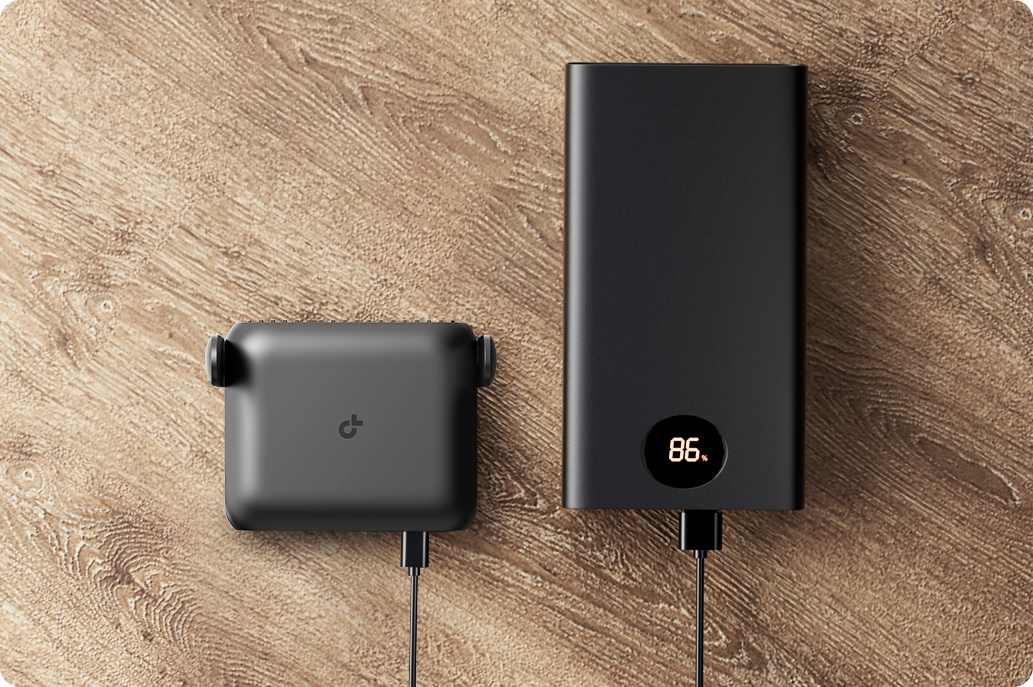
To avoid potential damage, it is recommended to use the provided power adapter or a 5V/3A adapter that meets the certification and voltage standards.
HomeShield - Your Security is Our Priority
With TP-Link HomeShield, enjoy advanced security features that deliver a safe environment that protects your family and network's data and privacy.*
Home Network Scanner
Real-time network scanner to detect potential threats and security issues.

Parental Controls
Manage time online and block inappropriate content to keep your family safe online.

Quality of Service
Assign your favorite devices to have the fastest connections for top performance.

Simple Control with Mobile App
Quickly setup & control from anywhere. The Tether app simplifies network control, making it easy to create a personalized travel router experience.
[1]Maximum wireless signal rates are the physical rates derived from IEEE Standard 802.11 specifications. Actual wireless data throughput, wireless coverage and number of connected devices are not guaranteed and will vary as a result of network conditions, client limitations, and environmental factors, including building materials, obstacles, volume and density of traffic, and client location.
[2]Use of Wi-Fi 7 (802.11be), Wi-Fi 6 (802.11ax), and features including Multi-Link Operation (MLO), 4K-QAM, Multi-RUs, OFDMA, and MU-MIMO requires clients to also support the corresponding features.
[3]2.5 Gbps internet speeds require compatible service plans and equipment. Actual network speed may be limited by the rate of the product's Ethernet WAN or LAN port, the rate supported by the network cable, internet service provider factors, and other environmental conditions.
*It is recommended to use the supplied power adapter. If you use other power adapters, there is a risk of damaging the device.
**The scenarios are only for illustration, and users can choose the corresponding mode according to actual needs.Whether the USB Internet Sharing function can be used depends on the compatibility of the 3G/4G USB Modem or mobile device, and is not guaranteed to be compatible with all devices
Specifications
Reviews
Delivery & Pick-up

Delivery Estimates
The estimated time to ship for each product we sell is detailed on the individual product page just underneath the price. From when your items ship, products typically arrive within 1-2 working days for North Island deliveries and 2-3 working days for South Island deliveries. Rural deliveries may take an extra working day. Bulk & hazard deliveries may take an extra 2-7 working days and tracking links for these deliveries can take a few days to generate.
Next Day Delivery
Need your order in a hurry? PB Tech offers next day delivery for local Auckland addresses. Simple place your order before 4pm (provided your items are in stock) and select our next day delivery option in the checkout. T&C's apply. Learn more about Next Day Delivery.
Same Day Delivery
Need your order in a hurry? PB Tech offers same day delivery for Auckland, Hamilton, Wellington and Christchurch. Simple place your order before 1pm (provided your items are in stock) and select one of our same day delivery options 'Evening Delivery' or 'Urgent 3-hour Delivery' in the checkout. T&C's apply. Learn more about Same Day Delivery.
Shipping Costs
Shipping costs vary based on your location and the items being shipped and in some cases shipping may even be FREE.
To calculate what the shipping costs will be for your order, add the items you are interested in to your cart, view the Shopping Cart page, and select your 'Delivery Area' to calculate the shipping cost.
Shipping Security & Insurance
All orders shipped by PB Tech are sent via a courier with a signature required for each delivery. In some cases, and only where you have given the courier company permission to leave orders at a designated location, your order may be delivered without requiring a signature. All orders sent by PB Tech are fully insured in the unlikely event that your item(s) are damaged or go missing in transit.
1 Hour Store Pick-up / Click & Collect
You can pick-up your online order from any of our stores nationwide. You can select which store you want to pick up from at the checkout. Provided the store you select has stock and there's no hold-ups with payment we will have your order ready within 1 hour (during normal trading hours for that store) otherwise it may take up to 5 working days to transfer the stock to the store so your order can be fulfilled. Learn more about our Click & Collect process.
Overseas Shipments
PB Tech regularly ships overseas to Australia and beyond. If you are located in Australia, you can order directly from our Australian site www.pbtech.com/au. If you are from another country you can order from www.pbtech.com
Returns & Warranty
Related Promotions

Popular Wireless Routers

 TP-Link Archer AX55 (AX3000) Dual-Band WiFi 6 Router 1GbE x5 /...

 TP-Link Archer (AX1500) Dual-Band WiFi 6 Router 1GbE x5

 ASUS TUF-BE6500 (BE6500) Dual-Band WiFi 7 Extendable Gaming...

 TP-Link Deco X55 (AX3000) Dual-Band WiFi 6 Whole-Home Mesh System...

 TP-Link Deco X55 (AX3000) Dual-Band WiFi 6 Whole-Home Mesh System...

_20260312185932.webp)
TP-Link TL-WR3602BE Dual-Band WiFi 7 Portable Travel Router 2.5GbE x 1 - 1GbE x1 - USB 3.0 x1
- Brand: TP-Link
- MPN: TL-WR3602BE
- Part #: NETTPL3602
Product URL: https://www.pbtech.co.nz/product/NETTPL3602/TP-Link-TL-WR3602BE-Dual-Band-WiFi-7-Portable-Trav
| Branch | New Stock | On Display |
|---|---|---|
| Auckland - Albany | 0 | |
| Auckland - Glenfield | 0 | |
| Auckland - Queen Street | 0 | |
| Auckland - Auckland Uni | 0 | |
| Auckland - Westgate | 0 | |
| Auckland - Penrose | 0 | |
| Auckland - Henderson (Express) | 0 | |
| Auckland - St Lukes | 0 | |
| Auckland - Manukau | 0 | |
| Hamilton | 0 | |
| Tauranga | 0 | |
| New Plymouth | 0 | |
| Palmerston North | 0 | |
| Petone | 0 | |
| Wellington | 0 | |
| Auckland - Head Office | 0 | |
| Auckland - East Tamaki Warehouse | 0 | |
| Christchurch - Hornby | 0 | |
| Christchurch - Christchurch Central | 0 | |
| Dunedin | 0 |
Features
TL-WR3602BE - BE3600 Wi-Fi 7 Travel Router
- BE3600 Dual-Band Wi-Fi 7 Portable Travel Router: Merging Wi-Fi 7 Technology, TL-WR3602BE delivers fast wireless speed for uninterrupted video streaming, downloading, and online gaming all at the same time.[1][2]
- 2.5G Multi-Gig Connectivity: 1× 2.5 Gbps WAN port + 1× Gigabit LAN port offer high-speed data transmissions.[3]
- Portable and Durable Design: TL-WR3602BE is a pocket-sized travel router compactly designed for your next trip or adventure. Its small size is designed for travel-friendly storage.
- Enjoy Reliable Network Anywhere: Supporting multiple modes (Router / USB Tethering / 3G-4G USB Modem / Hotspot / Access Point / Range Extender / Client), TL-WR3602BE allows you to create Wi-Fi in various scenarios at home, hotel rooms or on the road. **
- Easily Access Your Files From Anywhere: With support for connecting external hard drives via USB 3.0, you can easily backup and share files on your private network.
- 24/7 Secure Surfing with VPN Encryption: Supporting OpenVPN and WireGuard®, TL-WR3602BE can keep your network private and secure from anywhere in the world, whether you're working remotely abroad, or browsing on the public WiFi.
- Power It with a Power Bank: With a Type-C interface, you power on your travel router with a power bank.*
Powerful Wi-Fi 7 in Your Pocket. BE3600 Wi-Fi 7 Travel Router - TL-WR3602BE
WiFi 7 - WiFi Like Never Before
WiFi 7 offers accelerated throughput, lower latency, stronger anti-jamming, and higher efficiency. Join the league of pros and experience the sheer performance of the next generation of WiFi.
160 MHz
Wider bandwidth, greater capacity
4K-QAM
Packs 120% data for higher speeds
Multi-Link Operation
Increases throughput, reduces latency, and improves reliability
Multi-RUs
Makes full use of every resource for maximum efficiency
Superfast Wi-Fi 7, Everywhere You Go.
The TL-WR3602BE combines exceptional speed and performance with a compact, travel-ready design, ensuring you stay connected no matter where you go.
On-the-Go Wi-Fi. Anywhere, Anytime.
With its versatile modes including Router, USB Tethering, 3G/ 4G/ 5G USB Modem, Hotspot, Access Point, Range Extender, and Client, TL-WR3602BE enables flexible WiFi setup for homes, hotel stays, and travel.
24/7 Fast & Secure Surfing with VPN
Ensures privacy and security around the clock. Its dual capability to run a VPN alongside a regular internet connection offers unmatched protection and flexibility for all your online activities.
*Subscription fees for VPN services must be purchased separately from the respective VPN providers.
Supported VPN protocols (OpenVPN/WireGuard) may differ by provider and usage scenario (e.g., app vs. router setup). Please verify compatibility with the official resources of each VPN service before configuration.
One-Step Captive Portal Login
Easily authenticate with public Wi-Fi using the Tether app. Only the router connects directly to public networks-your devices remain protected on the private network.
Portable and Durable
Always Online. Always With You.
Say Goodbye to Messy Files and Cable Clutter
Share Files. Share Internet.
A versatile USB 3.0 port that does it all! Connect a hard drive to share files-or plug in a USB 4G/5G modem or your phone for internet access.
Power Anywhere With USB-C
Power up your network anywhere with a USB-C port, using a 5V/3A PD/QC power bank or an AC adapter.
To avoid potential damage, it is recommended to use the provided power adapter or a 5V/3A adapter that meets the certification and voltage standards.
HomeShield - Your Security is Our Priority
With TP-Link HomeShield, enjoy advanced security features that deliver a safe environment that protects your family and network's data and privacy.*
Home Network Scanner
Real-time network scanner to detect potential threats and security issues.
Parental Controls
Manage time online and block inappropriate content to keep your family safe online.
Quality of Service
Assign your favorite devices to have the fastest connections for top performance.
Simple Control with Mobile App
Quickly setup & control from anywhere. The Tether app simplifies network control, making it easy to create a personalized travel router experience.
[1]Maximum wireless signal rates are the physical rates derived from IEEE Standard 802.11 specifications. Actual wireless data throughput, wireless coverage and number of connected devices are not guaranteed and will vary as a result of network conditions, client limitations, and environmental factors, including building materials, obstacles, volume and density of traffic, and client location.
[2]Use of Wi-Fi 7 (802.11be), Wi-Fi 6 (802.11ax), and features including Multi-Link Operation (MLO), 4K-QAM, Multi-RUs, OFDMA, and MU-MIMO requires clients to also support the corresponding features.
[3]2.5 Gbps internet speeds require compatible service plans and equipment. Actual network speed may be limited by the rate of the product's Ethernet WAN or LAN port, the rate supported by the network cable, internet service provider factors, and other environmental conditions.
*It is recommended to use the supplied power adapter. If you use other power adapters, there is a risk of damaging the device.
**The scenarios are only for illustration, and users can choose the corresponding mode according to actual needs.Whether the USB Internet Sharing function can be used depends on the compatibility of the 3G/4G USB Modem or mobile device, and is not guaranteed to be compatible with all devices
Specifications
WIRELESS
Standards and Protocols
Wi-Fi 7
WiFi Speeds
5 GHz: 2882 Mbps
2.4 GHz: 688 Mbps
WiFi Capacity
High Dual-Band
Allocate devices to different bands for optimal performance
Airtime Fairness
Improves network efficiency by limiting excessive occupation
4 Streams
Connect your devices to more bandwidth
Working Modes
Router Mode
USB Tethering Mode
3G/4G/5G USB Modem Mode
Hotspot Mode (WISP Mode)
Access Point Mode
Range Extender Mode
Client Mode
SECURITY
Network Security
SPI Firewall
Access Control
IP & MAC Binding
Application Layer Gateway
Guest Network
1× 5 GHz Guest Network
1× 2.4 GHz Guest Network
VPN Server
OpenVPN Server
PPTP VPN Server
L2TP VPN Server
Wireguard VPN Server
VPN Client
Open VPN Client
PPTP VPN Client
L2TP VPN Client
Wireguard VPN Client
WiFi Encryption
WPA2-PSK
WPA3-Personal
WPA/WPA2-Enterprise
HARDWARE
Ethernet Ports
2.5× Gigabit WAN Port
1× Gigabit LAN Port
USB Support
1× USB 3.0 Port
Buttons
Customizable Button: Supports Power On/Off, LED Control, and VPN Activation
Power
5V/3A,External DC power adapter
SOFTWARE FEATURES
Quality of Service
QoS by Device
WAN Type
Dynamic IP
Static IP
PPPoE
PPTP
L2TP
Management Features
Tether App
Webpage
DHCP
DHCP Server
DHCP Client List
Address Reservation
Protocols
IPv4
IPv6
OTHER
Network Services Enabled by Default
Web Server
Manage and configure device through web (HTTP/HTTPS)
- Port: 80/443 Protocol: TCP
DNS
DNS
- Port: 53 Protocol: TCP & UDP
DHCP Server
IP address assignment (DHCP)
- Port: 67 Protocol: UDP
App management
Manage and configure device through app
- Port: 20001 Protocol: TCP
- Port: 30001 Protocol: TCP
- Port: 20002 Protocol: UDP
Certifications
FCC, CE
Environment
Operating Temperature: 0℃~40℃ (32℉ ~104℉)
Storage Temperature: -40℃~60℃ (-40℉ ~140℉)
Operating Humidity: 10%~90% non-condensing
Storage Humidity: 5%~90% non-condensing
TEST DATA
WiFi Transmission Power
CE:
<20dBm (2.4 GHz)
<23dBm (5.15 GHz~5.25 GHz)
FCC:
<30dBm (2.4 GHz & 5.15 GHz~5.825 GHz)
WiFi Reception Sensitivity
2.4GHz
11b 1M:-96dBm
11n HT20M MCS7:-73dBm
11n HT40M MCS7:-70dBm
5GHz
11a 6M:-93dBm
11ax HE20M MCS11:-63dBm
11ax HE40M MCS11:-60dBm
11ax HE80M MCS11:-59dBm
PHYSICAL
Package Content
TL-WR3602BE
Power Adapter
RJ45 Ethernet Cable
USB Cable
Quick Installation Guide
Wi-Fi Info card


