


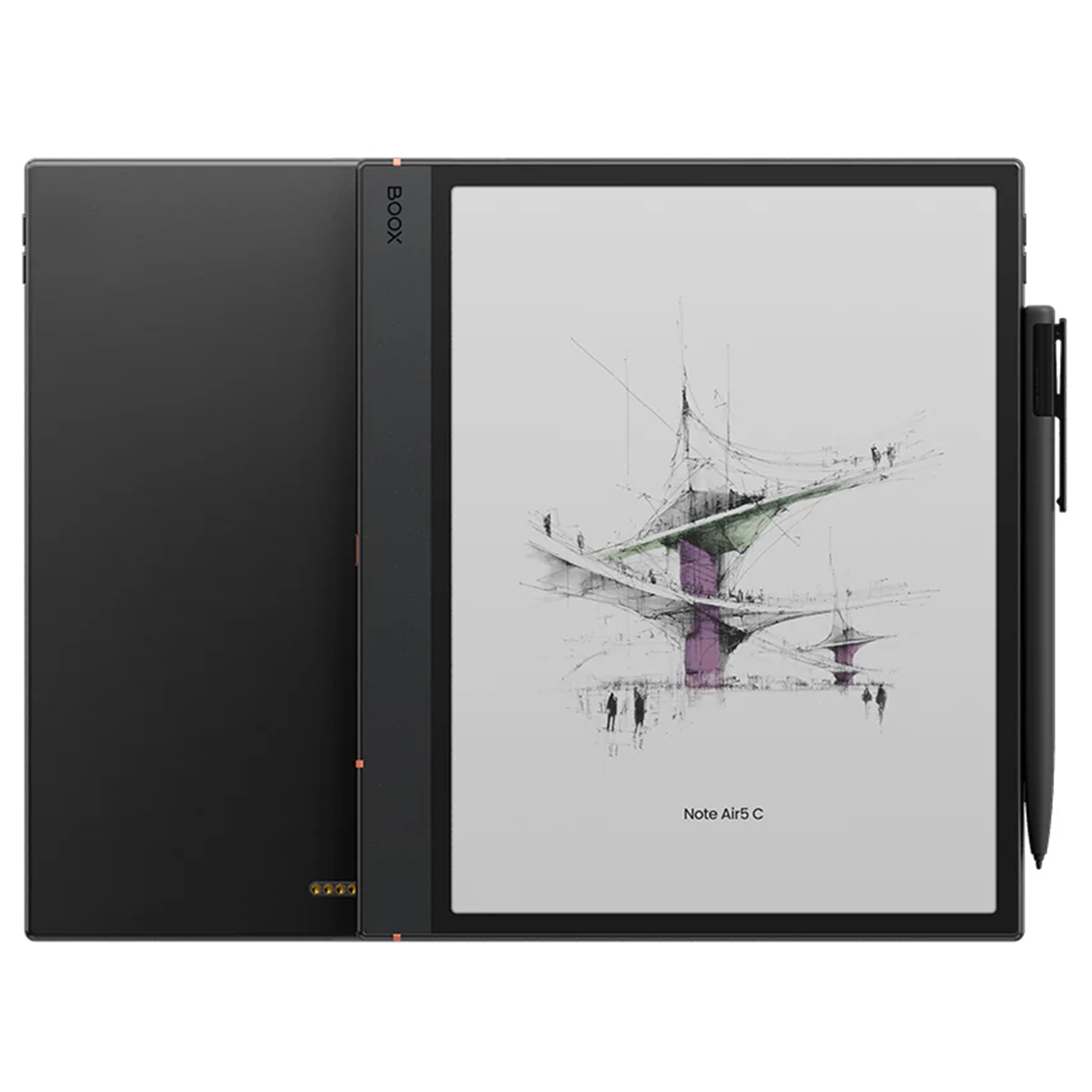
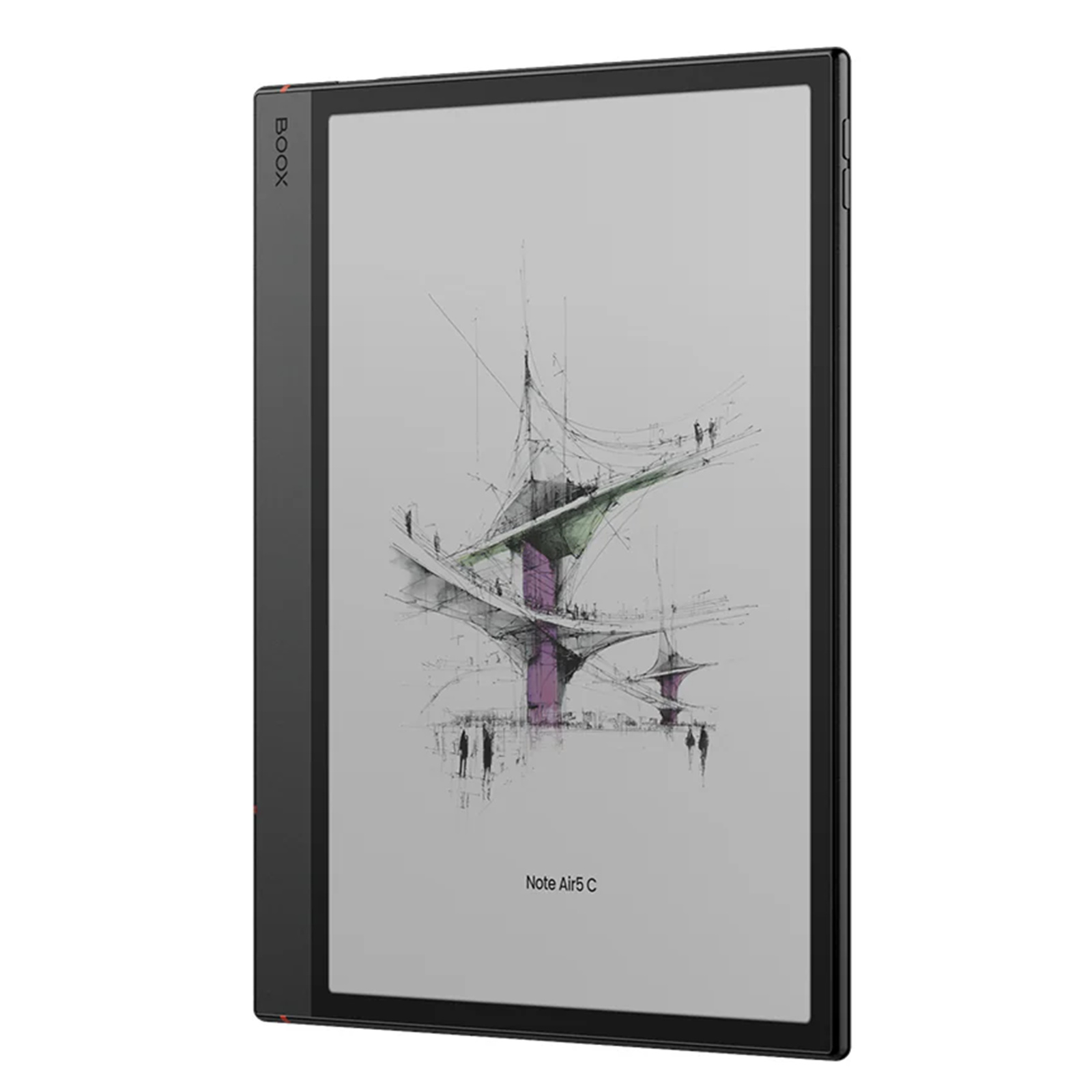
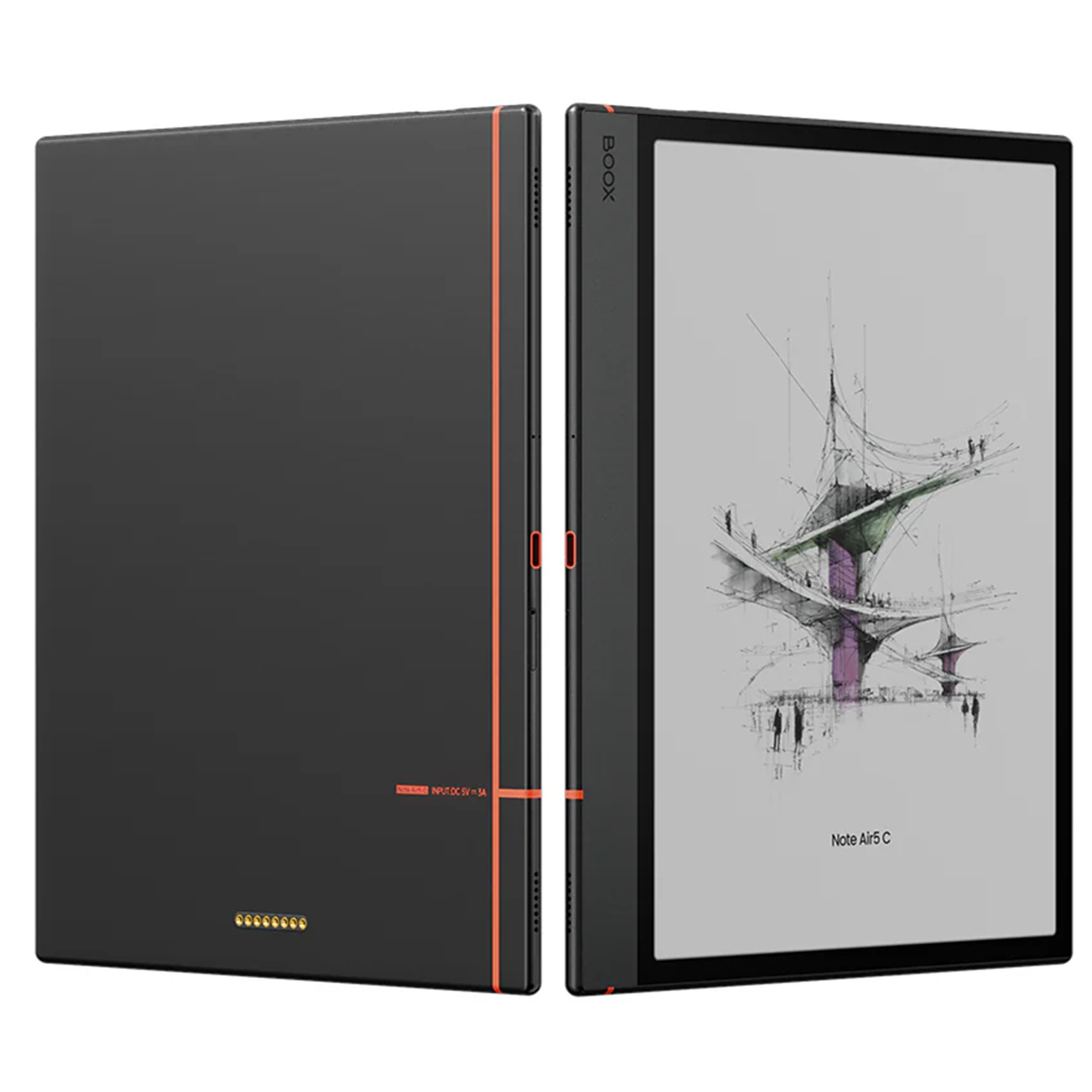
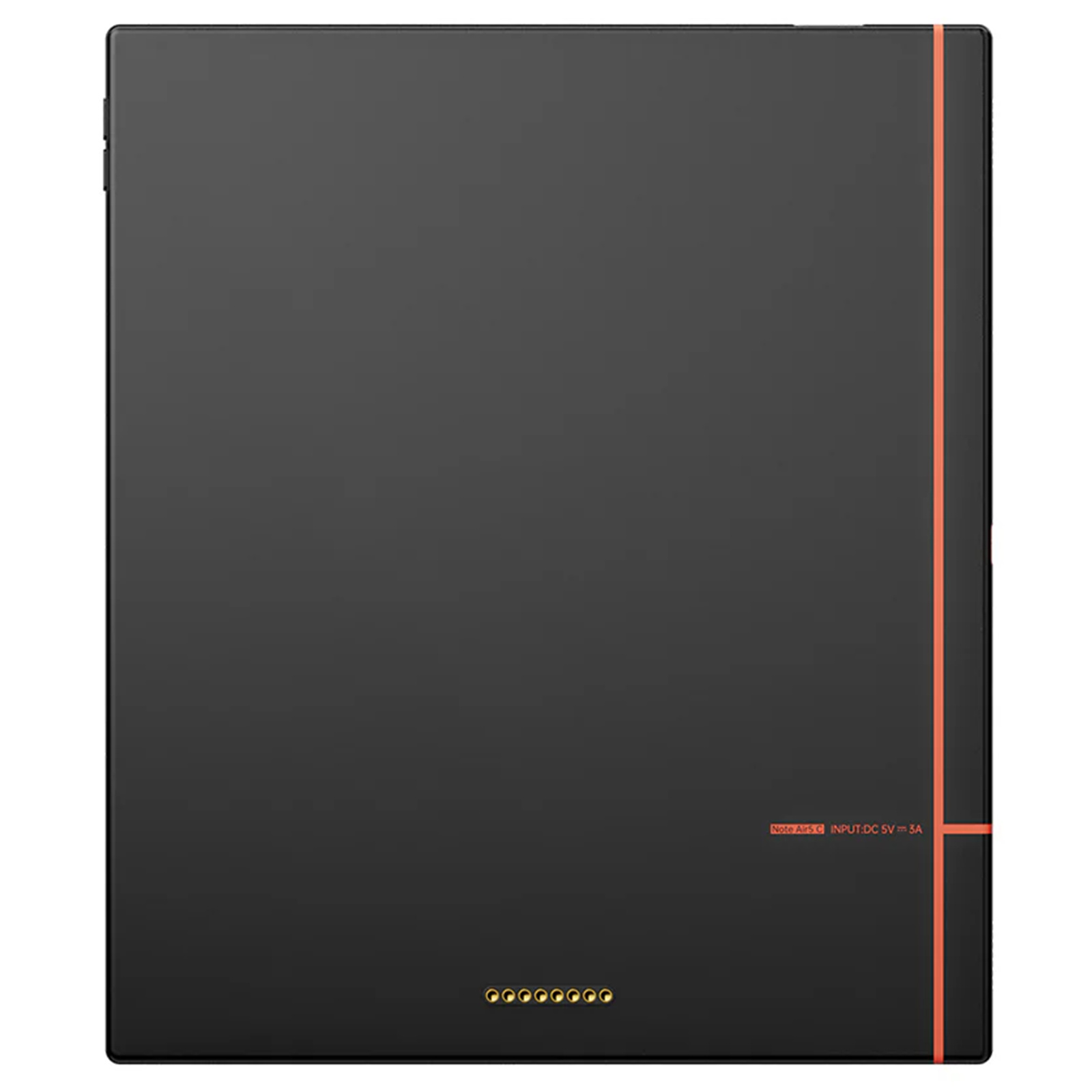
BOOX Note Air 5 C 10.3" Color eReader
10.3" Display
BOOX Note Air 5 C 10.3" Color eReader
10.3" Display
- Brand: BOOX
- MPN: 6949710311225
- Part #: TABBOK10052
- UPC:
Select your store to check availability


- Brand: BOOX
- MPN: 6949710311225
- Part #: TABBOK10052
- UPC:
What PB Tech customers are saying about this product...
See More Reviews"Great for a uni student. Does everything you expect it to do as an e-ink tablet, which comes with expected limitations over a regular ipad/tablet. Some lagginess and screen ghostin ...view more"
"Great for what it's made for. Note-taking, e-Books, etc.
Really nice feel with the pen, but at times it can feel just a bit off. Overall much better than most styluses, especially ...view more"
"This tablet is a great all rounder for taking notes and even a quick browser search. Good android app compatibility.
Not as paper like as remarkable pro but is faster and has mor ...view more"
Features
Clear Thinking with Calming Colors
The 10.3" Kaleido 3 ePaper screen on Note Air5 C delivers breathtakingly lifelike colors and crisp details, all while being gentle on the eyes. Brainstorm, review reports, and work on a colorful canvas that's brilliant, print-like, and responsive.

Tap into Light Productivity Seamlessly
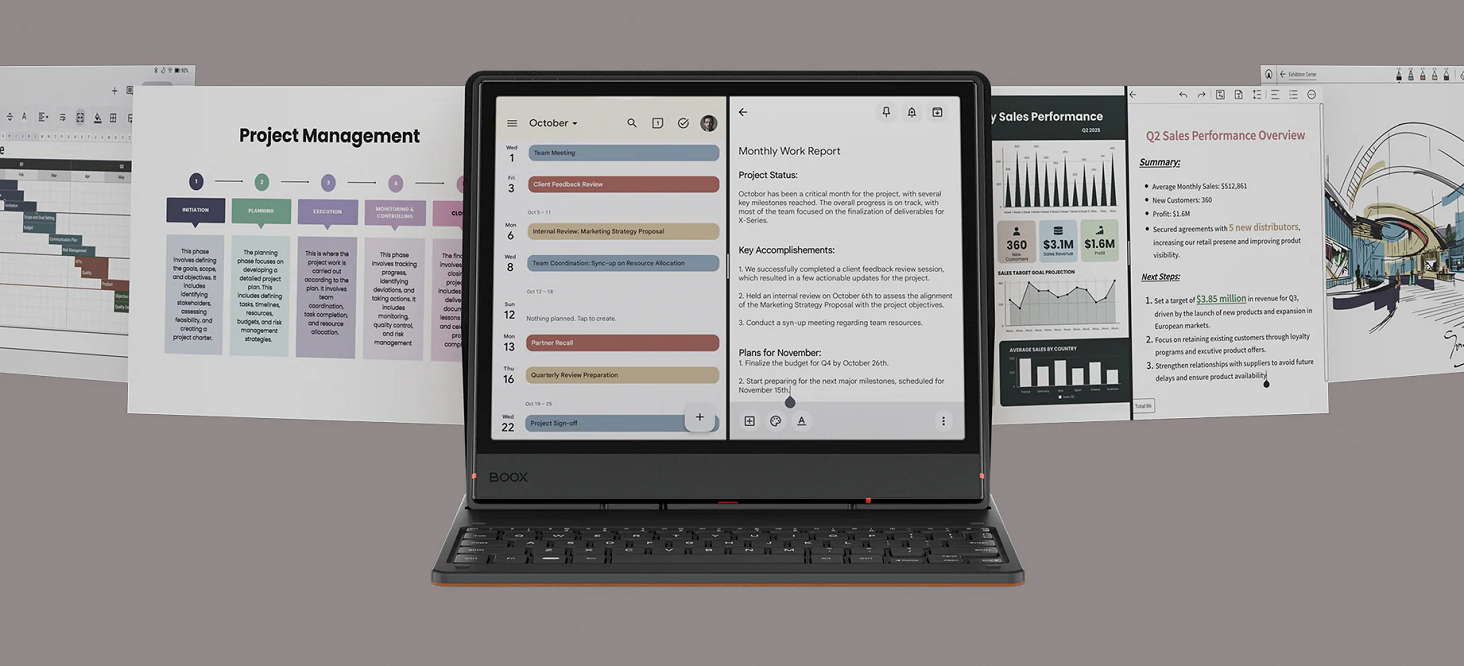
Thanks to its powerful octa-core processor and 6GB of RAM, Note Air5 C breezes through pro activities with ease. Multitasking, projects of any size, or basic office work are all handled with great efficiency. With BOOX Super Refresh Technology, every swipe and scroll feels snappy.
Capture It All. Without Limits.
Every idea can find its place on Note Air5 C, a flexible canvas for creative sparks, academic notes, and everything in between. It's like pen on paper, but better, with the new Pen3 stylus and advanced note-taking tools.
Visual Brainstorming
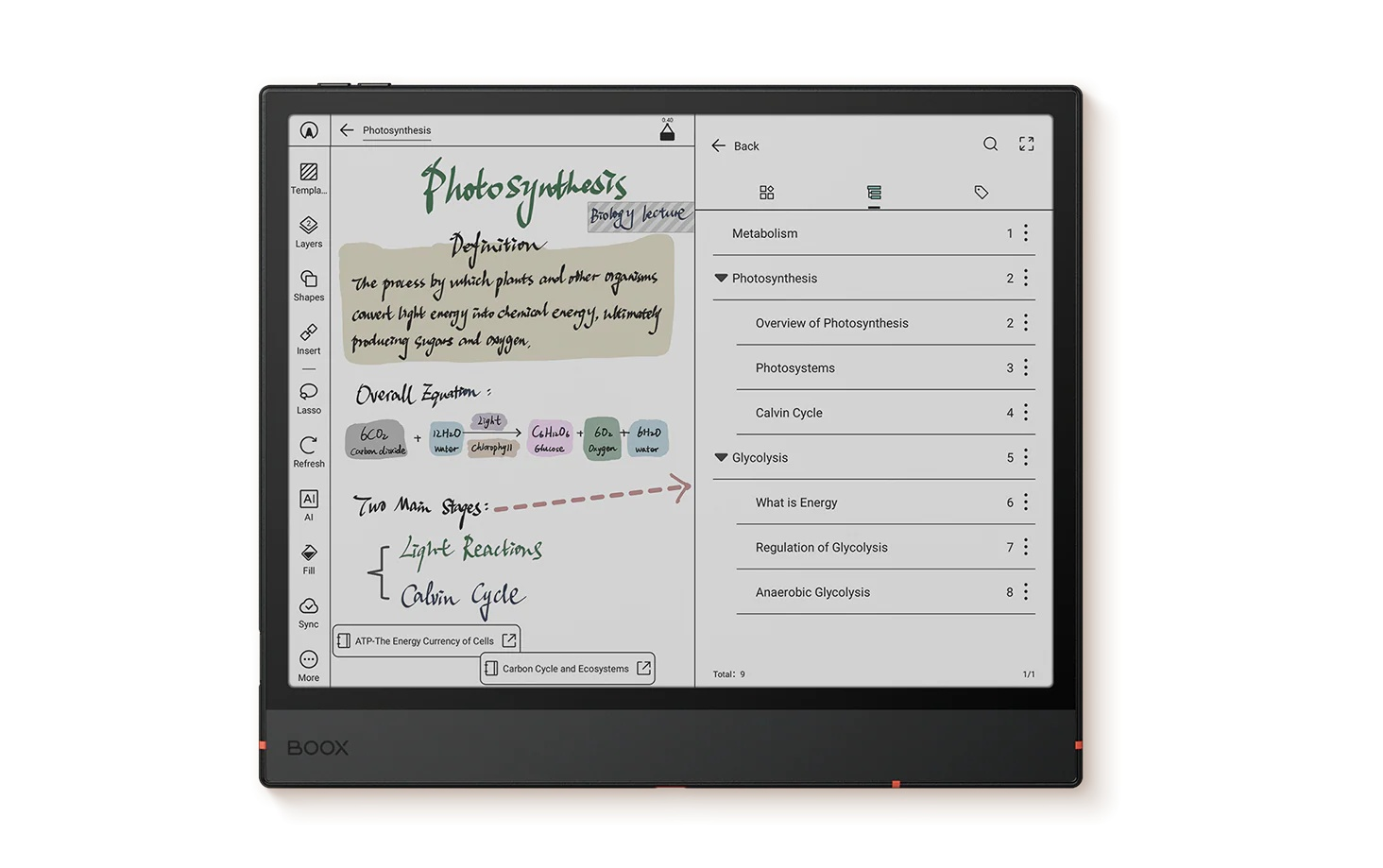
Grow your ideas freely and expand them beyond the edges with Infinite Notes. Enjoy unrestricted space for mind mapping, non-linear thinking, and project planning. You can also add visual elements like images or diagrams to make things stand out.
Sketching
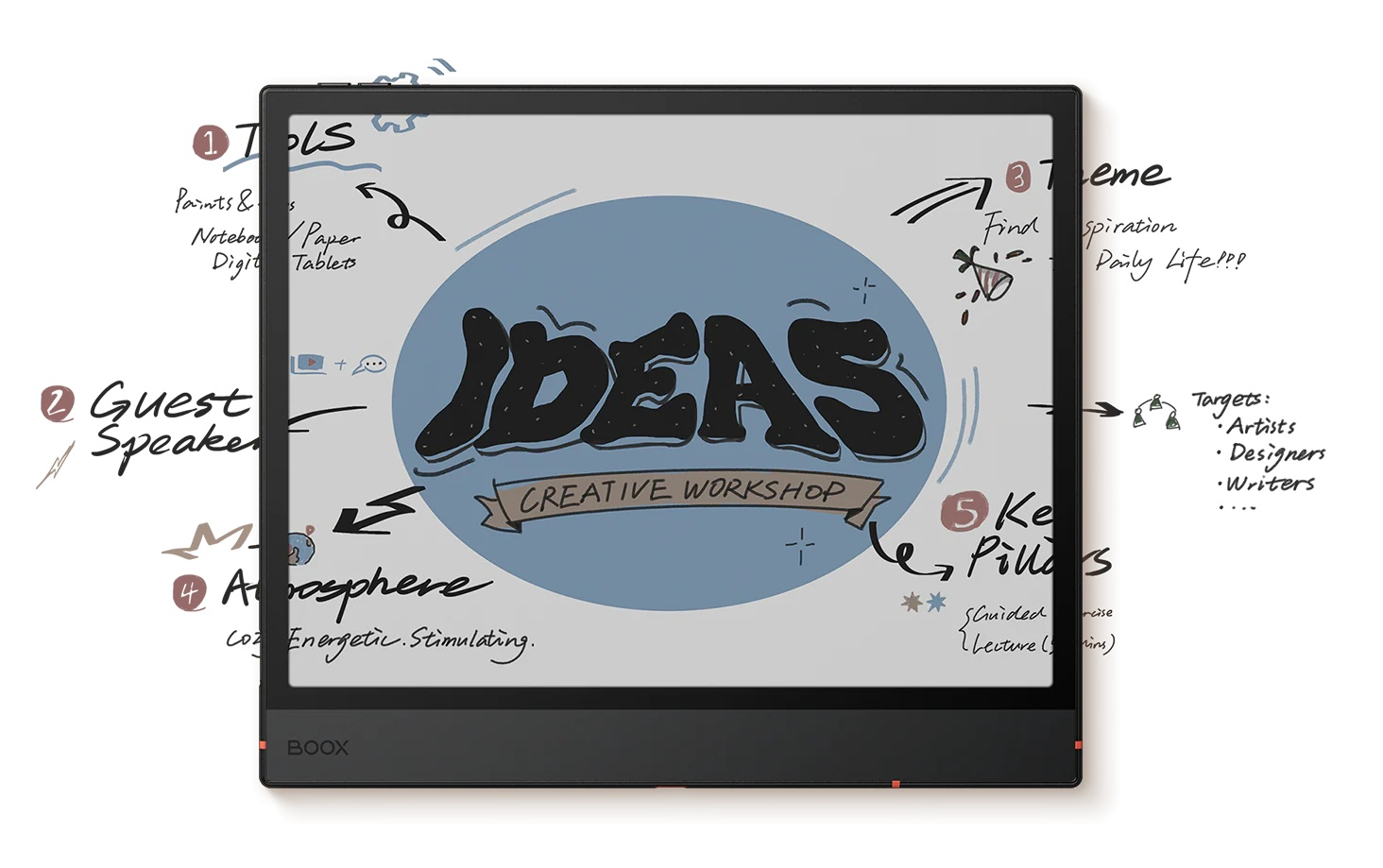
Draw, paint, and craft polished work in a creative space where ideas take shape. With a wide array of smart art tools and a fresh brush set, designers and illustrators alike can turn a rough draft into a masterpiece.
Organizing
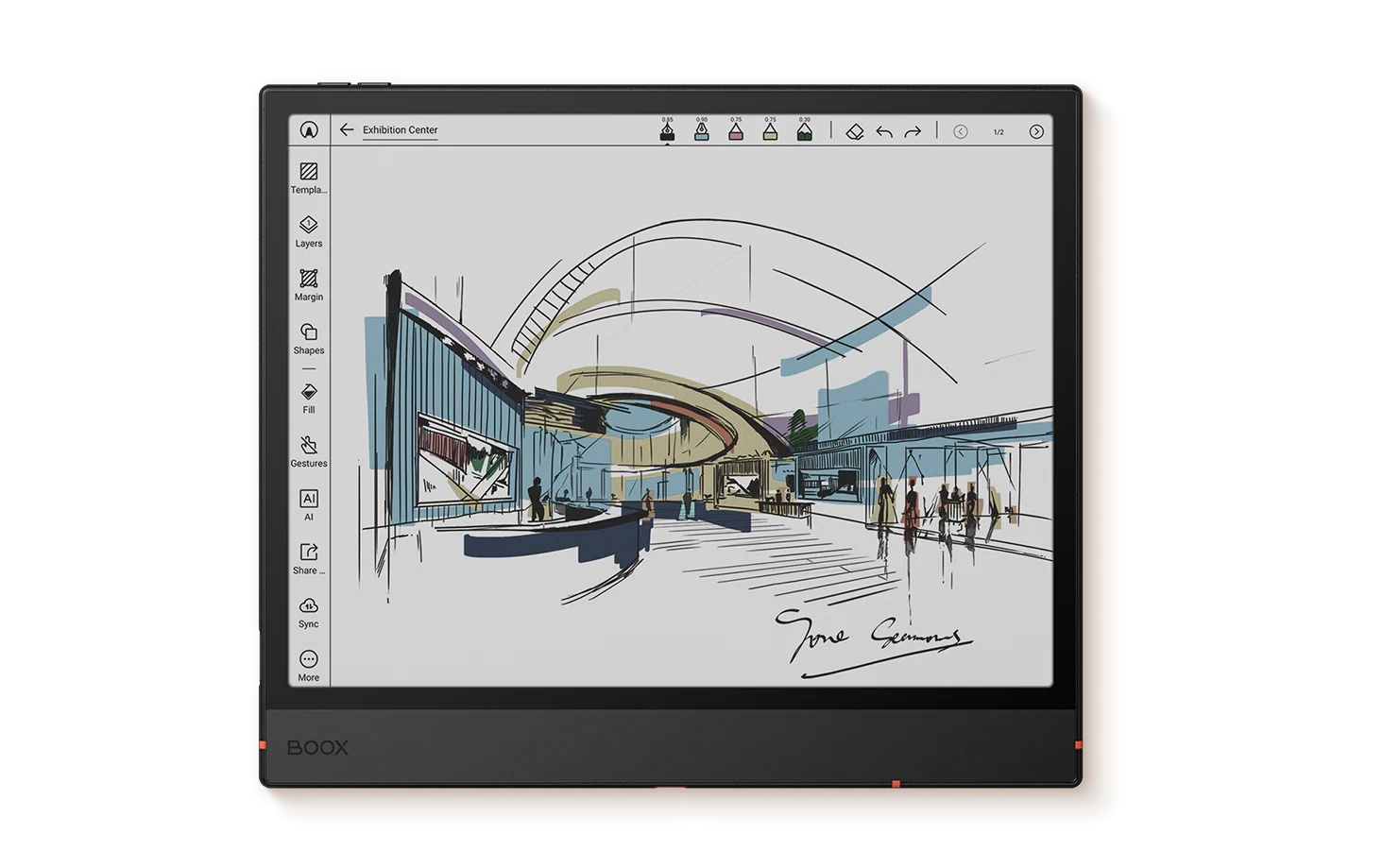
Turn scattered notes into a streamlined system with versatile organization tools. Use Outlines to structure notes clearly, the Link tool to connect related points, and Tags to categorize ideas. It's an ideal tool for both study and work-related sessions.
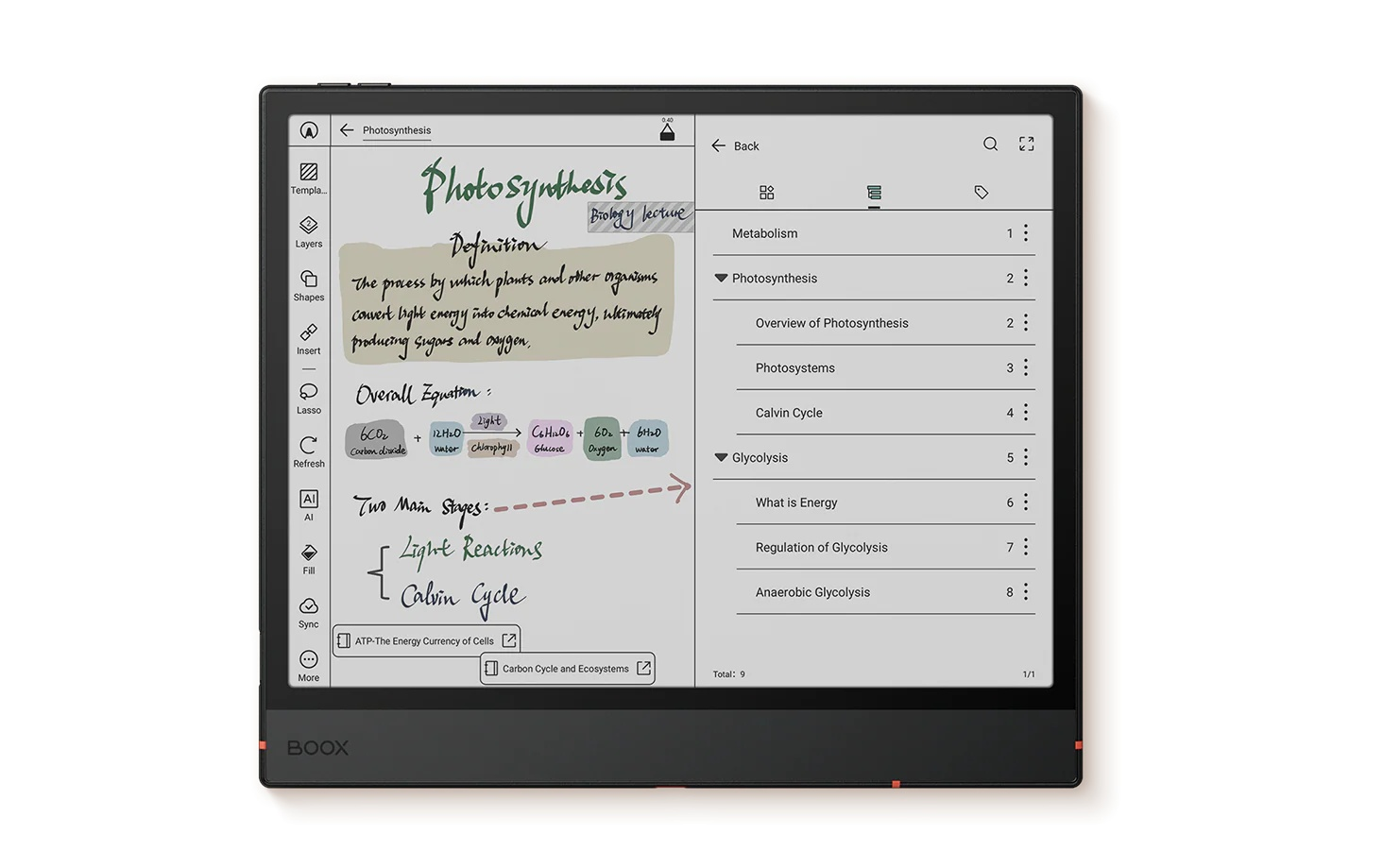
Express Your Thoughts, Your Way
Explore a variety of writing tools to develop ideas fluidly and empower your creative process.

Easier to Get into Reading Flow
Stay immersed in your content by creating your ideal reading setup. Whether you're studying academic papers, analyzing data, or simply enjoying casual books, the mellow colors and dynamic reading tools keep you focused and help you absorb information fast.
Choose from different reading themes or customize your own for greater efficiency. Available for both reflowable ebooks and PDF formats, it keeps every page in perfect rhythm with your preferred reading style.
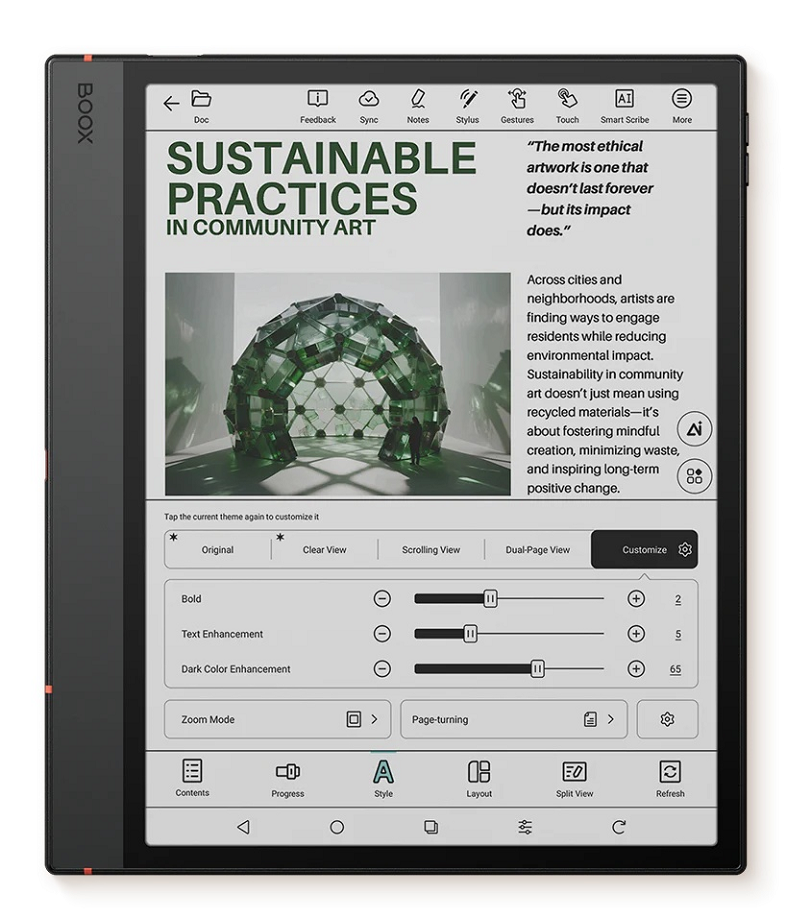
Transform reading from passive consumption into active knowledge building by highlighting and annotating. With support for multiple formats, you can write directly on nearly any document to capture findings.

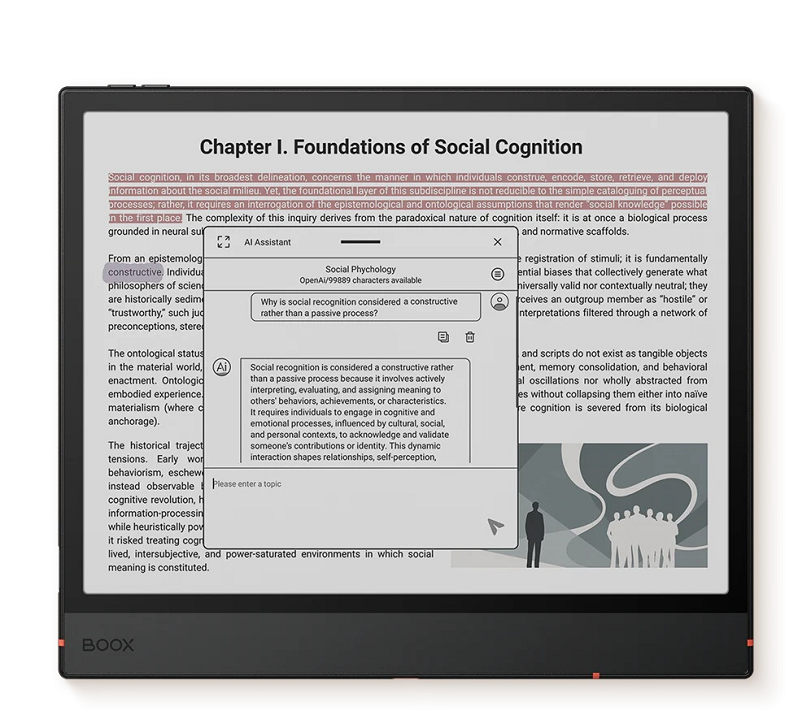
Make challenging materials easier to grasp with the AI Assistant, which helps you break down difficult terminology, interpret complex sentences, and generate quick explanations.
Make It Truly Yours
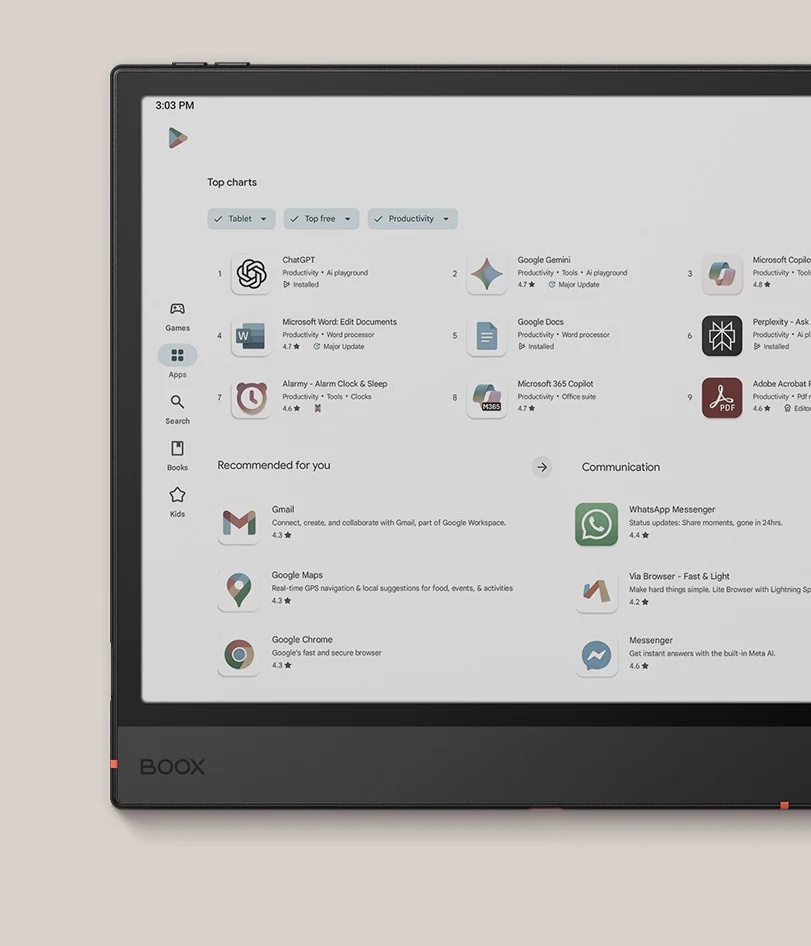
Seamless App Support
With access to the Google Play Store and up to 2TB microSD card support, you can download all the essential apps to get things done.
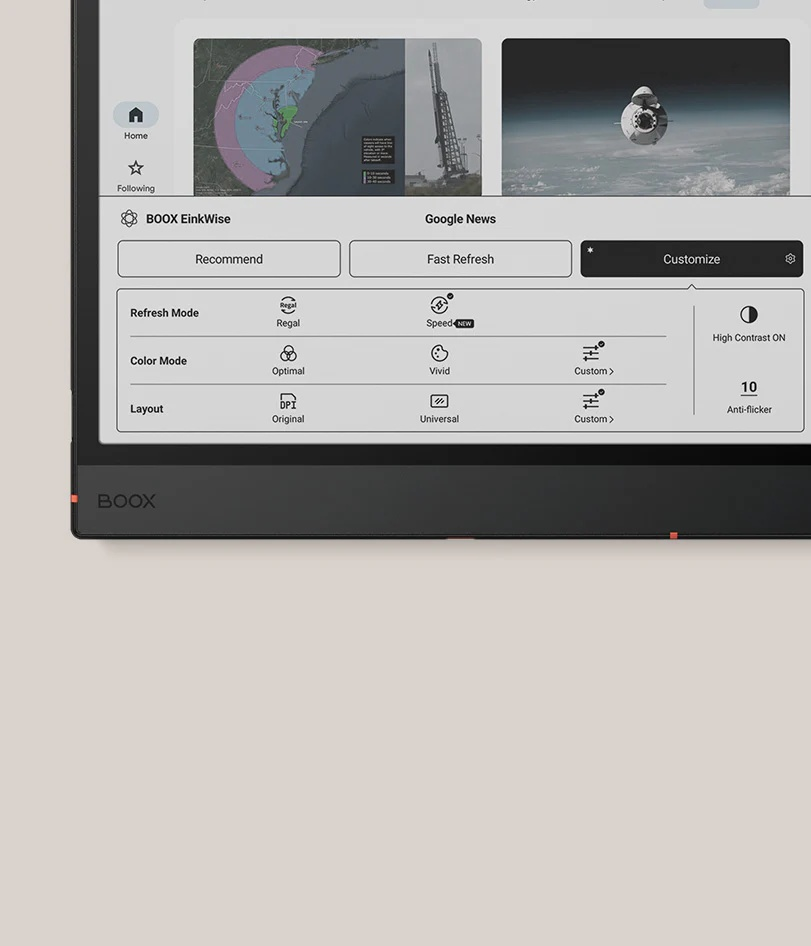
One-Tap Display Optimization
Instantly apply the best display theme for different apps and tasks. The refresh mode, color mode, and layout can be configured to suit your specific needs.
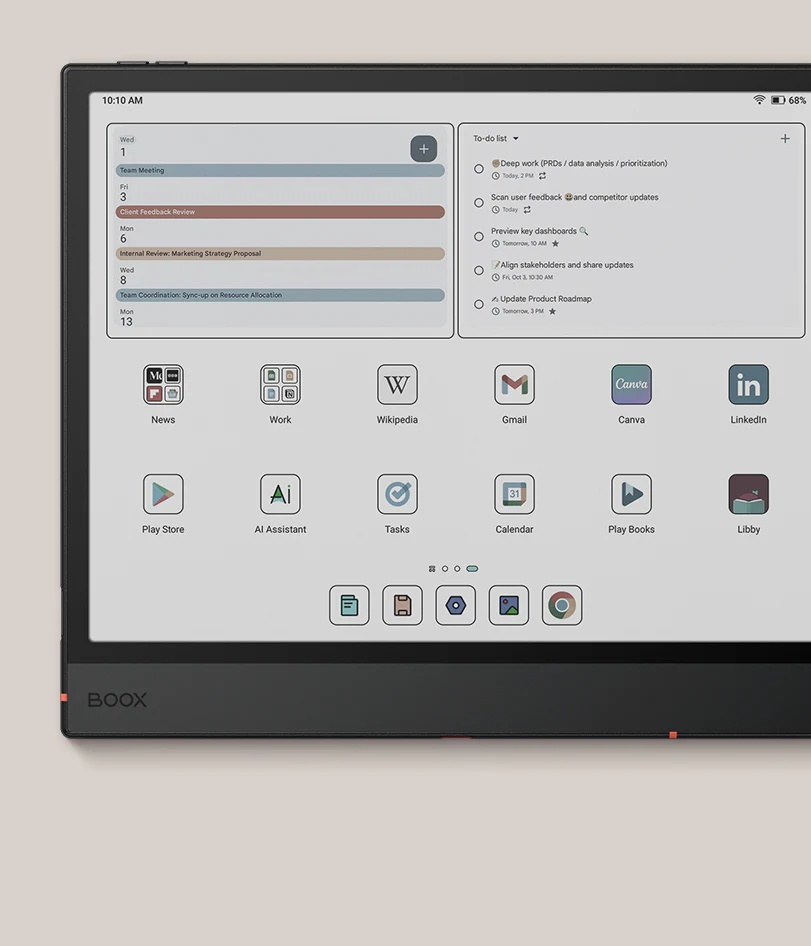
Effortless Navigation
Personalize your home screen with customizable widgets, group apps by task or project, and arrange them in your ideal layout for quick access.
Never Miss a Beat
Max Efficiency with Split Screen
Split the screen into two parts to accomplish more. Whether comparing datasets across documents, taking notes while reading, or multitasking between apps, you can stay on top of your tasks all at once.

Seamless Sync and Transfer
Sync your notebooks and book source files1 along with all the highlights and annotations to OnyxCloud for easy retrieval, and instantly transfer files between your Note Air5 C, phone, and PC via BOOXDrop.

Note
1.The Kaleido 3 screen is E Ink's most recent ePaper color screen. It offers a relatively high refresh rate, relaxing hues, and is ready for mass production with consistent quality. And with E Ink ComfortGaze™ on the Kaleido 3, a new front light technology, the Note Air5 C with adjustable front lights can offer a comfortable viewing experience day and night. The new screen and its front light technology may generate a tiny side shadow, which may be eliminated by adjusting the screen brightness and color temperature.
2.Front Modes is available with the latest BOOX firmware.
3.The Infinite Notes in the Notes App is available with the latest BOOX firmware.
4.The brushes now include two new opitions-calligraphy and fountain pens. Available with the latest BOOX firmware.
5.The Toolbox in the Notes App is available with the latest BOOX firmware, which allows you to create custom tool presets for different note-taking scenarios.
6.The preset reading themes in the NeoReader are available for both reflowable ebook formats and PDF format with the latest BOOX firmware.
7.The Note Air5 C and other BOOX tablets are compatible with 26 digital formats, including 20 document formats like PDF, CAJ, DJVU, CBR, CBZ, EPUB, EPUB3, AZW3, MOBI, TXT, DOC, DOCX, FB2, CHM, RTF, HTML, ZIP, PRC, PPT, PPTX, as well as image and audio formats such as PNG, JPG, BMP, TIFF, WAV, and MP3.
8.BOOXDrop is a feature built into BOOX Android devices. Users can activate the BOOXDrop and use the LAN (Local Area Network) to perform two-way transfers quickly between BOOX and computer and mobile devices.
Specifications
Reviews
Delivery & Pick-up

Delivery Estimates
The estimated time to ship for each product we sell is detailed on the individual product page just underneath the price. From when your items ship, products typically arrive within 1-2 working days for North Island deliveries and 2-3 working days for South Island deliveries. Rural deliveries may take an extra working day. Bulk & hazard deliveries may take an extra 2-7 working days and tracking links for these deliveries can take a few days to generate.
Next Day Delivery
Need your order in a hurry? PB Tech offers next day delivery for local Auckland addresses. Simple place your order before 4pm (provided your items are in stock) and select our next day delivery option in the checkout. T&C's apply. Learn more about Next Day Delivery.
Same Day Delivery
Need your order in a hurry? PB Tech offers same day delivery for Auckland, Hamilton, Wellington and Christchurch. Simple place your order before 1pm (provided your items are in stock) and select one of our same day delivery options 'Evening Delivery' or 'Urgent 3-hour Delivery' in the checkout. T&C's apply. Learn more about Same Day Delivery.
Shipping Costs
Shipping costs vary based on your location and the items being shipped and in some cases shipping may even be FREE.
To calculate what the shipping costs will be for your order, add the items you are interested in to your cart, view the Shopping Cart page, and select your 'Delivery Area' to calculate the shipping cost.
Shipping Security & Insurance
All orders shipped by PB Tech are sent via a courier with a signature required for each delivery. In some cases, and only where you have given the courier company permission to leave orders at a designated location, your order may be delivered without requiring a signature. All orders sent by PB Tech are fully insured in the unlikely event that your item(s) are damaged or go missing in transit.
1 Hour Store Pick-up / Click & Collect
You can pick-up your online order from any of our stores nationwide. You can select which store you want to pick up from at the checkout. Provided the store you select has stock and there's no hold-ups with payment we will have your order ready within 1 hour (during normal trading hours for that store) otherwise it may take up to 5 working days to transfer the stock to the store so your order can be fulfilled. Learn more about our Click & Collect process.
Overseas Shipments
PB Tech regularly ships overseas to Australia and beyond. If you are located in Australia, you can order directly from our Australian site www.pbtech.com/au. If you are from another country you can order from www.pbtech.com
Returns & Warranty
Popular E-Reader Devices

 Kobo Clara BW (2024) E-Ink Black & White eReader - Black

 Amazon Kindle Paperwhite (12th Gen 2024) eReader - 16GB

 Amazon Kindle Paperwhite Signature Edition (12th Gen 2024)...

 Kobo Libra Color eReader - Black 7" E Ink Colour Display

 Amazon Kindle Touch (11th Gen 2024) eReader - Black


BOOX Note Air 5 C 10.3" Color eReader 10.3" Display
- Brand: BOOX
- MPN: 6949710311225
- Part #: TABBOK10052
Product URL: https://www.pbtech.co.nz/product/TABBOK10052/BOOX-Note-Air-5-C-103-Color-eReader-103-Display
| Branch | New Stock | On Display |
|---|---|---|
| Auckland - Albany | 0 | |
| Auckland - Glenfield | 0 | |
| Auckland - Queen Street | 0 | |
| Auckland - Auckland Uni | 0 | |
| Auckland - Westgate | 0 | |
| Auckland - Penrose | 0 | |
| Auckland - Henderson (Express) | 0 | |
| Auckland - St Lukes | 0 | |
| Auckland - Manukau | 0 | |
| Hamilton | 0 | |
| Tauranga | 0 | |
| New Plymouth | 0 | |
| Palmerston North | 0 | |
| Petone | 0 | |
| Wellington | 0 | |
| Nelson | 0 | |
| Auckland - Head Office | 0 | |
| Auckland - East Tamaki Warehouse | 0 | |
| Christchurch - Hornby | 1 | |
| Christchurch - Christchurch Central | 0 | |
| Dunedin | 0 |
Features
Clear Thinking with Calming Colors
The 10.3" Kaleido 3 ePaper screen on Note Air5 C delivers breathtakingly lifelike colors and crisp details, all while being gentle on the eyes. Brainstorm, review reports, and work on a colorful canvas that's brilliant, print-like, and responsive.
Tap into Light Productivity Seamlessly
Thanks to its powerful octa-core processor and 6GB of RAM, Note Air5 C breezes through pro activities with ease. Multitasking, projects of any size, or basic office work are all handled with great efficiency. With BOOX Super Refresh Technology, every swipe and scroll feels snappy.
Capture It All. Without Limits.
Every idea can find its place on Note Air5 C, a flexible canvas for creative sparks, academic notes, and everything in between. It's like pen on paper, but better, with the new Pen3 stylus and advanced note-taking tools.
Visual Brainstorming
Grow your ideas freely and expand them beyond the edges with Infinite Notes. Enjoy unrestricted space for mind mapping, non-linear thinking, and project planning. You can also add visual elements like images or diagrams to make things stand out.
Sketching
Draw, paint, and craft polished work in a creative space where ideas take shape. With a wide array of smart art tools and a fresh brush set, designers and illustrators alike can turn a rough draft into a masterpiece.
Organizing
Turn scattered notes into a streamlined system with versatile organization tools. Use Outlines to structure notes clearly, the Link tool to connect related points, and Tags to categorize ideas. It's an ideal tool for both study and work-related sessions.
Express Your Thoughts, Your Way
Explore a variety of writing tools to develop ideas fluidly and empower your creative process.
Easier to Get into Reading Flow
Stay immersed in your content by creating your ideal reading setup. Whether you're studying academic papers, analyzing data, or simply enjoying casual books, the mellow colors and dynamic reading tools keep you focused and help you absorb information fast.
Choose from different reading themes or customize your own for greater efficiency. Available for both reflowable ebooks and PDF formats, it keeps every page in perfect rhythm with your preferred reading style.
Transform reading from passive consumption into active knowledge building by highlighting and annotating. With support for multiple formats, you can write directly on nearly any document to capture findings.
Make challenging materials easier to grasp with the AI Assistant, which helps you break down difficult terminology, interpret complex sentences, and generate quick explanations.
Make It Truly Yours
Seamless App Support
With access to the Google Play Store and up to 2TB microSD card support, you can download all the essential apps to get things done.
One-Tap Display Optimization
Instantly apply the best display theme for different apps and tasks. The refresh mode, color mode, and layout can be configured to suit your specific needs.
Effortless Navigation
Personalize your home screen with customizable widgets, group apps by task or project, and arrange them in your ideal layout for quick access.
Never Miss a Beat
Max Efficiency with Split Screen
Split the screen into two parts to accomplish more. Whether comparing datasets across documents, taking notes while reading, or multitasking between apps, you can stay on top of your tasks all at once.
Seamless Sync and Transfer
Sync your notebooks and book source files1 along with all the highlights and annotations to OnyxCloud for easy retrieval, and instantly transfer files between your Note Air5 C, phone, and PC via BOOXDrop.
Note
1.The Kaleido 3 screen is E Ink's most recent ePaper color screen. It offers a relatively high refresh rate, relaxing hues, and is ready for mass production with consistent quality. And with E Ink ComfortGaze™ on the Kaleido 3, a new front light technology, the Note Air5 C with adjustable front lights can offer a comfortable viewing experience day and night. The new screen and its front light technology may generate a tiny side shadow, which may be eliminated by adjusting the screen brightness and color temperature.
2.Front Modes is available with the latest BOOX firmware.
3.The Infinite Notes in the Notes App is available with the latest BOOX firmware.
4.The brushes now include two new opitions-calligraphy and fountain pens. Available with the latest BOOX firmware.
5.The Toolbox in the Notes App is available with the latest BOOX firmware, which allows you to create custom tool presets for different note-taking scenarios.
6.The preset reading themes in the NeoReader are available for both reflowable ebook formats and PDF format with the latest BOOX firmware.
7.The Note Air5 C and other BOOX tablets are compatible with 26 digital formats, including 20 document formats like PDF, CAJ, DJVU, CBR, CBZ, EPUB, EPUB3, AZW3, MOBI, TXT, DOC, DOCX, FB2, CHM, RTF, HTML, ZIP, PRC, PPT, PPTX, as well as image and audio formats such as PNG, JPG, BMP, TIFF, WAV, and MP3.
8.BOOXDrop is a feature built into BOOX Android devices. Users can activate the BOOXDrop and use the LAN (Local Area Network) to perform two-way transfers quickly between BOOX and computer and mobile devices.
Specifications
Hardware
Screen
10.3" Kaleido 3 (4,096 colors) Carta 1200 glass screen with flat cover-lens
Resolution
B/W: 2480 x 1860 (300 ppi)
Color
1240 x 930 (150 ppi)
Touch
BOOX stylus touch (4,096 levels of pressure sensitivity) + capacitive touch
CPU
Octa-core + BSR
RAM
6GB
ROM
64GB
Connectivity
Wi-Fi + BT 5.1
Light
Front Light with CTM (Warm and Cold)
Sensor
G-sensor for Auto Rotation
Software
OS
Android 15
Document Formats
PDF, CAJ, DJVU, CBR, CBZ, EPUB, EPUB3, AZW3, MOBI, TXT, DOC, DOCX, FB2, CHM, RTF, HTML, ZIP, PRC, PPT, PPTX
Image Formats
PNG, JPG, BMP, TIFF
Audio Formats
WAV, MP3
Supports 3rd-party apps
Yes
Other Specs
Button
Power Button with Fingerprint Recognition
Port
USB-C Port (Supports OTG or use as an audio jack)
Card Slot
microSD Card Slot
Speakers
Built-in Dual Speakers
Microphone
Built-in Microphone
Battery
3,700mAh Li-ion Polymer
Dimensions
225 x 192 x 5.8 mm (8.9" x 7.6" x 0.23")
Weight
Approx. 440 g (15.5 oz)
Certifications
CE
ROHS
FCC
TELEC
UKCA
WEEE
NCC
Included In The Box
BOOX Note Air5 C x 1
BOOX Pen3 x 1
USB-C Cable x 1
Card Tray Eject Tool x 1
Quick Start Guide x 1
Warranty Card x 1

