


Dell Pro Thunderbolt 5 Dock WD25TB5, Quad 4K 120Hz Display Docking Station with 300W Power Delivery
(Up to 240W to non-Dell system) - 2x DP1.4 - 1x HDMI2.1 - 1x USB-C MFDP - 1x USB-C 3.2 2x Thunderbolt5 - 1x 2.5GbE RJ45 - Support Chrome / Linux / Ubuntu / Windows - 3Y Warranty
Dell Pro Thunderbolt 5 Dock WD25TB5, Quad 4K 120Hz Display Docking Station with 300W Power Delivery
(Up to 240W to non-Dell system) - 2x DP1.4 - 1x HDMI2.1 - 1x USB-C MFDP - 1x USB-C 3.2 2x Thunderbolt5 - 1x 2.5GbE RJ45 - Support Chrome / Linux / Ubuntu / Windows - 3Y Warranty
- Brand: Dell
- MPN: 210-BTHG
- Part #: NBDDEL30255
- UPC: 884116692843
Select your store to check availability



- Brand: Dell
- MPN: 210-BTHG
- Part #: NBDDEL30255
- UPC: 884116692843
COMBO DEALS: Buy Together and SAVE!


Cruxtec HDMI 2.0 Cable - 2m 18Gbps - 4K/60Hz
$8.00 +GST
$9.20
Logitech MK235 Wireless Desktop Keyboard & Mouse Combo
$51.28 +GST
$58.97
Loctek Eco Mount 10"-30" Dual Monitor Stand - Steel Tube - Black - VESA 75 & 100mm - Max Load 10KG -...
$68.69 +GST
$78.99
Features
Improved manageability
Manage your dock through the Dell Device Management Console, using the Dell Display and Peripheral Manager along with the Dell Device Management Agent installed on your PC.
Simplify firmware updates
Reduce IT complexity by deploying a single firmware file across workspaces. Minimise end-user disruption with silent firmware updates, executed upon dock disconnection.
Unlock out-of-band management on select Intel® vPro® PCs with Intel® Active Management Technology (Intel® AMT) over Thunderbolt via the connected dock.
Work with confidence
Enhance your docking experience across brands with universally compatible features including MAC Address Pass-Through and Power Button Sync*.
*Power Button Sync will work with non-Dell notebooks if they support PD3.1 spec.
Power AI productivity
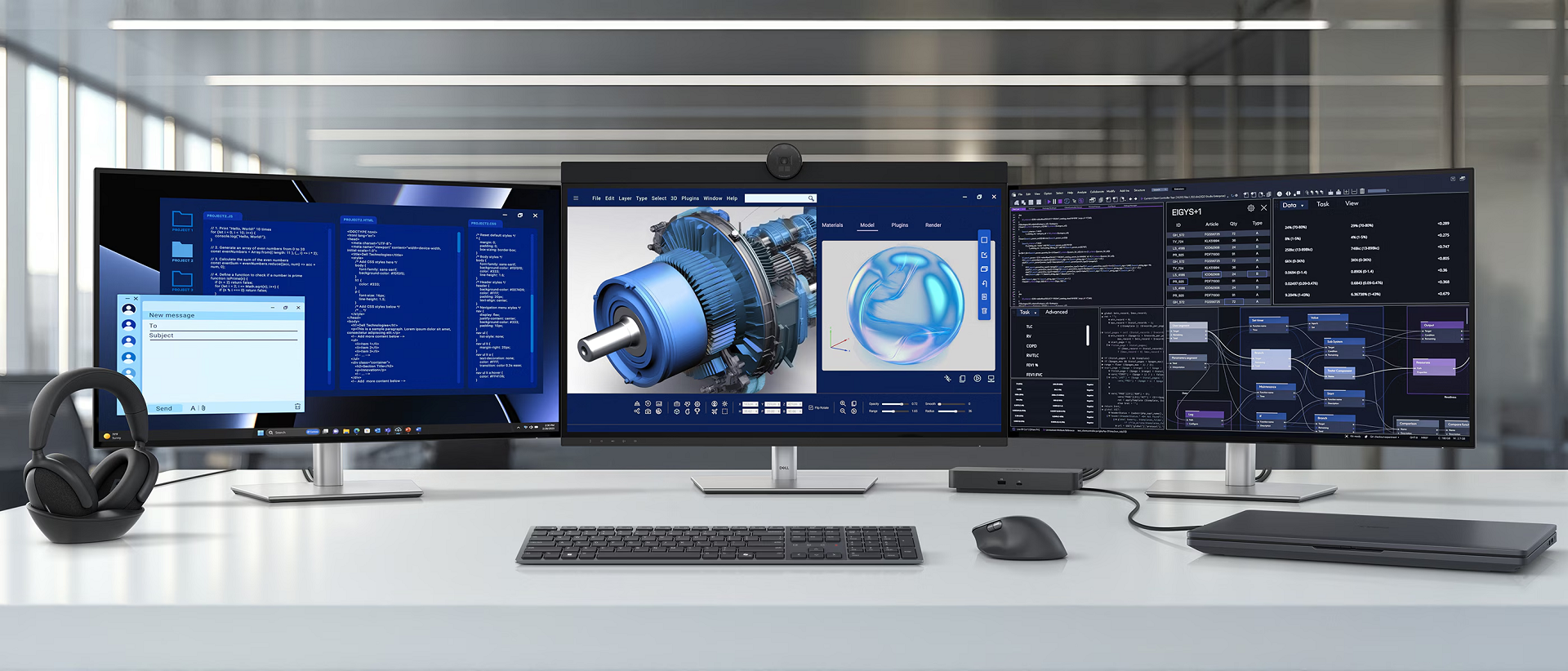
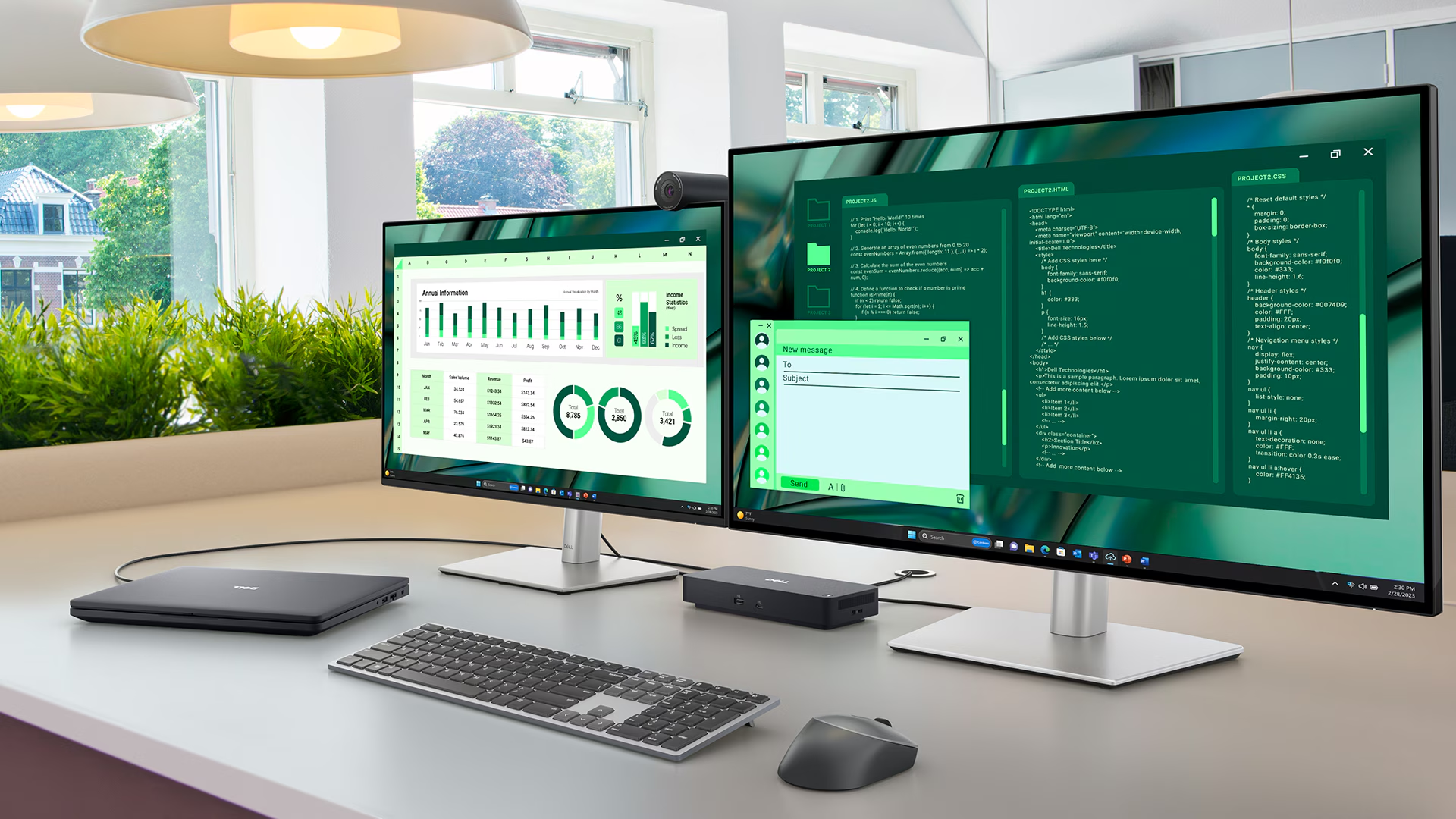
Maximise AI PC productivity with the Dell's most powerful Thunderbolt 5 dock and seamlessly run Gen AI tools across up to four 4K 120Hz displays. Featuring Extended Power Range, deliver up to 300W over a single USB-C cable to power even the highest-performance AI PCs, while modern ports ensure broad connectivity.
Accelerate manageability
Delivering ultimate IT efficiency across the modern workspace.
Connect your way
Configure your workspace to your liking with an ambidextrous USB-C cable* that can be routed left or right.
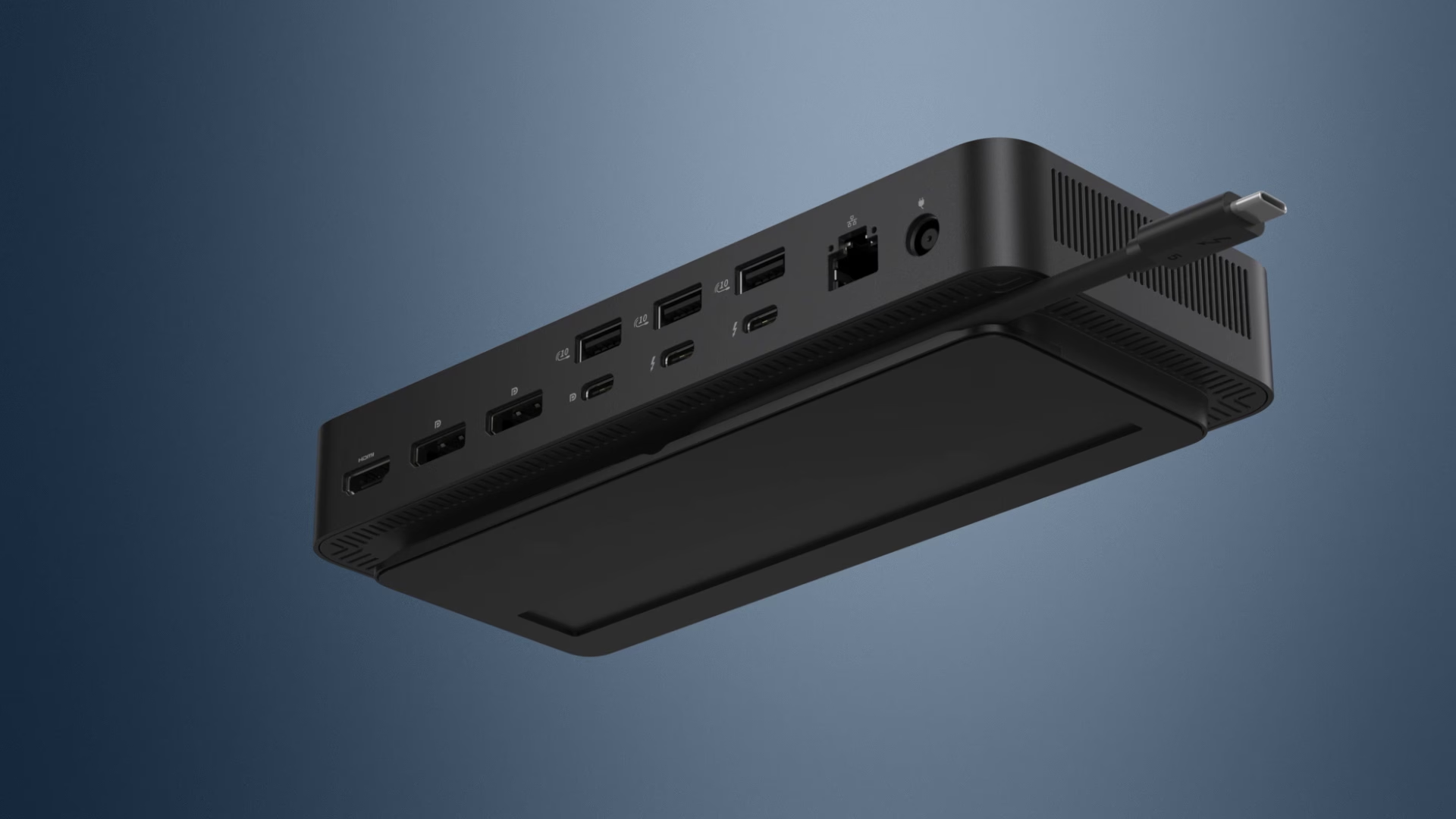
*The accurate length of this cable is 0.83 meters. The image provided is for illustrative purposes only.
Ports and slots
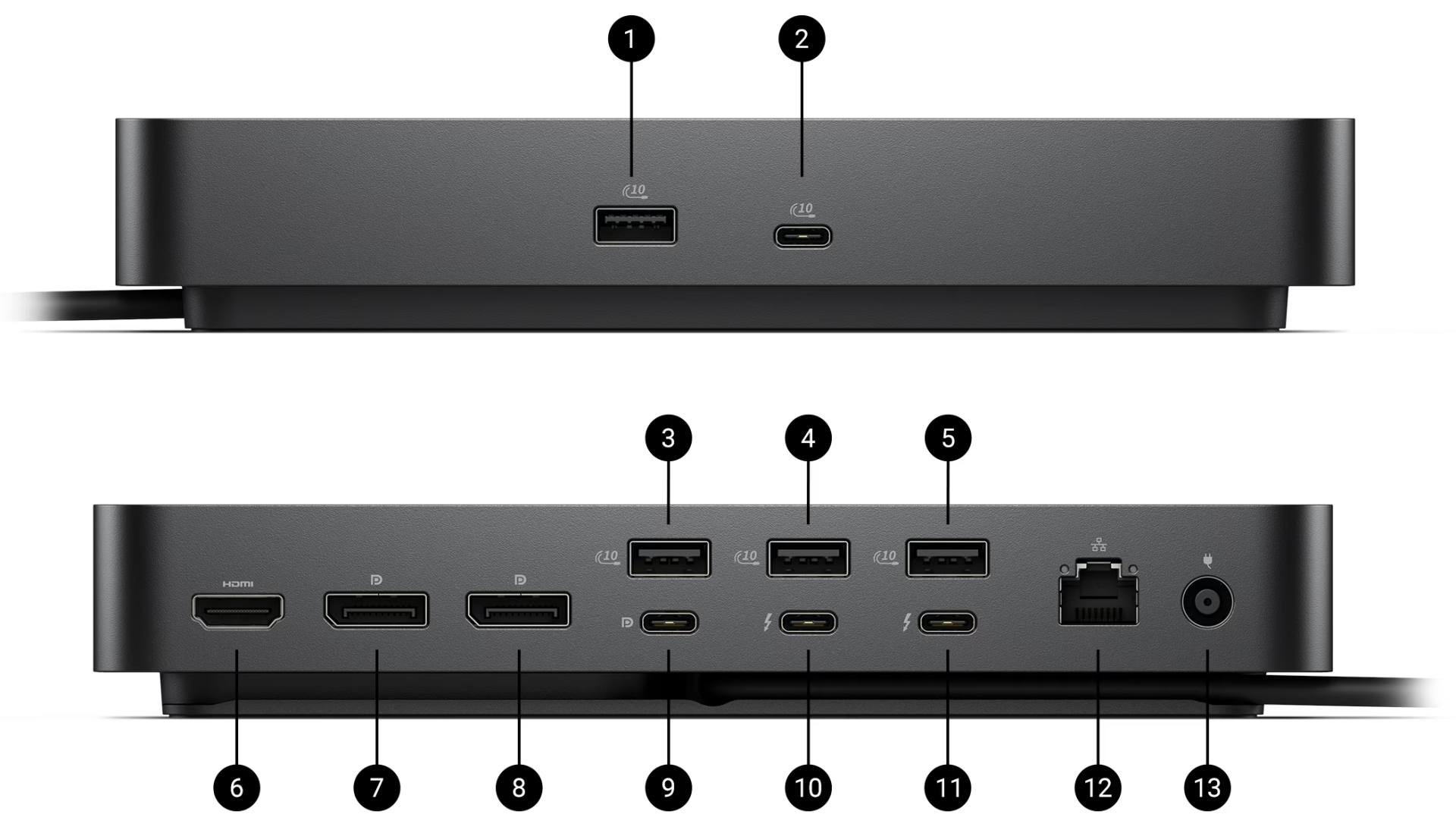
Front side
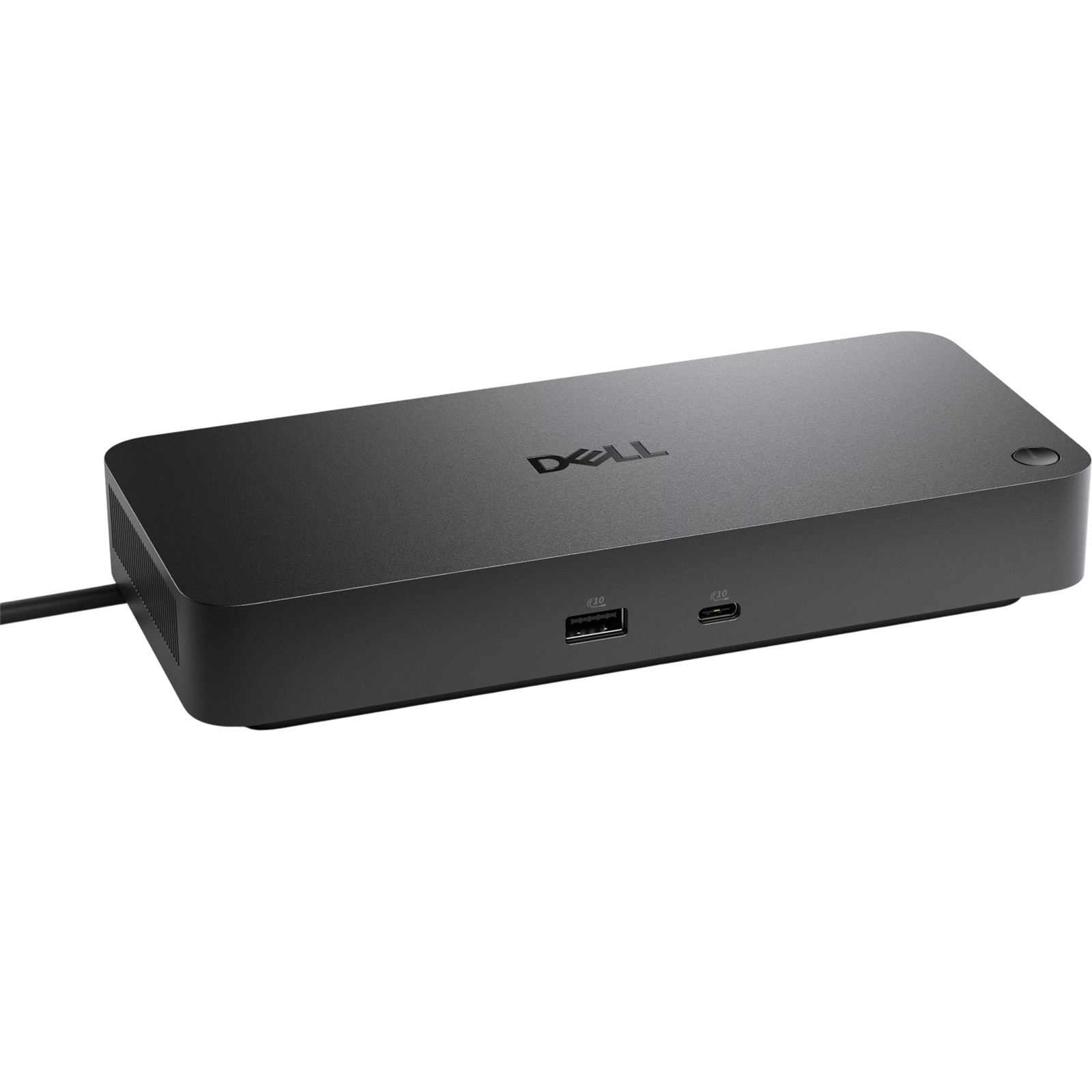
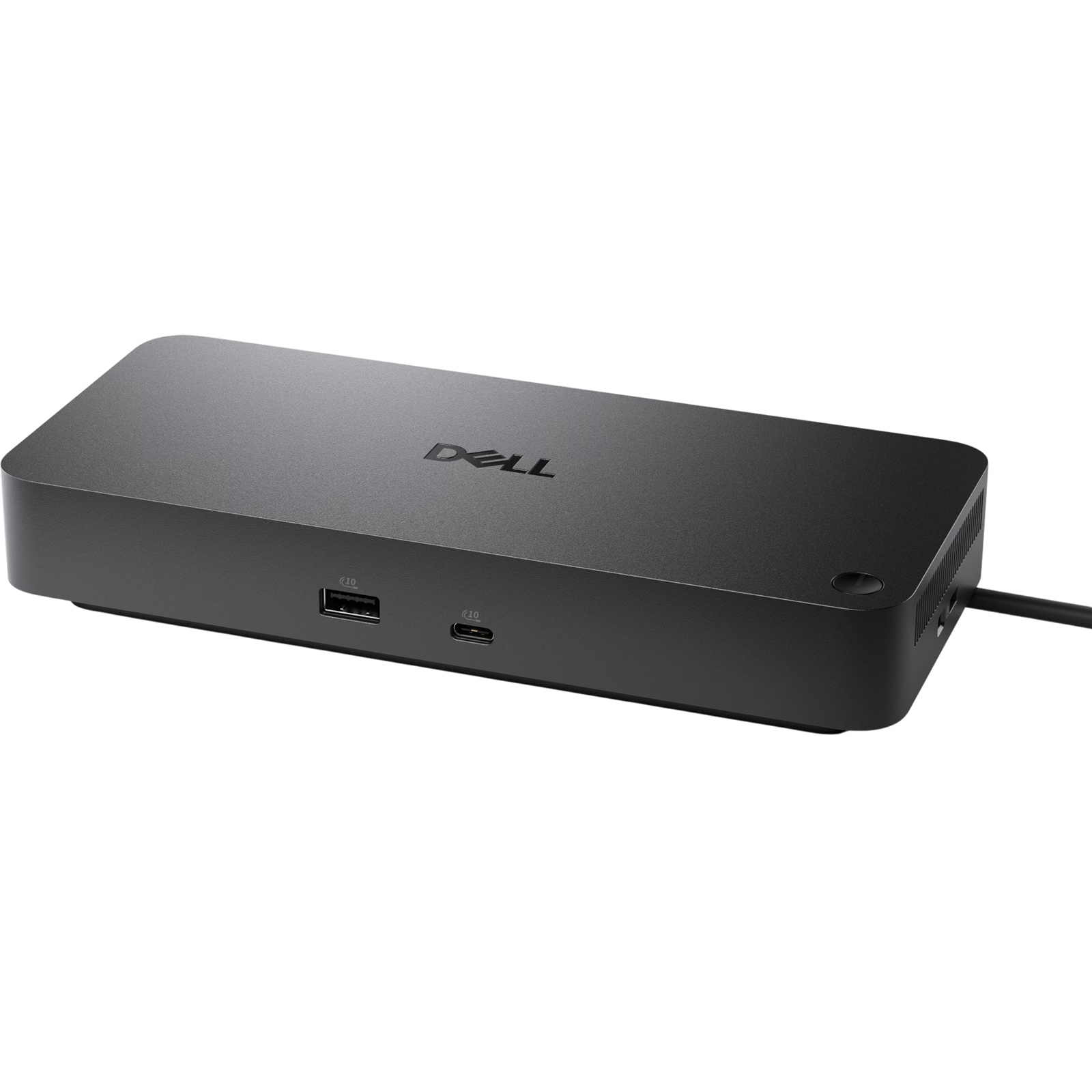
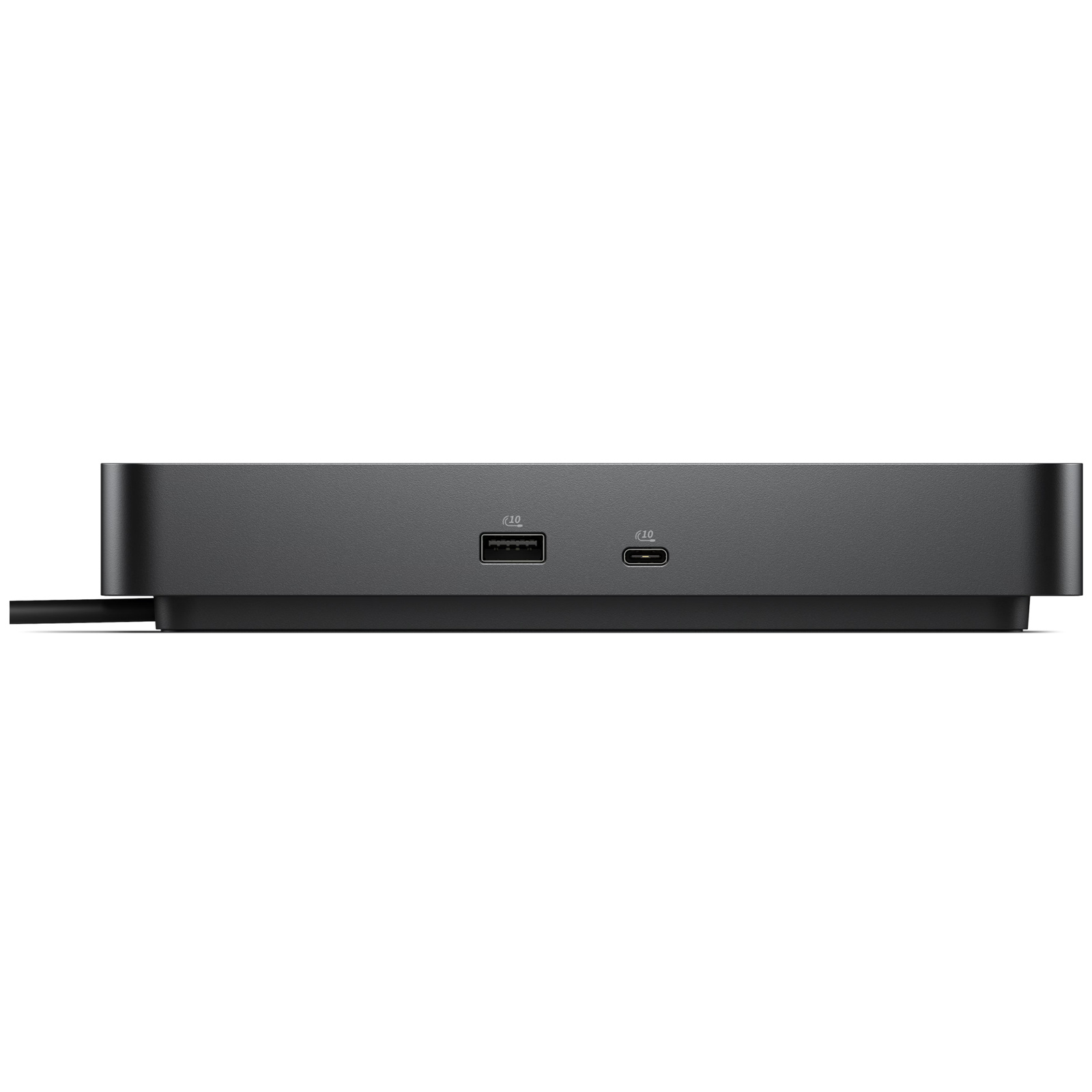
1. USB-A 3.2 Gen 2 with PowerShare
2. USB-C 3.2 Gen 2
Rear side
3. USB-A 3.2 Gen 2 with PowerShare
4. USB-A 3.2 Gen 2 with PowerShare
5. USB-A 3.2 Gen 2 with PowerShare
6. HDMI 2.1
7. DisplayPort 2.1
8. DisplayPort 2.1
9. USB-C 3.2 Gen 2 Multifunction DisplayPort 2.1
10. Thunderbolt 5
11. Thunderbolt 5
12. 2.5 Gigabit Ethernet (RJ45)
13. Power In
Specifications
Reviews
Delivery & Pick-up

Delivery Estimates
The estimated time to ship for each product we sell is detailed on the individual product page just underneath the price. From when your items ship, products typically arrive within 1-2 working days for North Island deliveries and 2-3 working days for South Island deliveries. Rural deliveries may take an extra working day. Bulk & hazard deliveries may take an extra 2-7 working days and tracking links for these deliveries can take a few days to generate.
Next Day Delivery
Need your order in a hurry? PB Tech offers next day delivery for local Auckland addresses. Simple place your order before 4pm (provided your items are in stock) and select our next day delivery option in the checkout. T&C's apply. Learn more about Next Day Delivery.
Same Day Delivery
Need your order in a hurry? PB Tech offers same day delivery for Auckland, Hamilton, Wellington and Christchurch. Simple place your order before 1pm (provided your items are in stock) and select one of our same day delivery options 'Evening Delivery' or 'Urgent 3-hour Delivery' in the checkout. T&C's apply. Learn more about Same Day Delivery.
Shipping Costs
Shipping costs vary based on your location and the items being shipped and in some cases shipping may even be FREE.
To calculate what the shipping costs will be for your order, add the items you are interested in to your cart, view the Shopping Cart page, and select your 'Delivery Area' to calculate the shipping cost.
Shipping Security & Insurance
All orders shipped by PB Tech are sent via a courier with a signature required for each delivery. In some cases, and only where you have given the courier company permission to leave orders at a designated location, your order may be delivered without requiring a signature. All orders sent by PB Tech are fully insured in the unlikely event that your item(s) are damaged or go missing in transit.
1 Hour Store Pick-up / Click & Collect
You can pick-up your online order from any of our stores nationwide. You can select which store you want to pick up from at the checkout. Provided the store you select has stock and there's no hold-ups with payment we will have your order ready within 1 hour (during normal trading hours for that store) otherwise it may take up to 5 working days to transfer the stock to the store so your order can be fulfilled. Learn more about our Click & Collect process.
Overseas Shipments
PB Tech regularly ships overseas to Australia and beyond. If you are located in Australia, you can order directly from our Australian site www.pbtech.com/au. If you are from another country you can order from www.pbtech.com
Returns & Warranty
Popular USB-C Docking Stations

 HP G6 Thunderbolt 4 100W Dock 1x HDMI2.1 - 2x DisplayPort1.4 - 1x...

 Targus DOCK310 USB-C & USB 3.0 Dual 4K DisplayLink Docking...

 Targus DOCK182 USB-C Dual 4K DisplayLink Docking Station with...

 Dell Pro Dock WD25 USB-C Quad WQHD Docking Station with 100W...

 HP G6 USB-C 100W Dock 2x USB Type-A 5Gbps signaling rate ...


Dell Pro Thunderbolt 5 Dock WD25TB5, Quad 4K 120Hz Display Docking Station with 300W Power Delivery (Up to 240W to non-Dell system) - 2x DP1.4 - 1x HDMI2.1 - 1x USB-C MFDP - 1x USB-C 3.2 2x Thunderbolt5 - 1x 2.5GbE RJ45 - Support Chrome / L
- Brand: Dell
- MPN: 210-BTHG
- Part #: NBDDEL30255
- UPC:884116692843
Product URL: https://www.pbtech.co.nz/product/NBDDEL30255/Dell-Pro-Thunderbolt-5-Dock-WD25TB5-Quad-4K-120Hz
| Branch | New Stock | On Display |
|---|---|---|
| Auckland - Albany | 0 | |
| Auckland - Glenfield | 0 | |
| Auckland - Queen Street | 3 | |
| Auckland - Auckland Uni | 0 | |
| Auckland - Westgate | 0 | |
| Auckland - Penrose | 5+ | |
| Auckland - Henderson (Express) | 0 | |
| Auckland - St Lukes | 0 | |
| Auckland - Manukau | 0 | |
| Hamilton | 0 | |
| Tauranga | 0 | |
| New Plymouth | 0 | |
| Palmerston North | 0 | |
| Petone | 0 | |
| Wellington | 0 | |
| Auckland - Head Office | 5+ | |
| Auckland - East Tamaki Warehouse | 0 | |
| Christchurch - Hornby | 0 | |
| Christchurch - Christchurch Central | 0 | |
| Dunedin | 0 |
Features
Improved manageability
Manage your dock through the Dell Device Management Console, using the Dell Display and Peripheral Manager along with the Dell Device Management Agent installed on your PC.
Simplify firmware updates
Reduce IT complexity by deploying a single firmware file across workspaces. Minimise end-user disruption with silent firmware updates, executed upon dock disconnection.
Unlock out-of-band management on select Intel® vPro® PCs with Intel® Active Management Technology (Intel® AMT) over Thunderbolt via the connected dock.
Work with confidence
Enhance your docking experience across brands with universally compatible features including MAC Address Pass-Through and Power Button Sync*.
*Power Button Sync will work with non-Dell notebooks if they support PD3.1 spec.
Power AI productivity
Maximise AI PC productivity with the Dell's most powerful Thunderbolt 5 dock and seamlessly run Gen AI tools across up to four 4K 120Hz displays. Featuring Extended Power Range, deliver up to 300W over a single USB-C cable to power even the highest-performance AI PCs, while modern ports ensure broad connectivity.
Accelerate manageability
Delivering ultimate IT efficiency across the modern workspace.
Connect your way
Configure your workspace to your liking with an ambidextrous USB-C cable* that can be routed left or right.
*The accurate length of this cable is 0.83 meters. The image provided is for illustrative purposes only.
Ports and slots
Front side
1. USB-A 3.2 Gen 2 with PowerShare
2. USB-C 3.2 Gen 2
Rear side
3. USB-A 3.2 Gen 2 with PowerShare
4. USB-A 3.2 Gen 2 with PowerShare
5. USB-A 3.2 Gen 2 with PowerShare
6. HDMI 2.1
7. DisplayPort 2.1
8. DisplayPort 2.1
9. USB-C 3.2 Gen 2 Multifunction DisplayPort 2.1
10. Thunderbolt 5
11. Thunderbolt 5
12. 2.5 Gigabit Ethernet (RJ45)
13. Power In
Specifications
Technical Information
Connectivity Technology
Wired
Device Supported
Notebook
Desktop PC
Cable Length
83 cm
Features
Power Delivery Pass-through
LED Power Indicator
Indicator Light
Management Features
Intel AMT over Thunderbolt with select Intel vPro PCs
MAC Address Pass-through
PXE Boot
Dock Power Button Sync
Wake-on-LAN
WLAN to LAN Switch
Kernel Direct Memory Access (DMA) Protection
Dell Command Update (DCU)
Port Disablement
Host PC based firmware update
Firmware update on disconnect
Number of Displays Supported
4
Screen Mode Supported
QHD @ 60Hz
WQHD @ 60Hz
4K @ 60Hz
5K @ 60Hz
6K @ 60Hz
8K @ 60Hz
4K @ 120Hz
Supported Resolutions
3840 x 2160
5120 x 2160
2560 x 1440
3440 x 1440
7680 x 4320
6144 x 3456
Maximum Data Transfer Rate
1.25 GB/s
Security Slot Type
Kensington Security Slot
Noble Wedge Security Slot
Power Delivery Details
4 x USB-A 3.2 Gen 2 (4.5W each)
1 x USB-C 3.2 Gen 2 (15W)
1 x USB-C Multi-function DisplayPort (7.5W)
2 x Thunderbolt 5 (15W each)
All deliver power with or without PC
Power Delivery
300W (Dell Systems)
240W (non-Dell Systems)
Video Resolution Details
QHD - 60 Hz (Quad Display)
WQHD - 60 Hz (Triple Display)
4K - 60 Hz (Dual Display)
5K - 60 Hz (Single Display)
4K - 60 Hz (Quad Display)
4K - 60 Hz (Triple Display)
6K - 60 Hz (Dual Display)
8K - 60 Hz (Single Display)
4K - 120 Hz (Quad Display)
4K - 120 Hz (Triple Display)
Network & Communication
Ethernet Technology
2.5 Gigabit Ethernet
Interfaces/Ports
Host Interface
Video interfaces
2 x DP 2.1
1 x HDMI 2.1
1 x USB-C 3.2 Gen 2 Multi-function DisplayPort 2.1
2 x Thunderbolt 5
USB Ports (Data Only)
4 x USB-A 3.2 Gen 2 (10 Gbps)
1 x USB-C 3.2 Gen 2 (10 Gbps)
Total Number of USB Ports
6
USB Type-A
Yes
Number of USB 3.2 Gen 2 Type-A Ports
4
Number of USB 3.2 Gen 2 Type-C Ports
1
Number of USB Type-A Ports
4
USB Type-C
Yes
USB Type-C Detail
1 x USB-C 3.2 Gen 2 (10 Gbps), (15W), 1 x USB-C Multi-function DisplayPort (7.5W)
Number of USB Type-C Ports
2
Network (RJ-45)
Yes
DisplayPort
Yes
Number of DisplayPorts
2
DisplayPort Version
2.1
HDMI
Yes
Number of HDMI Ports
1
HDMI Version
2.1
Thunderbolt
Yes
Thunderbolt Ports Quantity
2
Software
Host Software
Host Software (Windows):
Dell Firmware Utility
Dell Display and Peripheral Manager
Dell Command Update
Cloud Management (via host PC software)
Dell Device Management Console enables: Automatic firmware updates, Maintain specific firmware version or downgrade, Peripheral inventory and status
Operating System Supported
Windows 10
Windows 11
Ubuntu 24.04
Red Hat Enterprise Linux 9.7
ChromeOS 141
macOS
Power Description
Maximum Power Supply Wattage
330 W
Power Source Type
Power Adapter
Physical Characteristics
Height
205 mm
Width
90 mm
Depth
35.3 mm
Weight (Approximate)
620 g

