


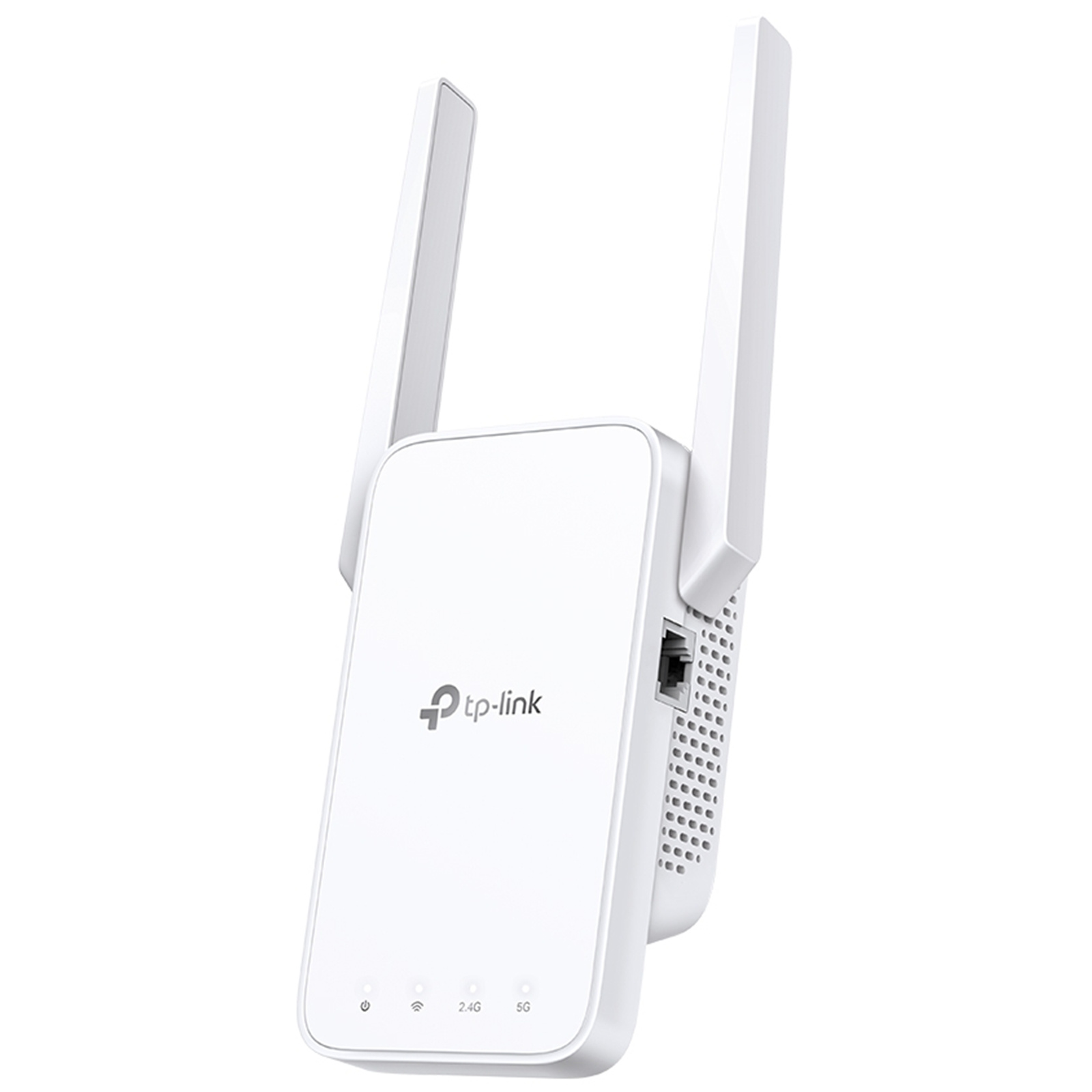
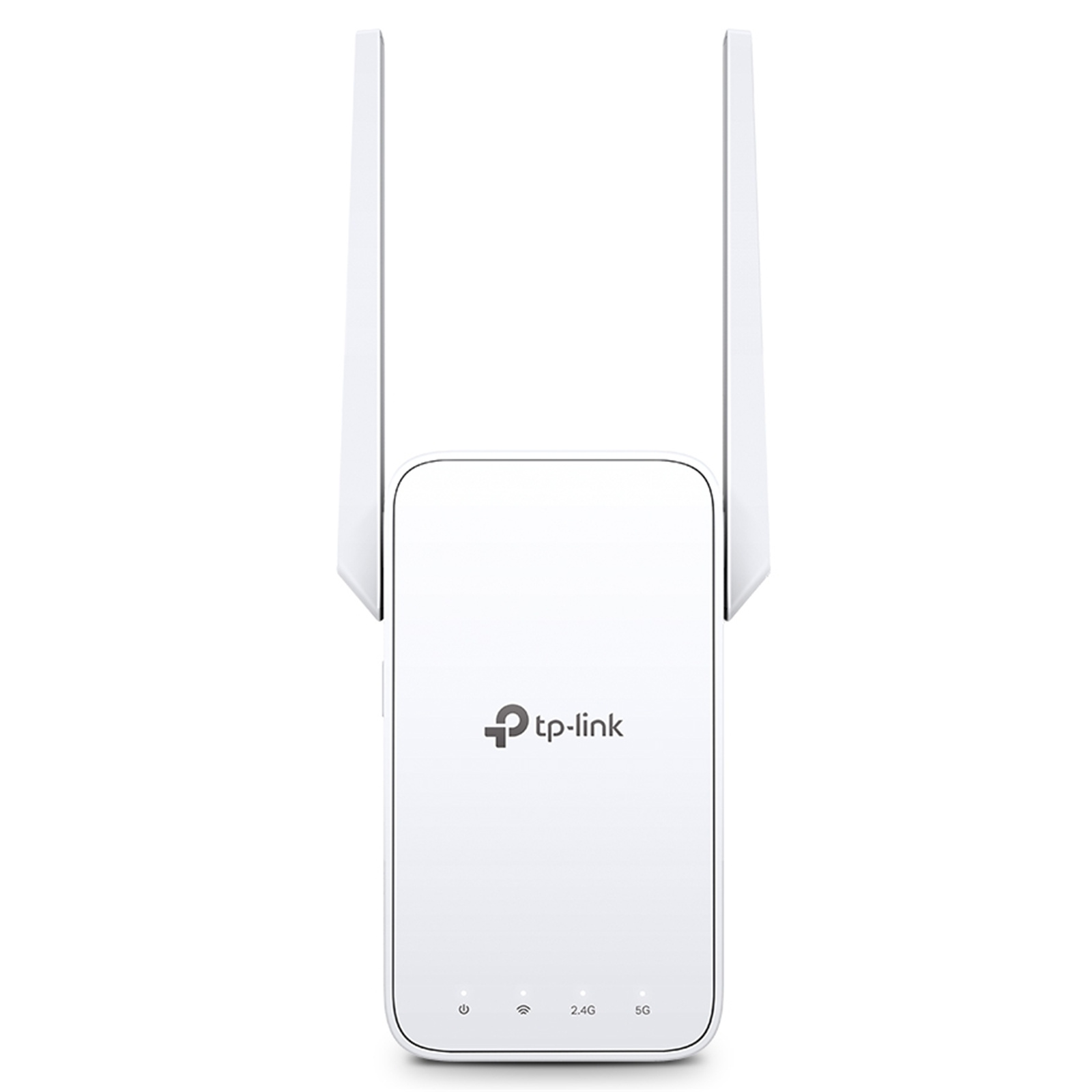
TP-Link RE315 (AC1200) Dual-Band WiFi 5 Range Extender
RJ45 x1 - EasyMesh Compatible - Support AP Mode
TP-Link RE315 (AC1200) Dual-Band WiFi 5 Range Extender
RJ45 x1 - EasyMesh Compatible - Support AP Mode
- Brand: TP-Link
- MPN: RE315
- Part #: NRETPL3151
- UPC:
Cheaper options available
Select your store to check availability

What PB Tech customers are saying about this product...
See More Reviews"Easy to install and really extend my wifi"
"excellent product, exactly what I needed, saved me heaps of money if I had to hard -wire phone extensions into my factory"
"Really happy with product.
Replace a 2.4ghz extender which ...view more"
COMBO DEALS: Buy Together and SAVE!


TP-Link Tapo L530E Smart Wi-Fi RGB LED Light Bulb E27 - 2 Pack
$27.26 +GST
$31.35
TP-Link Tapo L930-5 Smart Light Strip -5M, RGB Multicolour, Dimmable
$73.04 +GST
$84.00
Features
AC1200 Mesh Wi-Fi Range Extender
- Eliminate weak signal areas with whole home WiFi coverage.
- 2.4 GHz (300 Mbps) and 5 GHz (867 Mbps) dual-band WiFi connection ensures more stable wireless experience.†
- EasyMesh-Compatible - Flexibly creates a Mesh network by connecting to an EasyMesh-compatible router for seamless whole-home coverage
- Adaptive Path Selection - connects to the fastest connection path to the router automatically and runs at top-speed.
- AP Mode - create a new Wi-Fi access point to enhance your wired network with Wi-Fi capability.
- Smart signal indicator helps to find the best location for optimal Wi-Fi coverage by showing the signal strength.
- Push the WPS button to easily connect to the router and you can uniformly manage from the Tether app or Web UI.
- Works with any Wi-Fi router or wireless access point.*
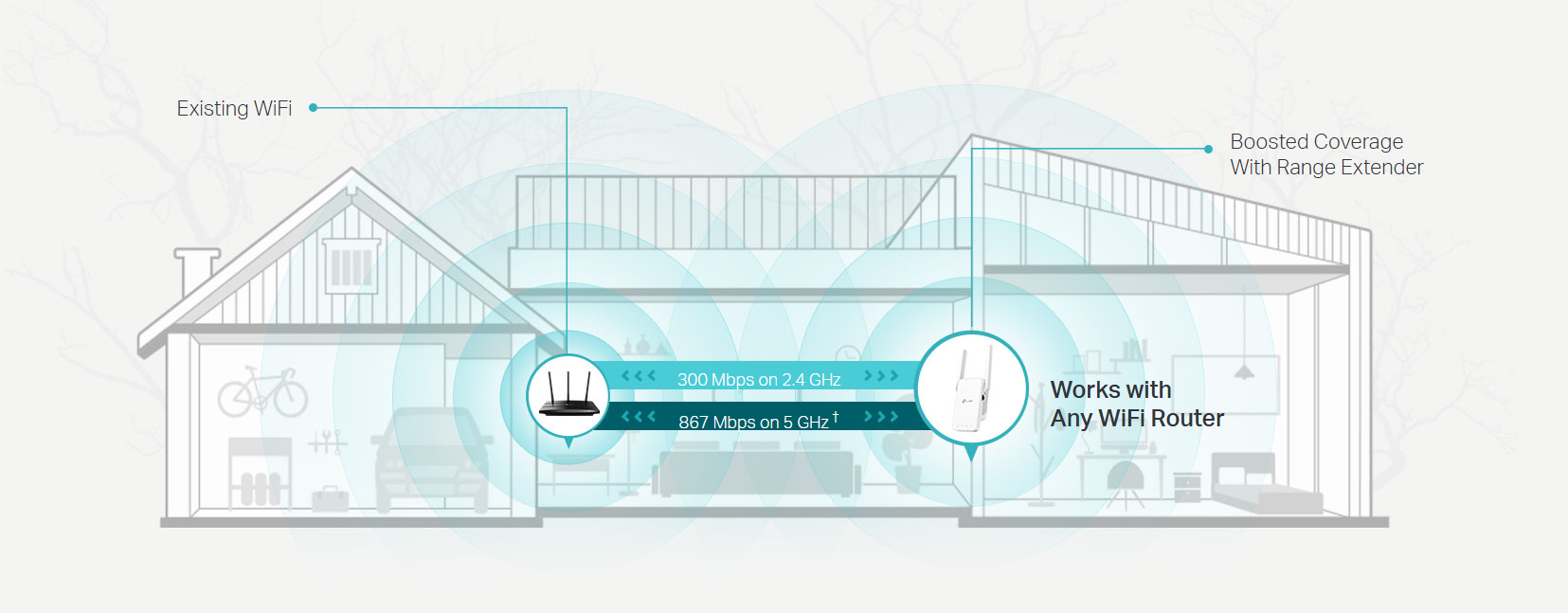
Boost Whole Home WiFi with Your Existing Router
A single router has limited WiFi coverage and always causes WiFi dead zones. RE315 wirelessly connects to your existing router and expands its WiFi signal into areas it can't reach on its own. Enjoy your stable network experience wherever you are at home.
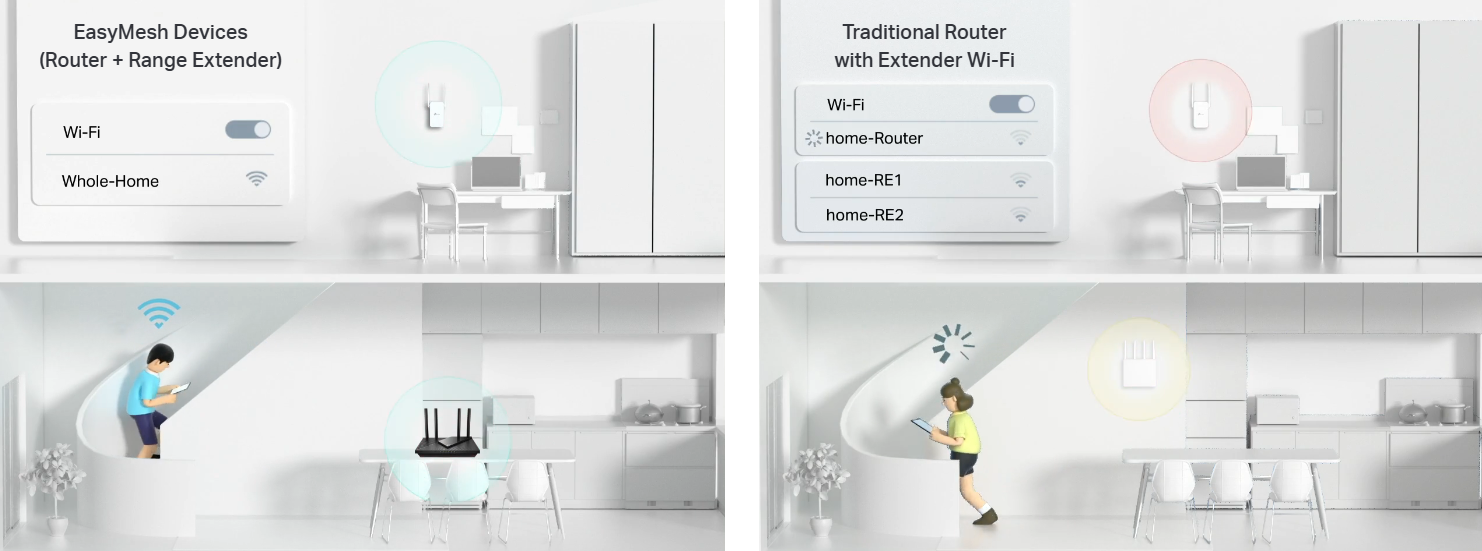
Flexibly Create Whole Home Mesh WiFi
If you have any dead zones at home, just add another EasyMesh-compatible router to further form your whole home mesh WiFi. No more searching for a stable connection.
Faster Dual Band WiFi up to 1200 Mbps
RE315 delivers dual band (2.4 GHz and 5 GHz) to transmit WiFi signals, doubling the performance of each band. It enables you to keep more devices connected at the same time with its 300 Mbps 2.4 GHz and 867 Mbps 5 GHz dual bands. Use the 2.4 GHz band to send email and browse the web and the 5 GHz band for gaming and HD streaming.†

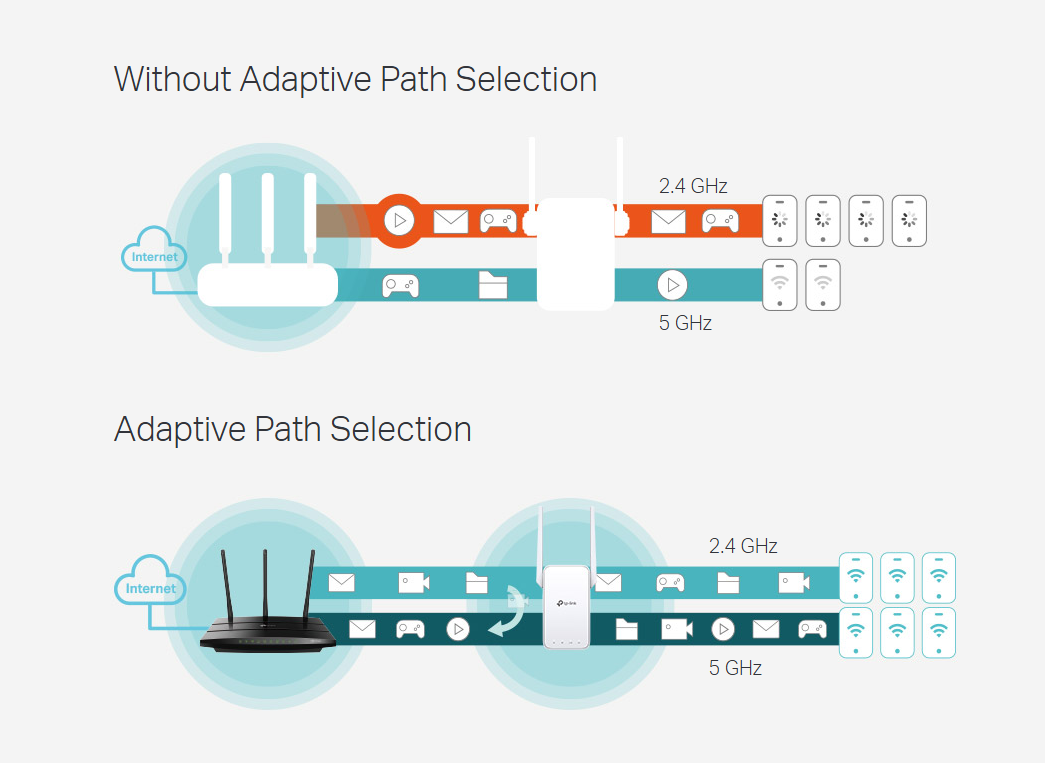
Adaptive Path Selection: Keeps Itself Working at Top Speed
Adaptive Path Selection keeps your network running at optimal speeds by automatically choosing the fastest connection path to the router. Always keep your devices fast and stable-ideal for network environments crowded with many devices and applications.
Built-In Access Point Mode
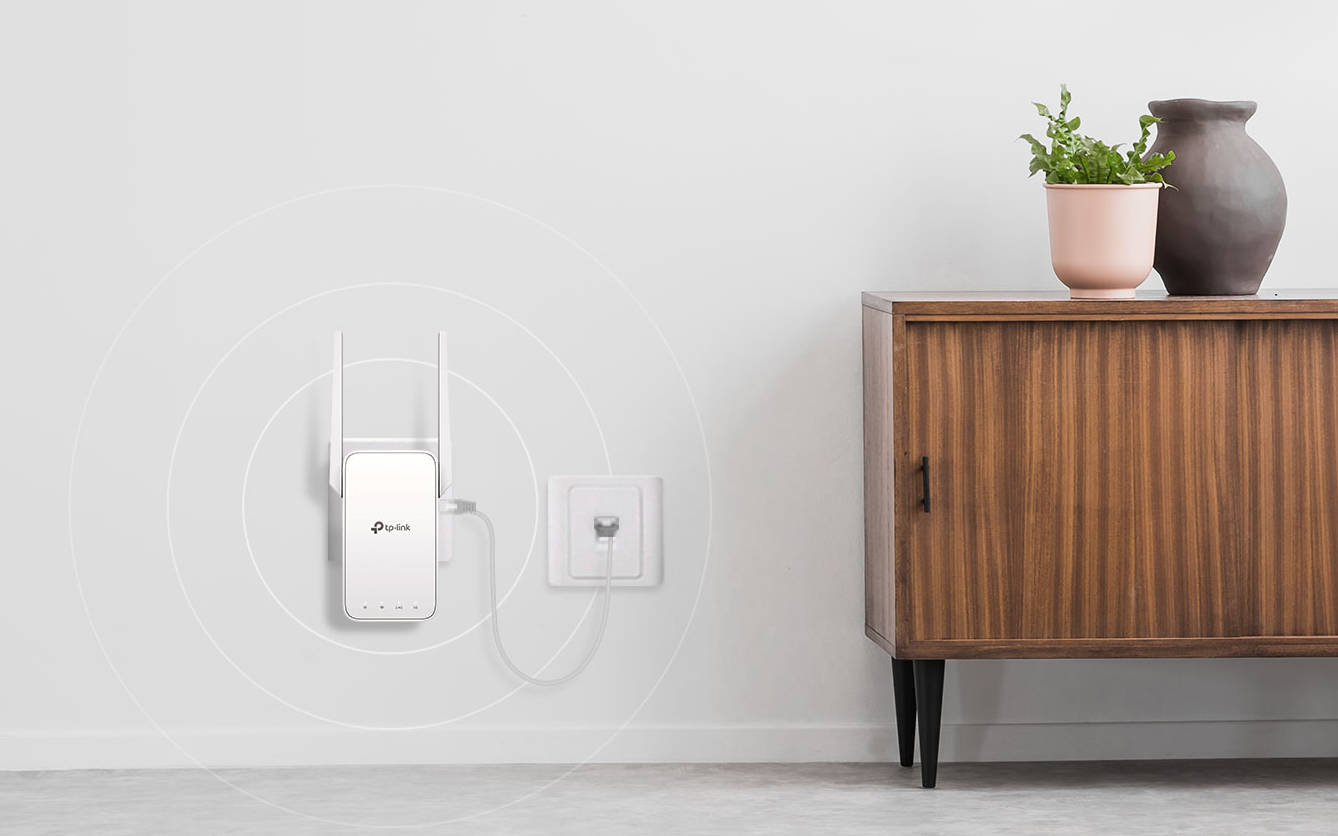
RE315 is more than a wireless range extender. Simply plug an Ethernet cable into its Ethernet port and easily turn your wired internet connection into a 2×2 MIMO dual band wireless access point.
Secure One-Touch Connection for Easy Setup
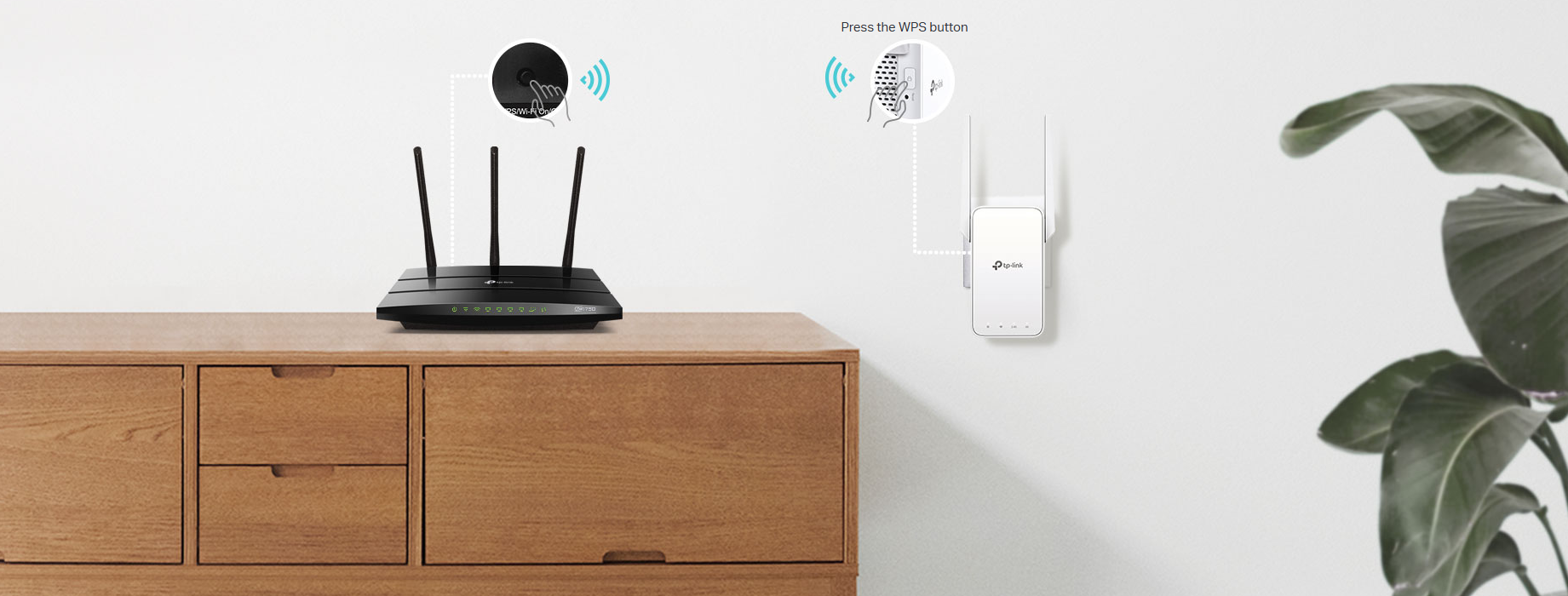
Step 1: Simply press the WPS button on your router and, within 2 minutes, the WPS button on RE315 will connect to the network.
Step 2: Once connected, place RE315 at the best location-without reconfiguration.
Find the Best Location with the Smart Signal Indicator
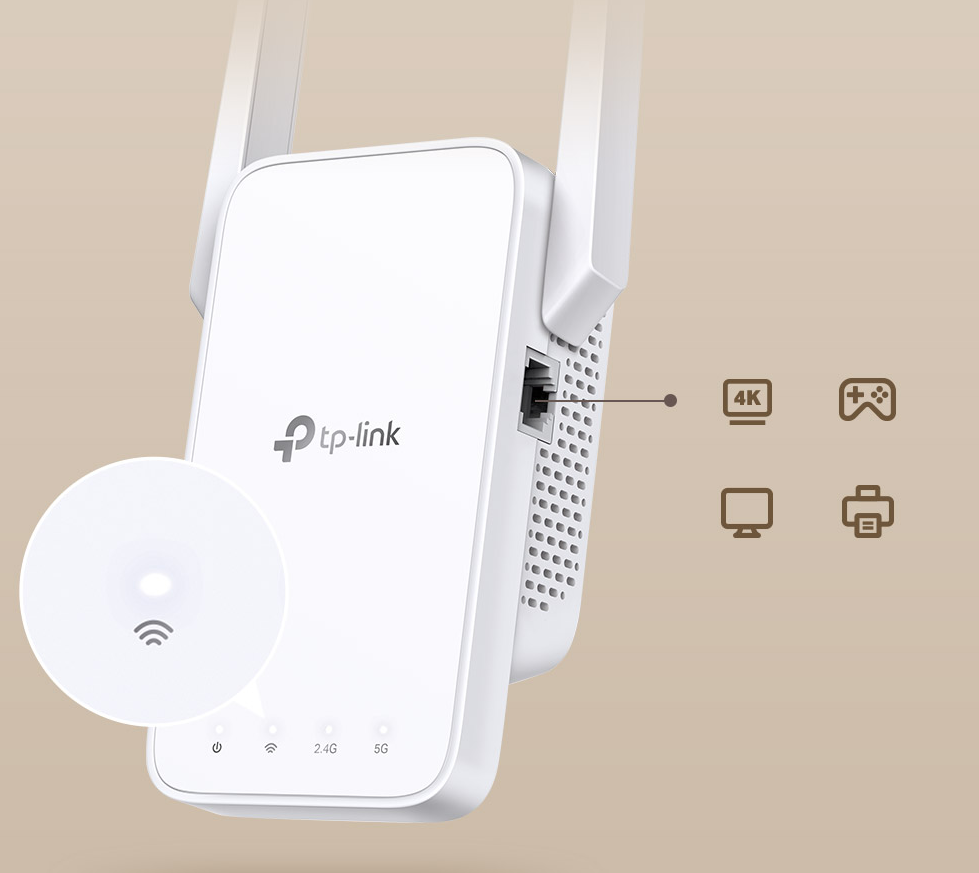
The smart signal indicator lets you see signal strength from the existing router at a glance. Easily to find the best place to position your range extender to extend your WiFi.
Control at Your Fingertips
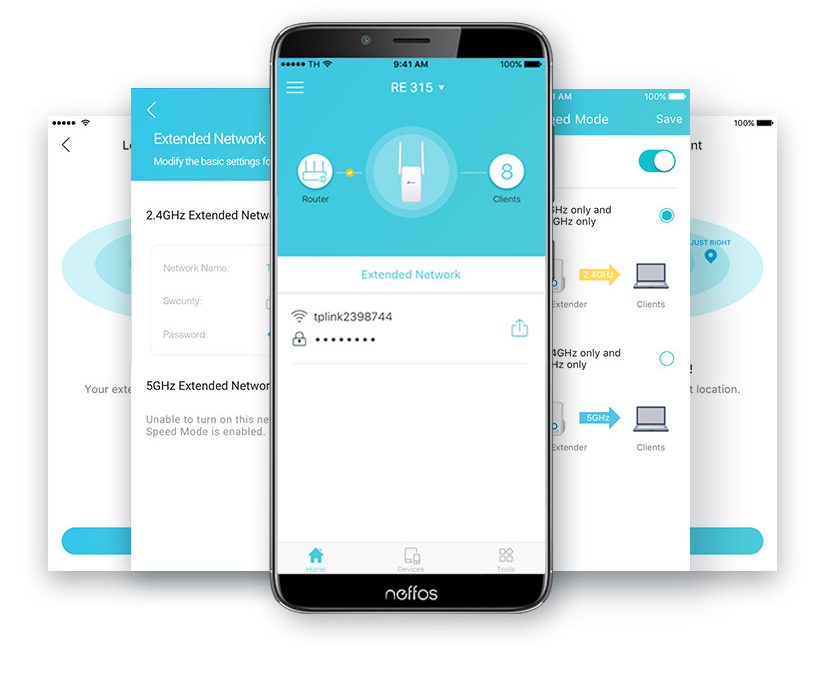
Set up and manage your WiFi through the TP-Link Tether app from your smartphone (Android, iOS), including TP-Link routers and range extenders.
Specifications
Reviews
Do you own this product?
Nice Product
Easy to install and really extend my wifi
the bee's knees
excellent product, exactly what I needed, saved me heaps of money if I had to hard -wire phone extensions into my factory
Tp link Re315 extender
Really happy with product.
Replace a 2.4ghz extender which provide only 30mhz speed via Ethernet cable.
YouTube some slow and wait.
This tplink re315 upgrade speed to 80+ mhz speed . Very smooth to YouTube n no waiting.
Highly recommended
Good enough

Accessories


Delivery & Pick-up

Delivery Estimates
The estimated time to ship for each product we sell is detailed on the individual product page just underneath the price. From when your items ship, products typically arrive within 1-2 working days for North Island deliveries and 2-3 working days for South Island deliveries. Rural deliveries may take an extra working day. Bulk & hazard deliveries may take an extra 2-7 working days and tracking links for these deliveries can take a few days to generate.
Next Day Delivery
Need your order in a hurry? PB Tech offers next day delivery for local Auckland addresses. Simple place your order before 4pm (provided your items are in stock) and select our next day delivery option in the checkout. T&C's apply. Learn more about Next Day Delivery.
Same Day Delivery
Need your order in a hurry? PB Tech offers same day delivery for Auckland, Hamilton, Wellington and Christchurch. Simple place your order before 1pm (provided your items are in stock) and select one of our same day delivery options 'Evening Delivery' or 'Urgent 3-hour Delivery' in the checkout. T&C's apply. Learn more about Same Day Delivery.
Shipping Costs
Shipping costs vary based on your location and the items being shipped and in some cases shipping may even be FREE.
To calculate what the shipping costs will be for your order, add the items you are interested in to your cart, view the Shopping Cart page, and select your 'Delivery Area' to calculate the shipping cost.
Shipping Security & Insurance
All orders shipped by PB Tech are sent via a courier with a signature required for each delivery. In some cases, and only where you have given the courier company permission to leave orders at a designated location, your order may be delivered without requiring a signature. All orders sent by PB Tech are fully insured in the unlikely event that your item(s) are damaged or go missing in transit.
1 Hour Store Pick-up / Click & Collect
You can pick-up your online order from any of our stores nationwide. You can select which store you want to pick up from at the checkout. Provided the store you select has stock and there's no hold-ups with payment we will have your order ready within 1 hour (during normal trading hours for that store) otherwise it may take up to 5 working days to transfer the stock to the store so your order can be fulfilled. Learn more about our Click & Collect process.
Overseas Shipments
PB Tech regularly ships overseas to Australia and beyond. If you are located in Australia, you can order directly from our Australian site www.pbtech.com/au. If you are from another country you can order from www.pbtech.com
Returns & Warranty
Popular Wall Plug Range Extenders

 TP-Link WA850RE (N300) WiFi 4 Range Extender 1x RJ45

 TP-Link RE205 (AC750) Dual-Band WiFi 5 Range Extender RJ45 x1 -...

 TP-Link RE605X (AX1800) Dual-Band WiFi 6 Range Extender 1x 1GbE

 TP-Link RE450 (AC1750) Dual-Band WiFi 5 Range Extender 1GbE x1 -...

 TP-Link RE705X (AX3000) Dual-Band WiFi 6 Range Extender 1x 1GbE


TP-Link RE315 (AC1200) Dual-Band WiFi 5 Range Extender RJ45 x1 - EasyMesh Compatible - Support AP Mode
- Brand: TP-Link
- MPN: RE315
- Part #: NRETPL3151
Product URL: https://www.pbtech.co.nz/product/NRETPL3151/TP-Link-RE315-AC1200-Dual-Band-WiFi-5-Range-Extend
| Branch | New Stock | On Display |
|---|---|---|
| Auckland - Albany | 0 | |
| Auckland - Glenfield | 0 | |
| Auckland - Queen Street | 1 | |
| Auckland - Auckland Uni | 0 | |
| Auckland - Westgate | 0 | |
| Auckland - Penrose | 0 | |
| Auckland - Henderson (Express) | 0 | |
| Auckland - St Lukes | 0 | |
| Auckland - Manukau | 0 | |
| Hamilton | 0 | |
| Tauranga | 0 | |
| New Plymouth | 2 | |
| Palmerston North | 0 | |
| Petone | 0 | |
| Wellington | 0 | |
| Auckland - Head Office | 0 | |
| Auckland - East Tamaki Warehouse | 0 | |
| Christchurch - Hornby | 0 | |
| Christchurch - Christchurch Central | 0 | |
| Dunedin | 1 |
Features
AC1200 Mesh Wi-Fi Range Extender
- Eliminate weak signal areas with whole home WiFi coverage.
- 2.4 GHz (300 Mbps) and 5 GHz (867 Mbps) dual-band WiFi connection ensures more stable wireless experience.†
- EasyMesh-Compatible - Flexibly creates a Mesh network by connecting to an EasyMesh-compatible router for seamless whole-home coverage
- Adaptive Path Selection - connects to the fastest connection path to the router automatically and runs at top-speed.
- AP Mode - create a new Wi-Fi access point to enhance your wired network with Wi-Fi capability.
- Smart signal indicator helps to find the best location for optimal Wi-Fi coverage by showing the signal strength.
- Push the WPS button to easily connect to the router and you can uniformly manage from the Tether app or Web UI.
- Works with any Wi-Fi router or wireless access point.*
Boost Whole Home WiFi with Your Existing Router
A single router has limited WiFi coverage and always causes WiFi dead zones. RE315 wirelessly connects to your existing router and expands its WiFi signal into areas it can't reach on its own. Enjoy your stable network experience wherever you are at home.
Flexibly Create Whole Home Mesh WiFi
If you have any dead zones at home, just add another EasyMesh-compatible router to further form your whole home mesh WiFi. No more searching for a stable connection.
Faster Dual Band WiFi up to 1200 Mbps
RE315 delivers dual band (2.4 GHz and 5 GHz) to transmit WiFi signals, doubling the performance of each band. It enables you to keep more devices connected at the same time with its 300 Mbps 2.4 GHz and 867 Mbps 5 GHz dual bands. Use the 2.4 GHz band to send email and browse the web and the 5 GHz band for gaming and HD streaming.†
Adaptive Path Selection: Keeps Itself Working at Top Speed
Adaptive Path Selection keeps your network running at optimal speeds by automatically choosing the fastest connection path to the router. Always keep your devices fast and stable-ideal for network environments crowded with many devices and applications.
Built-In Access Point Mode
RE315 is more than a wireless range extender. Simply plug an Ethernet cable into its Ethernet port and easily turn your wired internet connection into a 2×2 MIMO dual band wireless access point.
Secure One-Touch Connection for Easy Setup
Step 1: Simply press the WPS button on your router and, within 2 minutes, the WPS button on RE315 will connect to the network.
Step 2: Once connected, place RE315 at the best location-without reconfiguration.
Find the Best Location with the Smart Signal Indicator
The smart signal indicator lets you see signal strength from the existing router at a glance. Easily to find the best place to position your range extender to extend your WiFi.
Control at Your Fingertips
Set up and manage your WiFi through the TP-Link Tether app from your smartphone (Android, iOS), including TP-Link routers and range extenders.
Specifications
Interface
1 x 10/100Mbps Ethernet Port (RJ45)
Button
WPS Button, Reset Button
Input Power
100-240V~50/60Hz
Max. Power Consumption
9.5W(max power consumption)
Dimensions ( W x D x H )
3.5×1.4×4.9 in. (89×35.0×124.1 mm)
Antenna
2 External Antennas
Wireless Standards
IEEE 802.11a/n/ac 5 GHz, IEEE 802.11b/g/n 2.4 GHz
Frequency
2.4GHz and 5GHz
Signal Rate
300Mbps at 2.4GHz, 867Mbps at 5GHz
Working Modes
Range Extender/Access Point
Reception Sensitivity
5 GHz:
11a 6Mbps: -94dBm
11a 54Mbps: -77dBm
11ac HT20 MCS0: -94dBm
11ac HT20 MCS8: -71dBm
11ac HT40 MCS0: -92dBm
11ac HT40 MCS9: -66dBm
11ac HT80 MCS0: -87dBm
11ac HT80 MCS9: -62dBm
2.4 GHz:
11g 54Mbps: -78dBm
11n HT20 MCS7: -76dBm
11n HT40 MCS7: -74dBm
Wireless Functions
Enable/Disable Wireless Radio
DFS (the latest firmware and hardware version is required)
Access Control
LED Control
Power Schedule
Wi-Fi Coverage
Wireless Security
64/128-bit WEP, WPA/WPA2-PSK/WPA2-PSK2 encryptions
Transmission Power
2.4 GHz ≤20dBm, 5 GHz ≤30dBm
Network Services Enabled by Default
Web Server
Manage and configure device through web (HTTP/HTTPS)
Port: 80/443 Protocol: TCP
DHCP Server
IP address assignment (DHCP)
Port: 67 Protocol: UDP
App management
Manage and configure device through app
Port: 20001 Protocol: TCP
Port: 20002 Protocol: UDP
Certification
CE, RoHS
Package Content
Wi-Fi Range Extender RE315
Quick Installation Guide
System Requirements
Microsoft Windows 98SE, NT, 2000, XP, Vista™ or Windows 7, 8, 8.1, 10, MAC OS, NetWare, UNIX or Linux
Internet Explorer 11, Firefox 12.0, Chrome 20.0, Safari 4.0, or other Java-enabled browser
Environment
Operating Temperature: 0℃~40℃ (32℉ ~104℉)
Storage Temperature: -40℃~70℃ (-40℉ ~158℉)
Operating Humidity: 10%~90% non-condensing
Storage Humidity: 5%~90% non-condensing


